
Meu projeto do curso: Design com Python: programação para um contexto visual
de falbriard @falbriard
- 1,288
- 24
- 3
Titulo: Animação do Polvo de Vidro
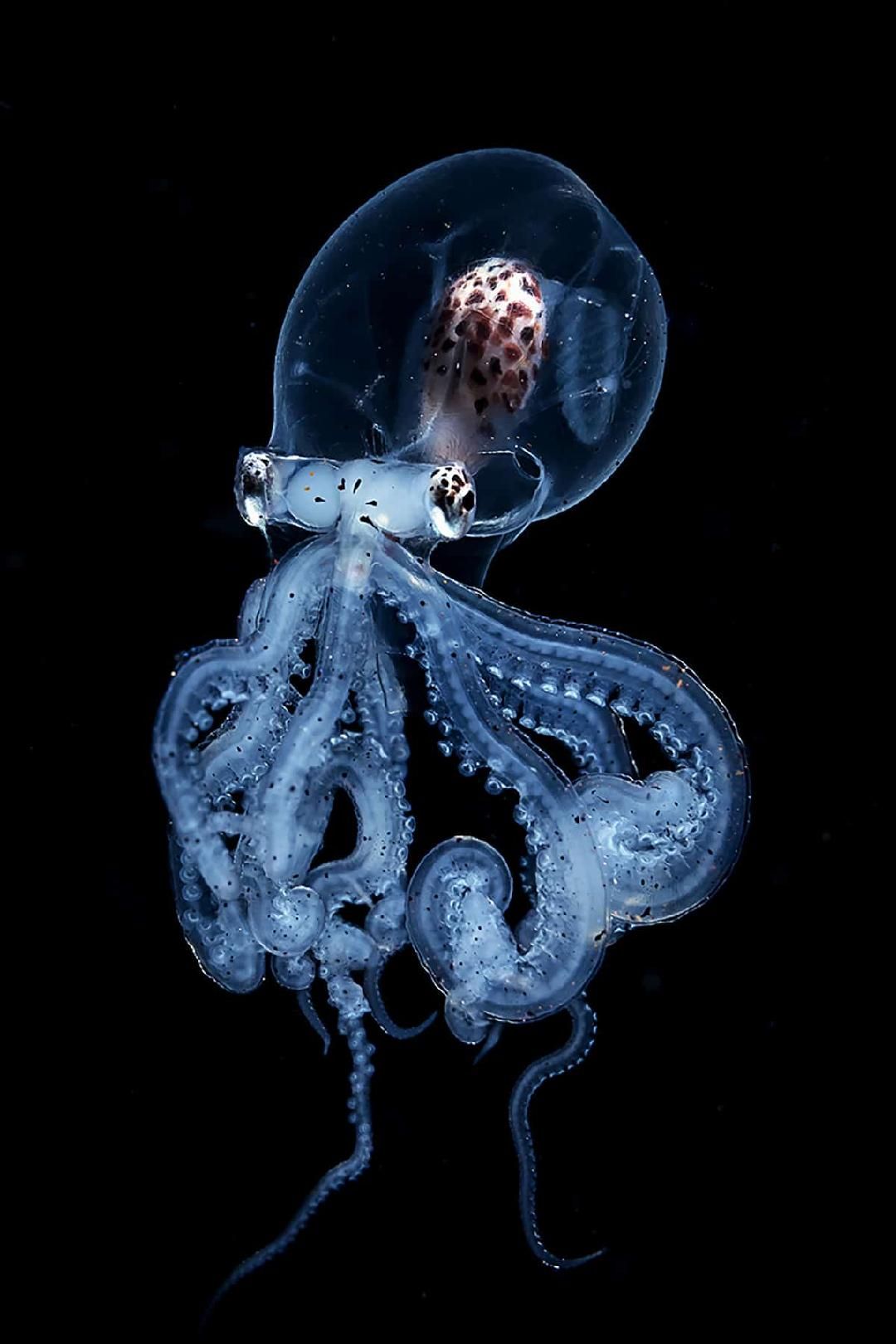
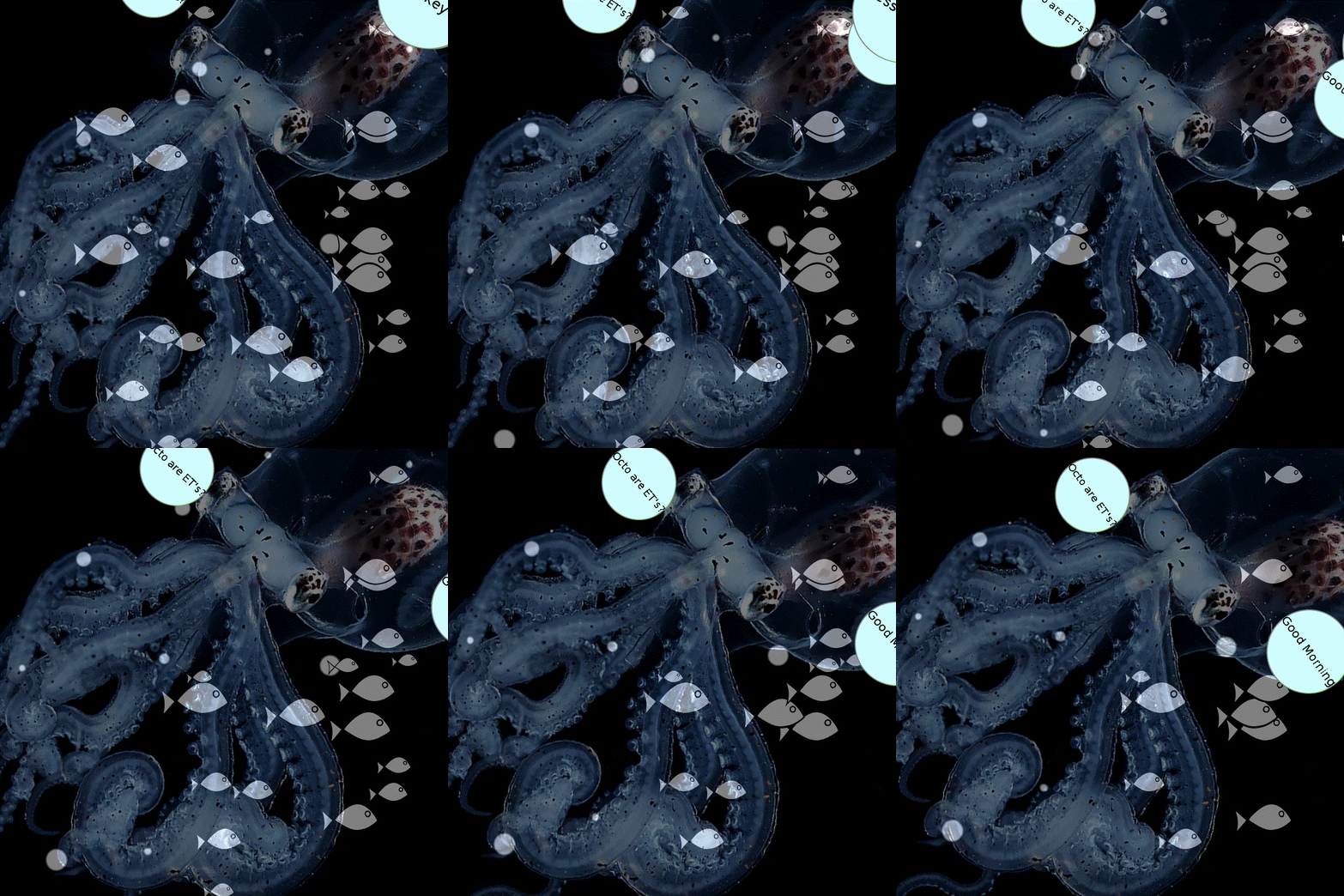
O projeto visualiza uma animação de um polvo de vidro junto com as bolhas de ar e cardumes de peixe nadando. A imagem do Octopus de Vidro é da "Ocean Conservancy". O exemplo faz uso dos controles interativos da ferramenta Py5. Execute a rotina principal que chama octopus.py. Boa diversão.
Autor: Claude Falbriard, e-mail: falbriard@aol.com, 28/01/2024
# Projeto Versão 1.0

# É meu primeiro programa em Py5 & Thonny é um Octopus girando um polvo

# sobre o fundo preto, objeto centralizado com eixo de rotação também centrado.

# Usa controle das teclas '-' e '+' , ou 'r' e 'l'

# O sketch termina a animação com a tecla 'c' ou 'e',

# adicionando uma classe para criar bolhas de ar,

# e ainda outra classe para cardumes de peixe nadando

# Ativei uma classe com circulos formando comics de texto.

# pendencias: impressão de texto sombre a tela e retina de reinício.

# Imagem do Octopus de Vidro da "Ocean Conservancy"
# font = create_font("./data/DejaVu_Sans", 64) # Load font with large size, run once!
import time
import os
class Bubble:
def __init__(self):
self.x = random(width)
self.y = height
self.diameter = random(10, 40)
self.speed = random(0.5, 2)
def update(self):
self.y -= self.speed
def draw(self):
fill(255)
ellipse(self.x, self.y, self.diameter, self.diameter)
# end class Bubbles
class Fish:
def __init__(self, size, color):
self.x = random(width)
self.y = random(height)
self.speed = random(1, 2)
self.size = size
self.color = color
self.is_turning = False
def update(self):
self.x += self.speed
# delete 1 in 780 fishes randomically
if self.x >= width - 20:
pickit = random_int(1,50)
if pickit == 1:
fishes.remove(fishes[0])
if self.x > width - 20:
self.is_turning = True
# cfa deactivated
# fish_shape.scale(-1, 1) # Flip shape
elif self.x < 0:
self.is_turning = False
fish_shape.scale(-1, 1) # Flip back
if self.is_turning:
self.speed *= -1 # Reverse direction
def draw(self):
shape_mode(CENTER)
shape(fish_shape, self.x, self.y, self.size, self.size)
fill(self.color)
# end class Fish
# start of class Text bubble (comics)
class TBubble:
def __init__(self, text):
self.text = text
self.x = random(width)
# cfa modified by factor 2
self.y = random(height*1.2)
self.size = random(10, 40)
self.speed_x = random(-2, 2)
self.speed_y = random(-2, 2)
def update(self):
self.x += self.speed_x
self.y += self.speed_y
# Bounce off the edges
if self.x < 0 or self.x > width:
self.speed_x *= -1
if self.y < 0 or self.y > height*1.2:
self.speed_y *= -1
def draw(self):
fill(208,254,254) # White pale fill
stroke(128,128,128) # Black outline
stroke_weight(2)
ellipse(self.x, self.y, self.size*5, self.size*5)
fill(0) # Black text
text_align(CENTER, CENTER)
text_size(self.size / 1.4) # Adjust text size based on bubble size
text(self.text, self.x, self.y)
# end of class TBubbles
global myrotation
myrotation = 0.0 # angulo inicial
bubbles = []
fish_shape = None
fishes = []
tbubbles = []
def setup():
size(800, 800)
# load font
# show title for 5 seconds
global font
font = load_font("DejaVu_Sans-32.vlw")
background(0)
draw_rect()
draw_title()
time.sleep(3)
#
global img
img = load_image("octo.jpeg") # Nome do arquivo na pasta ./data
no_stroke()
# reads from folder ./data
# font = load_font("DejaVu_Sans-32.vlw")
global fish_shape
fish_shape = load_shape("fish1.svg")
fish_shape.scale(-1, 1)
# Create fish objects
for _ in range(10):
fsize = random(50, 150)
fcolor = color(random(255), random(255), random(255))
fishes.append(Fish(fsize, fcolor))
# add text comics list with three elements
tbubbles.append(TBubble("Good Morning"))
tbubbles.append(TBubble("Welcome"))
tbubbles.append(TBubble("Octo are ET's?"))
tbubbles.append(TBubble('Press key "f"'))
def draw():
global myrotation
# write title line
# the font must be located in the sketch's
# "data" directory to load successfully
# run create_font and move into ./data
# create_font_file('./data/DejaVu_Sans', 32)
bubble = None # local variable
background(0) # limpar o background
# draw bubbles
if random(100) < 1:
bubbles.append(Bubble())
for i in range(len(bubbles)-1, -1, -1):
bubble = bubbles[i]
bubble.update()
bubble.draw()
if bubble.y < -50:
bubbles.pop(i)
# draw fishes
for fish in fishes:
fish.update()
fish.draw()
# Aplicar a rotacao no centro da imagemm
translate(width/2, height/2)
rotate(radians(myrotation))
translate(-img.width/2, -img.height/2)
# for i in range(1,10):
# myrotation += 0.1
# tint(255, 127) # Display at half opacity ** experimental ***
# image(img, 0, 0)
tint(255, 127)
image(img, 0, 0)
# feito, um octopus girando no sketch (parece vivo!)
# add text comic
for tbubble in tbubbles:
tbubble.update()
tbubble.draw()
def draw_rect():
# title window
stroke_weight(4)
stroke(220,220,220)
fill(255)
rect(150, 20, 300, 55, 7)
# text window
stroke_weight(4)
stroke(220,220,220)
fill(255)
rect(250, 150, 300, 250, 7)
def draw_title():
global font
text_align(CENTER, CENTER) # Center text horizontally and vertically
text_font(font, 32)
text_size(32)
fill(150, 150, 150)
text("Octopus is an ET?", 295, 50)
text_size(22)
text_align(LEFT, CENTER) # Align left
text("press 'f' -> more fishes", 275, 200)
text("press '+' or 'r' -> right", 275, 240)
text("press '-' or 'l' -> left", 275, 280)
text("press 'c' -> finish game", 275, 320)
text("press 'n' -> restart game", 275, 360)
def key_pressed():
global myrotation
if key == '+' or key == 'r':
myrotation += 0.1
if key == '-' or key == 'l':
myrotation -= 0.1
if key == 'c' or key == 'e':
print('end of octo aquarium show')
exit_sketch()
if key == 'n':
print('the octo aquarium game was restarted')
no_loop()
fill(0)
rect(1,1,width-2,height-2)
draw_rect()
draw_title()
text("*** game restarted ***", 285, 390)
update_pixels()
time.sleep(2)
myrotation = 0.0
loop()
# bug1: restart sketcch not working for text menu display
if key == 'f':
# draw fishes
# Create fish objects again
for _ in range(10):
fsize = random(50, 150)
fcolor = color(random(255), random(255), random(255))
fishes.append(Fish(fsize, fcolor))


3 comentários
Muito bom! Tem como capturar uma pequena animação talvez? Eu gosto de usar pypeek, em outras plataformas tem também LICEcap ou outras ferramentas pra gravar a tela!
@a_b_a_villares consegui gravar um GIF animado com a ferramenta blue-recorder do Linux.
@falbriard agora sim deu pra ve, muito legalr! Claude, se der, mova o código para um "anexo" usando aquele botão <\>....
Faça login ou cadastre-se Gratuitamente para comentar