Realistic CGI Compositions: Create a Sci-Fi Scene
A course by Timo Noack, 3D Artist and Art Director


Learn to create a cinematic scene by creating shapes, lights, textures, and atmospheric effects in Cinema 4D and Octane Render

Computer-generated imagery, or CGI, is the digital magic that has created countless realistic visual effects for film, television, video games, and other media. Timo Noack is a 3D artist and art director who specializes in CG-based cinematic imagery for the entertainment, music, sports, and advertising industries.
In this course, he teaches you how to make immersive, cinematic compositions using Cinema 4D and Octane Render. Learn how to create striking atmospheric effects from scratch and bring an original CGI composition to life.
What will you learn in this online course?
17 lessons & 14 downloads
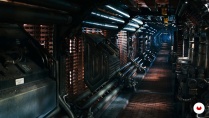
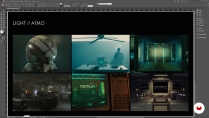
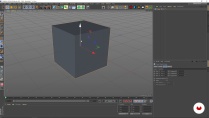
What's included in this course?
Start by getting to know Timo, a 3D artist and art director from Frankfurt, Germany. He shares with you how his passion for photography and film led him to a career in CGI and digital art. Then hear about his influences and his sources of inspiration.
Since every great scene started with the idea, Timo encourages you to start with whatever idea comes to mind. From that idea, learn how to create a mind map to expand and build on it. Then create a mood board with cinematic references or concept art as inspiration. Get an overview of Cinema 4D, Octane, and Photoshop, and discover the functions of each software that will help you create your 3D scene.
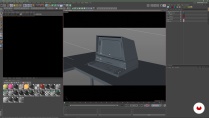
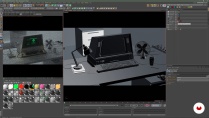
Enter the production phase by sketching then modeling your idea directly in Cinema 4D. Learn how to build a composition by seeing how to arrange the previously modeled objects. Timo then takes you step by step to create realistic shaders in Octane. Give your scene a realistic feel by creating texture and adding detail. Jump back into Cinema 4D and learn how to add light to your scene to create atmospheric effects.
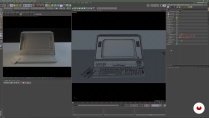
Next, start generating the final image by rendering the 3D scene in Octane. Dive into the post-processing stage in Photoshop, where you can adjust, extend, and finalize your scene. Wrap up the course by taking the final steps to format and export your scene.
- 100% positive reviews (47)
- 2,111 students
- 17 lessons (3h 8m)
- 14 additional resources (4 files)
- Online and at your own pace
- Available on the app
- Audio: English, Spanish
- English · Spanish · Portuguese · German · French · Italian · Polish · Dutch · Turkish · Romanian · Indonesian
- Level: Beginner
- Unlimited access forever
Recommended software & tools for this course
 Cinema 4D
 OctaneRender
What is this course's project?
Create a cinematic sci-fi scene of a computer terminal from scratch by applying texture, lighting, and rendering.

Projects by course students


Who is this online course for?
This course is for anyone curious about exploring the 3D and CGI world.
Requirements and materials
Basic knowledge in Cinema 4D and Octane is nice to have, but not essential.
To take this course, you need access to Photoshop (or similar), Cinema 4D, and Octane Render.

Reviews

Timo Noack
A course by Timo Noack
Timo Noack is a 3D artist and art director from Frankfurt, Germany. His career started from a passion for photography and film. After capturing images of nature and exploring concepts like light, texture, and image editing, he dedicated his career to creating cinematic worlds for the entertainment, music, sports and advertising industries.
As an art director with focus on CGI, concept art and photography, he’s worked for nearly a decade in a variety of fields, ranging from illustration, graphic design, animation, to print and online media with clients from automotive, communication, technology, and finance sectors.
Content
-
U1
Introduction
-
About Me
-
Influences
-
-
U2
The Artist’s Monologue
-
The Idea
-
The Concept
-
Software Introduction
-
-
U3
The 3D Workflow
-
Modeling the Main Object
-
Composition
-
Create Realistic Shaders with Octane 1
-
Create Realistic Shaders with Octane 2
-
Additional Materials for the Scene 1
-
Additional Materials for the Scene 2
-
Lighting Process
-
-
U4
Generating the Final Image
-
Render in Octane 1
-
Render in Octane 2
-
Post-processing in Adobe Photoshop 1
-
Post-processing in Adobe Photoshop 2
-
Final Steps for Outputting the Image File
-
-
FP
Final project
-
Realistic CGI Compositions: Create a Sci-Fi Scene
-
What to expect from a Domestika course
-
Learn at your own pace
Enjoy learning from home without a set schedule and with an easy-to-follow method. You set your own pace.
-
Learn from the best professionals
Learn valuable methods and techniques explained by top experts in the creative sector.
-
Meet expert teachers
Each expert teaches what they do best, with clear guidelines, true passion, and professional insight in every lesson.
-
Certificates
PlusIf you're a Plus member, get a custom certificate signed by your teacher for every course. Share it on your portfolio, social media, or wherever you like.
-
Get front-row seats
Videos of the highest quality, so you don't miss a single detail. With unlimited access, you can watch them as many times as you need to perfect your technique.
-
Share knowledge and ideas
Ask questions, request feedback, or offer solutions. Share your learning experience with other students in the community who are as passionate about creativity as you are.
-
Connect with a global creative community
The community is home to millions of people from around the world who are curious and passionate about exploring and expressing their creativity.
-
Watch professionally produced courses
Domestika curates its teacher roster and produces every course in-house to ensure a high-quality online learning experience.
FAQs
Yes, this course is designed for learners with intermediate skills in Photoshop and 3D software like Cinema 4D, helping you advance your digital painting, modeling, and visual storytelling abilities.
You’ll need Adobe Photoshop, Cinema 4D, and Octane for 3D rendering. Access to Illustrator and music or film inspiration sources is also helpful for some lessons.
You’ll learn digital painting, advanced photo editing, 3D modeling, cinematic lighting, material creation, and visual storytelling techniques, along with workflows for combining 2D and 3D assets and post-processing rendered images.
This course is best for those with some prior experience in 3D modeling, as it covers intermediate to advanced techniques in Cinema 4D, Octane, and Photoshop workflows.
A computer with a modern multi-core processor, at least 16GB RAM, and a dedicated GPU is recommended for smooth performance with Cinema 4D and Octane rendering.
You’ll explore composition, lighting, and color theory to craft cinematic moods. The course emphasizes storytelling through camera techniques, mood boards, and integrating influences from film and music.
You’ll enhance your photo retouching, digital painting, lighting adjustments, color grading, and post-processing skills, including non-destructive editing workflows using smart objects and adjustment layers.
 Cinema 4D
 OctaneRender
Great course!!
very useful
professional
Aprender de este profesional me ha aportado el conocimiento y experiencia que siempre quize.
Muy buen curso