Illustration Techniques in Pixel Art
A course by Galamot Shaku, Illustrator/Game Developer

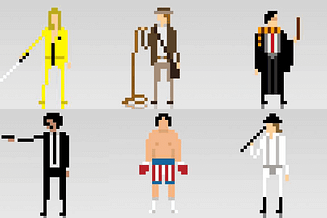
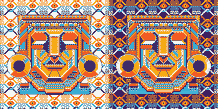

Create a pixel-art portrait with Photoshop using a photograph or drawing

Adrián de la Garza (better known as Galamot Shaku)—illustrator, pixel artist, and video-game developer—teaches you everything you need to know about pixel art, a digital art form where images are edited at the pixel level.
In this course, Galamot goes over the different illustration techniques that exist in this discipline, from the theoretical base and technical foundations to applications in different formats and supports.
What will you learn in this online course?
12 lessons & 12 downloads
What's included in this course?
Start by learning about Galamot's work and influences, from console graphics to more traditional illustrations.
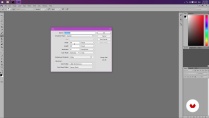
Next, learn how to set up a file in Photoshop and the tools needed to work easily with pixels.
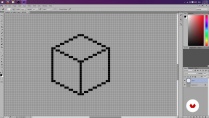
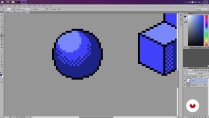
Learn how to conceptualize objects in 2D space and practice different shading techniques.
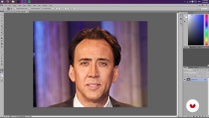
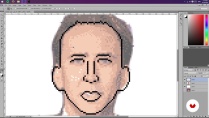
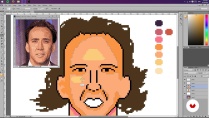
Once you understand the basics of pixel art, learn how to create a sketch of a portrait from a photograph by scaling the composition and limiting the color palette to limit lights and shadows. Then, create a general lighting map of the image.
Once you have the base of your pixel-art portrait, learn how to add details such as highlights and textures, try different color palettes, and, finally, export the final project.
As an extra, Galamot goes over some useful formats to share a pixel-art creation in print media, GIFs, video games, and animation.
- 97% positive reviews (155)
- 2,986 students
- 12 lessons (1h 40m)
- 12 additional resources (6 files)
- Online and at your own pace
- Available on the app
- Audio: Spanish
- Spanish · English · Portuguese
- Level: Beginner
- Unlimited access forever
Recommended software & tools for this course
 Adobe Photoshop
What is this course's project?
Make a pixel-art portrait from a photograph or your own drawing by applying the lessons learned during the course.
Projects by course students


Who is this online course for?
This course is for illustrators interested in learning a new technique, video-game developers, animators, and anyone who wants to delve into the world of pixels.
Requirements and materials
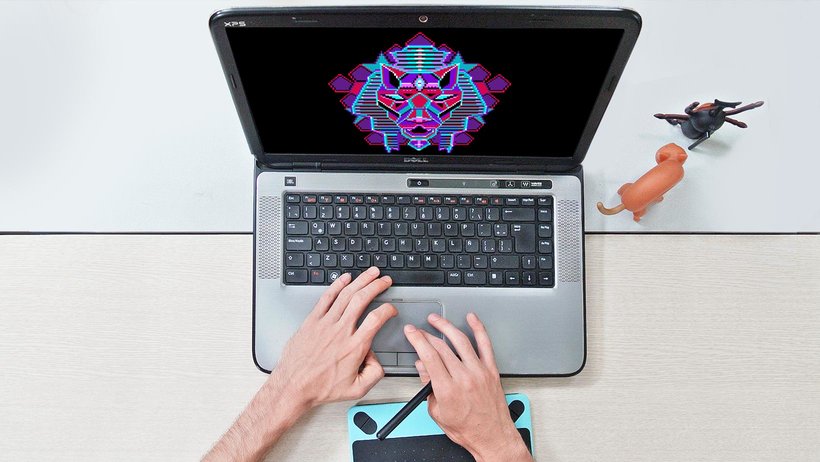
Basic knowledge of Photoshop and a graphics tablet are recommended, but not required.

Reviews

Galamot Shaku
A course by Galamot Shaku
Adrián de la Garza, better known as Galamot Shaku, is an illustrator, vj, pixel artist, and independent video-game developer who lives and works in Mexico City.
He has always liked video games. As he himself explains, "like many children of my generation, I wasted my childhood in front of those devilish gadgets, which is why now I create images that take me back to better times when I didn't have to worry about rent or having food in the kitchen pantry.”
He is interested in everything related to digital imaging and the use of pixel-art elements to create unique images. “I like to use pixels because they allow me to explore color in digital images in its most essential form and force me to synthesize ideas with as few elements as possible.”
He likes to experiment with different media, such as comics, animation, live video performance, and video games as a way of exploring the multiple manifestations of the human condition.
Content
-
U1
Hello World
-
Presentation
-
Influences
-
-
U2
Photoshop settings
-
But I could do it in Paint! (And you can actually)
-
Pencil, rubber and lots of patience - Part I
-
Pencil, rubber and lots of patience - Part II
-
-
U3
Sketch and layout
-
Creation of sketch from a photograph
-
Test Your Might
-
Colors, lights and shadows - Part I
-
Colors, lights and shadows - Part II
-
-
U4
Colors, lights and flavors
-
More Color - Part I
-
More Color - Part II
-
Bonus Stage
-
-
FP
Final project
-
Illustration Techniques in Pixel Art
-
What to expect from a Domestika course
-
Learn at your own pace
Enjoy learning from home without a set schedule and with an easy-to-follow method. You set your own pace.
-
Learn from the best professionals
Learn valuable methods and techniques explained by top experts in the creative sector.
-
Meet expert teachers
Each expert teaches what they do best, with clear guidelines, true passion, and professional insight in every lesson.
-
Certificates
PlusIf you're a Plus member, get a custom certificate signed by your teacher for every course. Share it on your portfolio, social media, or wherever you like.
-
Get front-row seats
Videos of the highest quality, so you don't miss a single detail. With unlimited access, you can watch them as many times as you need to perfect your technique.
-
Share knowledge and ideas
Ask questions, request feedback, or offer solutions. Share your learning experience with other students in the community who are as passionate about creativity as you are.
-
Connect with a global creative community
The community is home to millions of people from around the world who are curious and passionate about exploring and expressing their creativity.
-
Watch professionally produced courses
Domestika curates its teacher roster and produces every course in-house to ensure a high-quality online learning experience.
FAQs
Pixel art is a digital illustration technique that uses visible pixels to create stylized images. In Photoshop, specific tools like the pencil and palette management are used to design pixelated characters, backgrounds, and scenes.
The course is intermediate level, so it’s recommended to have basic digital editing skills and some experience with Photoshop before starting.
You just need a computer with Adobe Photoshop installed and preferably a graphics tablet, though you can work with a mouse. No physical materials are required.
You’ll learn how to scale images, reduce color counts, adjust palettes, and use layers and opacity to turn photos into pixelated sketches ready for illustration.
The course teaches how to limit the color palette using Photoshop’s settings and modes, making it easier to create visually simple images with a retro or minimalist style.
By the end, you’ll be able to create portraits, characters, isometric illustrations, video game covers, and pixel art GIF animations, exporting your work in various digital formats.
Yes, the course covers creating simple GIF-style animations using Photoshop and optimizing color palettes for smooth, retro effects.
 Adobe Photoshop
muy bien curso, aprendí bastante.
Me esta gustando.
Excelente curso, me sirvió muchísimo para iniciar mis proyectos.
i love that
Good course. I'm happy to have taken it, especially because it goes through the process using Photoshop, which I wasn't used to for making Pixel Art. I recommend the course also because the processes are explained well step by step in a good way!