Stop Motion For Fun!
A course by David Duprez, Illustrator and Animator





Discover the easiest and most efficient animation technique for animation



Take a look at that pencil on the table nearby. Think beyond the simple object; that pencil is ready to be the star of your new film!
Follow along with David Duprez (Dupo) to discover how easy stop-motion filmmaking can be. With its own set of advantages and methods, stop motion can be an alternative to both traditional cinema and certain modern, more expensive animation techniques.
In this online course, join Dupo to discover the techniques, planning process, and idea development associated with this cinematic approach and develop a stop-animation project from scratch, bringing any object to life in your own movie!
What will you learn in this online course?
12 lessons & 15 downloads

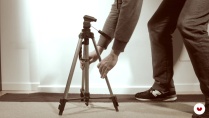
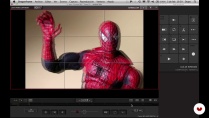
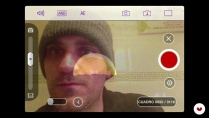
What's included in this course?
Start by exploring the principles of stop motion before preparing a script and storyboard with drawings or photos.
After that, dive into the techniques of acceleration, braking, run-throughs, and setting to help you prepare your final project. Take a closer look at the materials that you can use for your film and remember that any everyday object can be brought to life.
Once the filming stage is complete, Dupo discusses the post-production programs he uses—including Dragon Frame and Stop Motion for iPhone and iPad—to show you how to complete your fun animated film that's ready to be added to your portfolio.
- 98% positive reviews (172)
- 4,906 students
- 12 lessons (1h 53m)
- 15 additional resources (3 files)
- Online and at your own pace
- Available on the app
- Audio: Spanish, English, French, Italian, Portuguese, Turkish
- Spanish · English · Portuguese · German · French · Italian · Polish · Dutch · Turkish
- Level: Beginner
- Unlimited access forever
Recommended software & tools for this course
 iMovie
Who is this online course for?
Anyone interested in developing a stop-motion animation project from scratch, as well as those looking to learn more about the technique itself as an accessible form of animation for all budgets.
Requirements and materials
No prior knowledge of post-production or animation is required. However, you need a digital camera capable of frame-by-frame shooting or an iPhone or iPad.
You also need basic video editing software installed on your computer and some knowledge of photography and image processing.

Reviews

David Duprez
A course by David Duprez
David Duprez (Dupo) is an illustrator, animator, and expert in motion graphics. He is also a producer and director who lives by the idea that “having fun with a project always offers the best results."
After studying at Escuela de Arte de Valencia, he worked as an animator and scriptwriter for animated and fiction shorts and at Estudio Mariscal in Barcelona.
He later became director of CanalA, an animation channel on the PuntoTV platform. In 2004, he co-founded the Cocoe design studio, a pioneer in motion graphics that has developed advertising campaigns for important brands such as Vodafone, Burger King, Nike, Amnesty International, Hyundai, Repsol, and Movistar.
Content
-
U1
Introduction and first steps
-
Introduction
-
The idea, the runway and the Booty-Story
-
-
U2
Basic principles of animation and different visual proposals of Stop Motion
-
Some basic principles of animation
-
Visual references
-
-
U3
Introduction to the technical aspect of Stop Motion
-
Filming materials and lighting
-
Capture software: Dragon frame
-
Capture software: Stop Motion Studio for iPhone
-
Editing software: Windows Movie Maker
-
Editing software: iMovie
-
-
U4
We make a short!
-
Preproduction
-
Production
-
Postproduction
-
-
FP
Final project
-
Our Stop Motion project: Fun
-
What to expect from a Domestika course
-
Learn at your own pace
Enjoy learning from home without a set schedule and with an easy-to-follow method. You set your own pace.
-
Learn from the best professionals
Learn valuable methods and techniques explained by top experts in the creative sector.
-
Meet expert teachers
Each expert teaches what they do best, with clear guidelines, true passion, and professional insight in every lesson.
-
Certificates
PlusIf you're a Plus member, get a custom certificate signed by your teacher for every course. Share it on your portfolio, social media, or wherever you like.
-
Get front-row seats
Videos of the highest quality, so you don't miss a single detail. With unlimited access, you can watch them as many times as you need to perfect your technique.
-
Share knowledge and ideas
Ask questions, request feedback, or offer solutions. Share your learning experience with other students in the community who are as passionate about creativity as you are.
-
Connect with a global creative community
The community is home to millions of people from around the world who are curious and passionate about exploring and expressing their creativity.
-
Watch professionally produced courses
Domestika curates its teacher roster and produces every course in-house to ensure a high-quality online learning experience.
FAQs
Stop motion is an animation technique where you capture images frame by frame of objects or figures to create the illusion of movement when played in sequence. It’s perfect for making creative and educational videos.
No prior experience is needed. This course is designed for beginners and guides you step-by-step from the basics all the way through creating and editing stop motion animations.
All you need is a mobile device or camera, a tripod or stable support, modeling clay or everyday objects, simple lighting, and access to basic editing software like Stop Motion Studio, Movie Maker, or iMovie.
You’ll learn how to plan, capture, edit, and export stop motion animations, use editing tools, add sound, apply effects, manage lighting, and create creative projects with easy-to-find materials.
Yes, you can make stop motion animations using your phone and apps like Stop Motion Studio. The course shows you how to make the most of your device’s features to get professional results.
In Stop Motion Studio, you can capture frames manually or automatically, and edit the timeline by selecting, copying, or deleting frames to fine-tune your animation’s movement.
You can add sound or music by importing audio tracks into the timeline in Stop Motion Studio, Movie Maker, or iMovie, then syncing and editing them to match your animation.
 iMovie
Me gustó mucho la parte básica de elaboración de los videos y las capturas de fotos para stop motion, pero el software de edición no pude utilizarlo.
Muy bien explicado. Da gusto verlo trabajar. He aprendido mucho. Gracias.
It's very expensive to subscribe to this platform
Ottimo corso! Chiaro, graduale, incoraggiante e pieno di ottimi esempi!
Muy buen curso para diversion y aprender stop motion basico. Me gusto mucho