Color Grading with DaVinci Resolve
A course by Sonia Abellán Avilés, Colorist


Learn how to use color grading to evoke emotions in an audiovisual project

There's something magical about a colorist's role in an audiovisual production process. It's all about harnessing the expressive possibilities of color to generate sensations in the viewer. Color grading artist Sonia Abellán is here to teach you how to edit your own videos using DaVinci Resolve and show you how to make the most of the options offered by this software.
In this online course, learn to work on audiovisual color correction and grading to give a sense of continuity and harmony to sequences shot with different cameras, lighting conditions, etc. Discover how to make it look like different shots have been filmed in the same place without the viewer realizing. Above all, explore the world of possibilities that color offers when it comes to conveying emotions.
What will you learn in this online course?
24 lessons & 25 downloads


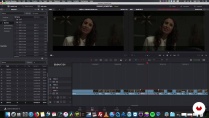

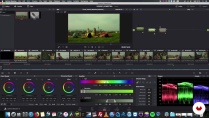
What's included in this course?
Start by getting to know Sonia Abellán, her influences, and the artists that inspire her work. Move on to discussing the psychology of color and its importance in cinema.
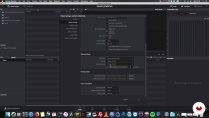
Next, explore the DaVinci Resolve interface and its different settings. Learn to import all the files you need to work on and try out the editing tools. See the different possibilities that DaVinci Resolve offers for color work and, finally, export the sequences correctly by using the Deliver option.
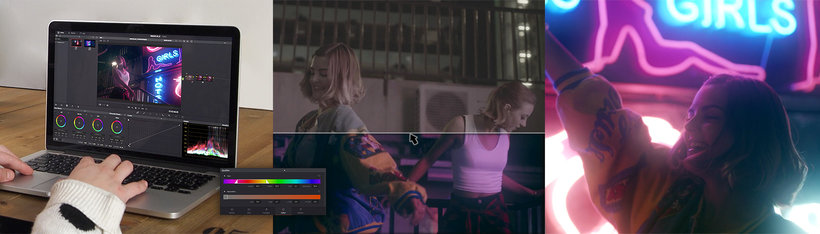
Once you're familiar with the program, it's time to learn to work with color. See how to overcome the challenge of correcting and unifying color for two completely different sequences, one for interior scenes and another for exterior ones. Before diving into the coloring itself, see how to import and prepare the files and pick up some tricks for maintaining continuity.
Then, use your own audiovisual material to create a video clip project. See how to play with color more freely and creatively for a more unique and memorable aesthetic.
To wrap up, learn to refine and export the sequences to share them with everyone.
- 89% positive reviews (535)
- 16,323 students
- 24 lessons (4h 55m)
- 25 additional resources (10 files)
- Online and at your own pace
- Available on the app
- Audio: Spanish, English, French, Italian, Portuguese, Turkish
- Spanish · English · Portuguese · German · French · Italian · Polish · Dutch · Turkish
- Level: Beginner
- Unlimited access forever
- Updated on 07/28/2020
Recommended software & tools for this course
 DaVinci Resolve
What is this course's project?
Apply everything you have learned in the course to your own video project to create color effects that awaken emotions in viewers.
Projects by course students


Who is this online course for?
Directors of photography, editors, filmmakers, and anyone interested in harnessing the expressive possibilities of color to evoke emotions in an audiovisual project.
Requirements and materials
No previous knowledge is required. However, familiarity with video and photo editing is a bonus.
In terms of materials, you need a computer capable of handling this type of project. Don't worry if you don't have DaVinci Resolve installed yet; you can download it for free from the Blackmagic Design website.

Reviews

Sonia Abellán Avilés
A course by Sonia Abellán Avilés
Sonia initially started out in the graphic design field, but it didn't take her long to realize that it was moving images that really inspired her. She undertook a variety of different audiovisual production and post-production roles before deciding to specialize in color grading.
She currently works on a freelance basis, although she spent four years at the El Colorado studio, where she participated in the color grading for film and television projects such as Villaviciosa de al lado, Morir, Sara's Notebook, and the series Pulsaciones. She has also colored documentaries, programs such as Wild Frank, short films like Piscina, and countless commercials.
Content
-
U1
Introduction
-
Presentation
-
Influences
-
-
U2
Quiet on Set!
-
The color
-
DaVinci Resolve: Media
-
DaVinci Resolve: Edit 1
-
DaVinci Resolve: Edit 2
-
DaVinci Resolve: Color 1
-
DaVinci Resolve: Color 2
-
DaVinci Resolve: Color 3
-
DaVinci Resolve: Deliver
-
-
U3
Action: Cinematic color
-
Conformed
-
Coloring 1
-
Coloring 2
-
Coloring 3
-
Coloring 4
-
Coloring 5
-
Coloring 6
-
-
U4
Take 2: Advertising color
-
Forming 1
-
Forming 2
-
Coloring 1
-
Coloring 2
-
-
U5
Give the play
-
Refine 1
-
Refine 2
-
Render
-
-
FP
Final project
-
Color Grading with DaVinci Resolve
-
What to expect from a Domestika course
-
Learn at your own pace
Enjoy learning from home without a set schedule and with an easy-to-follow method. You set your own pace.
-
Learn from the best professionals
Learn valuable methods and techniques explained by top experts in the creative sector.
-
Meet expert teachers
Each expert teaches what they do best, with clear guidelines, true passion, and professional insight in every lesson.
-
Certificates
PlusIf you're a Plus member, get a custom certificate signed by your teacher for every course. Share it on your portfolio, social media, or wherever you like.
-
Get front-row seats
Videos of the highest quality, so you don't miss a single detail. With unlimited access, you can watch them as many times as you need to perfect your technique.
-
Share knowledge and ideas
Ask questions, request feedback, or offer solutions. Share your learning experience with other students in the community who are as passionate about creativity as you are.
-
Connect with a global creative community
The community is home to millions of people from around the world who are curious and passionate about exploring and expressing their creativity.
-
Watch professionally produced courses
Domestika curates its teacher roster and produces every course in-house to ensure a high-quality online learning experience.
FAQs
Color grading is the process of adjusting and correcting color in post-production, essential for visual consistency, setting the mood, and enhancing the storytelling.
This course is aimed at intermediate users who already have basic editing skills and want to specialize in color correction with DaVinci Resolve.
A powerful computer with at least 16GB of RAM, a dedicated graphics card, and ample disk space is recommended to handle high-quality video files.
You’ll learn how to analyze visual storytelling, use DaVinci Resolve’s tools, apply color theory, maintain color continuity, and export projects with professional quality.
The course teaches you how to import files, create folders in the Media Pool, manage metadata, and organize your footage to streamline editing and color correction.
You’ll learn to work with color palettes, combine complementary colors, and adjust saturation and contrast to enhance the visual impact of each scene.
DaVinci Resolve uses nodes, scopes (waveform, vectorscope, histogram), masks, curves, RGB mixers, and LUTs to make precise and creative adjustments.
 DaVinci Resolve
NO ESTA MAL
this course is pure chaos. It's so difficult to follow, and I'm not a beginner.
Excelente curso
Excelente Curso
llevaba tiempo buscando un curso como este.