3D Character Creation in Blender
A course by Mohamed Chahin, 3D Designer


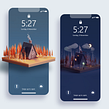


Learn how to develop a unique 3D protagonist, from initial concept to final render, and bring it to life using Blender



“When it comes to telling a good story, it’s all in the characters!” says 3D designer Mohamed Chahin. When designing 3D worlds and the characters in them, his goal is to evoke a feeling in the viewer as well as create beautiful visuals. His captivating 3D creations have seen him produce work for several companies including Adobe, DDB Berlin, Yak & Co, and Virgin Voyages.
In this course, learn how to design your very own 3D character from scratch.
Understand the creation process, from coming up with the ideas for your protagonist to exploring the features in Blender to make it a reality. Discover how to model, add detail, and work with light and color. Introduce the characters of your imagination to the world, and have fun along the way.
What will you learn in this online course?
20 lessons & 21 downloads
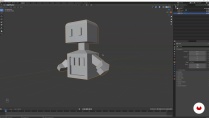
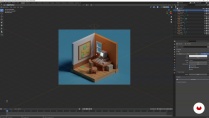
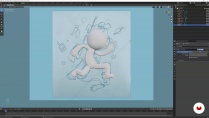
What's included in this course?
Meet Mohamed Chahin as he explains his background and journey to becoming a full-time freelance 3D designer. He also gives an overview of what to expect from the course, and shares the artists he is inspired by.
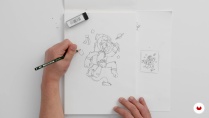
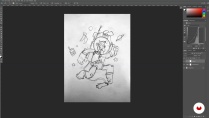
Discover how Mohamed gathers references and comes up with ideas for characters. Take your initial ideas and sketch out a rough thumbnail of your figure, and build on it to create a larger sketch with more details and development such as pose and expression. Tweak your sketch using your photo-editing tool (Mohamed uses Photoshop) before learning the basics of Blender, including shortcuts and add ons. Then, explore the importance of 3D lighting with Mohamed’s advice and techniques.
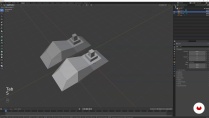
Import your character sketch into Blender to start working on it. Mohamed guides you on how to block out the positions of the main shapes then create additional elements such as props and scenery to contribute to the story of your character.
Explore Blender further to bring your character to life. Enhance it with details and build the background around it. Next, it’s time to work on overall composition, the color palette, and the lighting to refine your protagonist and create the mood of the scene.
Render and save your final image in your photo-editing tool. Hear Mohamed’s advice on preparing your artwork on different social media platforms to maximize exposure, and even land clients.
- 98% positive reviews (321)
- 19,570 students
- 20 lessons (3h 36m)
- 21 additional resources (9 files)
- Online and at your own pace
- Available on the app
- Audio: English, German, Spanish, Spanish (Latam), French, Indonesian, Italian, Dutch, Polish, Portuguese, Romanian, Turkish
- English · Spanish · Portuguese · German · French · Italian · Polish · Dutch · Turkish · Indonesian · Romanian
- Level: Beginner
- Unlimited access forever
Recommended software & tools for this course
 Adobe Photoshop
 Blender
What is this course's project?
Create a 3D character illustration from scratch, using Blender and a photo-editing tool.

Projects by course students


Who is this online course for?
This course is for anyone who wants to start learning 3D design, is interested in exploring Blender, or who is curious about creating their own characters.
Requirements and materials
All you need is access to Blender, a photo-editing tool such as Photoshop, and a pen and paper.

Reviews

Mohamed Chahin
A course by Mohamed Chahin
Mohamed Chahin is an Egyptian designer and 3D artist based in Berlin who specializes in 3D modeling and motion. His mother is an artist and his father has always followed the latest in tech,so Mohamed became naturally interested in a combination of the two. With a passion for animated series and a firm belief that everybody is a storyteller Mohamed wanted to work in an industry that created visuals for fun, magical stories. His journey with digital art began when he studied multimedia and computer graphics. He later began teaching himself 3D design using YouTube tutorials and posting his personal projects online.
Two years after graduating Mohamed went from junior designer work to full-time as a freelancer, traveling the world with his laptop, sketchbook, and phone. Over the years Mohamed’s captivating 3D worlds and characters have led him to work across websites, illustrations, motion videos, and video games, for a number of companies including Adobe, DDB Berlin, Yak & Co, and Virgin Voyages.
Content
-
U1
Introduction
-
About Me
-
Influences
-
-
U2
Preparing the Character
-
Introduction to 3D Character Creation
-
Initial Sketches
-
Working on the Sketch on Photoshop
-
Introduction to Blender and Blender Basics 1
-
Introduction to Blender and Blender Basics 2
-
Introduction to 3D Lighting
-
-
U3
Creating the Character
-
Modeling
-
Blocking Out Secondary Elements
-
Blocking Out Additional Elements
-
-
U4
Bringing the Character to Life
-
How to Bring Your Character to Life 1
-
How to Bring Your Character to Life 2
-
Adding the Rest of the Details 1
-
Adding the Rest of the Details 2
-
Secondary Elements, Composition, and Background
-
Character Color Palette and Lighting 1
-
Character Color Palette and Lighting 2
-
-
U5
Refining and Going into Detail
-
Rendering and Saving Your File
-
Ready to Share on Social Media
-
-
FP
Final project
-
3D Character Creation in Blender
-
What to expect from a Domestika course
-
Learn at your own pace
Enjoy learning from home without a set schedule and with an easy-to-follow method. You set your own pace.
-
Learn from the best professionals
Learn valuable methods and techniques explained by top experts in the creative sector.
-
Meet expert teachers
Each expert teaches what they do best, with clear guidelines, true passion, and professional insight in every lesson.
-
Certificates
PlusIf you're a Plus member, get a custom certificate signed by your teacher for every course. Share it on your portfolio, social media, or wherever you like.
-
Get front-row seats
Videos of the highest quality, so you don't miss a single detail. With unlimited access, you can watch them as many times as you need to perfect your technique.
-
Share knowledge and ideas
Ask questions, request feedback, or offer solutions. Share your learning experience with other students in the community who are as passionate about creativity as you are.
-
Connect with a global creative community
The community is home to millions of people from around the world who are curious and passionate about exploring and expressing their creativity.
-
Watch professionally produced courses
Domestika curates its teacher roster and produces every course in-house to ensure a high-quality online learning experience.
FAQs
This course is designed for intermediate users who are already familiar with Blender basics and want to deepen their skills in 3D character modeling, texturing, and rendering.
You will need Blender (latest version recommended) and Adobe Photoshop for digital sketch editing and post-processing. A graphics tablet is helpful but not required.
You’ll learn a complete workflow for designing, modeling, texturing, lighting, and rendering 3D characters in Blender, including reference gathering, clean topology modeling, and scene composition.
Yes, basic experience with Blender is required. You should be comfortable navigating the interface and performing simple modeling tasks before enrolling in this course.
Yes, the course covers gathering references, creating and refining sketches, and using them as blueprints for 3D character modeling workflows in Blender.
Yes, you'll learn how to texture your 3D characters, adjust materials, set up lighting, and create final renders for portfolio or social media sharing.
Absolutely. The course includes freelance 3D illustration techniques and covers building a professional portfolio, client collaboration, and optimizing work for different platforms.
 Adobe Photoshop
 Blender

Esta increíble el curso pero el problema es la traducción al español está muy mal urge corregirlo
Explicación increíble, por parte del profesor
I really enjoy learning from doing
This is a great course to start understandig blender. Sometimes the teacher goes fast, but it's understandable and very inspiring to pursue this 3D industry.
The content is amazing, the instructor is very cool, and knwos what he is talking about