Custom Letter Design with Procreate
A course by Jimbo Bernaus, Lettering Artist

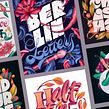
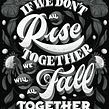
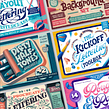

Combine lettering and illustration to create colorful compositions that communicate captivating messages

Unlock your creative superpowers and create custom designs that communicate moods and capture attention. Lettering artist Jimbo Bernaus has been designing for over ten years. He runs his own studio in Zagreb, Croatia, and has worked for clients including Booking.com, BMW, and Carlsberg.
In this course, Jimbo shares his expertise to help you create colorful and dynamic lettering compositions. Experiment with textures, color, light, and shadow to design custom letters for a Spotify playlist cover.
What will you learn in this online course?
19 lessons & 23 downloads
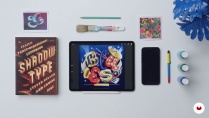
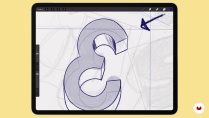
What's included in this course?
Start by getting to know Jimbo. He shares his creative journey and the experiences that led him to a career in lettering. Learn about his creative hobbies, education, and the influences which inspire his work as an artist.
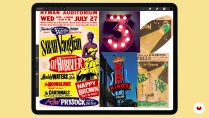
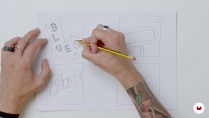
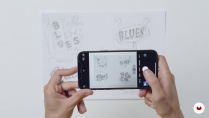
Explore the world of lettering and the different ways in which it can be used. Discover how to create a mood board and use it as inspiration for your lettering sketches. Transfer your ideas from paper to Procreate and familiarize yourself with the app. Experiment with Procreate’s digital tools, how to work with layers, and center your sketch.
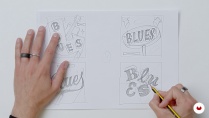
Learn about the importance of accurate sketching and how to create your first layer on Procreate. Turn your rough sketch into a refined piece of art using a digital pencil. Decide on your color palette using your mood board as a guide, then add shadows to create depth and suggest light. Jimbo discusses the difference between types of brushes and when to use each one.
Experiment with color, tones, and shadow to create different versions of your letters and understand how each element impacts the final design. See how Jimbo combines each of the steps from the course to craft a detailed finished result that is ready to be shared online.
- 99% positive reviews (165)
- 4,404 students
- 19 lessons (3h 45m)
- 23 additional resources (8 files)
- Online and at your own pace
- Available on the app
- Audio: English, Spanish, French, Italian, Portuguese, Turkish
- English · Spanish · Portuguese · German · French · Italian · Polish · Dutch · Turkish · Romanian · Indonesian
- Level: Beginner
- Unlimited access forever
Recommended software & tools for this course
 Procreate
What is this course's project?
Create a lettering piece inspired by a music genre for a Spotify playlist cover.

Projects by course students


Who is this online course for?
This course is for anyone with an interest in creative lettering or who wants to improve their illustration techniques.
Requirements and materials
A basic understanding of lettering styles and experience using Procreate would be beneficial.
To take this course, you need an iPad with Procreate installed.

Reviews

Jimbo Bernaus
A course by Jimbo Bernaus
Jimbo Bernaus is a Spanish lettering artist based in Croatia. As a child, he was always interested in art and was encouraged by his family to pursue a career in creativity. After earning his degree in graphic design in Barcelona, he moved to Croatia to work for a well-known advertising agency. From there, he took the leap and started BAM!, an agency of his own in Zagreb which he runs with his partner.
Jimbo has been working in the design space for more than ten years and has worked for agencies and freelance clients across the world. His client list includes Booking.com, Carlsberg, BMW, and Affinity Design.
Content
-
U1
Introduction
-
About Me
-
Influences
-
-
U2
Let’s Talk About Lettering
-
Introduction to Lettering
-
Mood Board
-
Selection and Sketching 1
-
Selection and Sketching 2
-
Transfer from Paper to Procreate
-
-
U3
Let’s Get the Sketches Rolling
-
Start Working in Our Main Sketch
-
Deciding the Color Palettes
-
Texture Brushes Explanation
-
-
U4
Adding More Details to Your Sketch
-
Teaching Letter Style: B 1
-
Teaching Letter Style: B 2
-
Teaching Letter Style: L
-
Teaching Letter Style: U
-
Teaching Letter Style: E
-
Teaching Letter Style: S
-
-
U5
Wrapping It up and Sharing It With the World
-
Adding Extra Elements to Our Lettering Composition
-
Extra Light and Texture
-
Final Additional Touches: How to Export and Share
-
-
FP
Final project
-
Custom Letter Design with Procreate
-
What to expect from a Domestika course
-
Learn at your own pace
Enjoy learning from home without a set schedule and with an easy-to-follow method. You set your own pace.
-
Learn from the best professionals
Learn valuable methods and techniques explained by top experts in the creative sector.
-
Meet expert teachers
Each expert teaches what they do best, with clear guidelines, true passion, and professional insight in every lesson.
-
Certificates
PlusIf you're a Plus member, get a custom certificate signed by your teacher for every course. Share it on your portfolio, social media, or wherever you like.
-
Get front-row seats
Videos of the highest quality, so you don't miss a single detail. With unlimited access, you can watch them as many times as you need to perfect your technique.
-
Share knowledge and ideas
Ask questions, request feedback, or offer solutions. Share your learning experience with other students in the community who are as passionate about creativity as you are.
-
Connect with a global creative community
The community is home to millions of people from around the world who are curious and passionate about exploring and expressing their creativity.
-
Watch professionally produced courses
Domestika curates its teacher roster and produces every course in-house to ensure a high-quality online learning experience.
FAQs
Yes, this course is designed for intermediate-level designers who want to deepen their skills in lettering, branding, and digital illustration using tools like Procreate.
You'll need an iPad with Procreate, a compatible stylus, and access to traditional tools like brush pens and paper for sketching. Familiarity with Pinterest for inspiration boards is also helpful.
You'll learn how to create dimensional lettering, build mood boards, extract color palettes, develop a personal art style, and complete digital lettering projects for branding using Procreate and traditional tools.
Basic familiarity with Procreate is recommended, but the course includes step-by-step guidance on using essential features for lettering, mood boards, and digital illustration.
The course guides you through analyzing inspiration, experimenting with analog and digital tools, and synthesizing references to develop a personal and original lettering style.
Yes, you'll explore building color palettes from images, applying textures with custom brushes, and using shading and lighting to create depth and visual interest in your lettering.
Yes, you'll practice traditional sketching with brush pens and paper, then transfer and enhance your work digitally in Procreate, learning a hybrid workflow.
 Procreate
Sehr cooler Kurs, bei dem ich eine Menge gelernt habe!
Excelente curso, todo muy bien explicado de una forma clara y amena.
Me está gustando mucho. Me ha animado a coger algún otro curso de Lettering que sea un poco más para principiantes y aprender más y mejor
Muy buen curso!, te explica a detalle cada paso.
Muy buen curso!