Character Animation and Expression with Maya
A course by Sagar Arun, Animator





Discover the fascinating world of animation by learning its key principles and creating an animated character filled with emotion


“If you’ve ever seen an animation where it makes you laugh or feel a certain emotion, that means the animator is doing their job really well.”
Evoking emotion and reaction from viewers is at the heart of animation. With names like Frozen 2 (2019) or Spirit: Untamed (2021) under his belt, renowned animator Sagar Arun is an expert in creating characters brimming with personality.
In this course, Sagar teaches you the fundamentals of animation and how to apply them to your work using Maya. Learn how to create an expression test with a character of your own design, and bring their emotions to life.
What will you learn in this online course?
19 lessons & 13 downloads
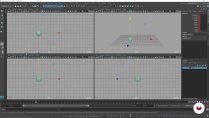
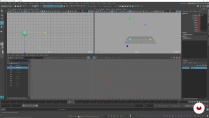
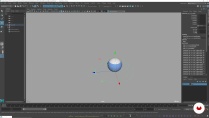
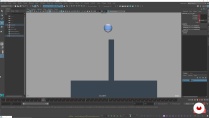
What's included in this course?
Meet Sagar Arun, California-based animator, and your teacher for this course. He shares his creative journey through the world of animation, and valuable lessons he learned along the way. Hear about his influences and his sources of inspiration.
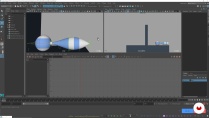
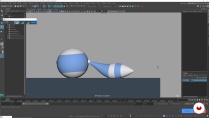
Dive into animation fundamentals by exploring robust tools in Maya and how to use the channel box, graph editor, and Tween Machine to successfully animate a bouncing ball. Then, see how to keep building on your ball bounce animation by adding a tail using overlap. Sagar then goes through the 12 animation principles, and how to apply them to your creations.
Next, come up with a fun set of emotions for your character, and create a set of thumbnails. Prepare your sketches for an expression test to map out the different emotions of your character. Learn how to use a character rig to manipulate their facial features.
Time to start animating! Start with the first part of the expression test: blocking. Learn to make the key storytelling poses and set them in motion. Sagar teaches you how to keep your animation entertaining and filled with texture. Discover how to spline your animation step-by-step to make it look smooth and polished. To finish the course, Sagar shows you how to present your expression test in the most professional way.
- 95% positive reviews (64)
- 2,641 students
- 19 lessons (4h 6m)
- 13 additional resources (5 files)
- Online and at your own pace
- Available on the app
- Audio: English
- English · Spanish · Portuguese · German · French · Italian · Polish · Dutch · Turkish · Romanian · Indonesian
- Level: Beginner
- Unlimited access forever
Recommended software & tools for this course
 Maya
MayaWhat is this course's project?
Create an expression test with a character rig using the animation tools in Autodesk Maya

Projects by course students


Who is this online course for?
This course is aimed at anyone passionate about animation who wants to create an entertaining and appealing character.
Requirements and materials
Basic understanding of Autodesk Maya is required.
To take this course, you need access to a computer with Maya installed and a character rig.

Reviews

Sagar Arun
A course by Sagar Arun
Sagar Arun is an animator based in Northern California. He received a degree in computer animation from Ringling College of Art and Design in 2018. After working with a group of friends on a fan project for Avatar: the Last Airbender, Sagar’s animation abilities received wide recognition. He has created animations for Walt Disney Animation Studios and Sony Pictures Imageworks.
Although Sagar’s career began just a few years ago, he has already created animations for a number of high profile films such as Frozen 2 (2019), Over The Moon (2020), Overwatch (2020), The Mitchells vs. the Machines (2021), and Spirit: Untamed (2021) He is also currently animating for the video game industry.
Content
-
U1
Introduction
-
About Me
-
Influences
-
-
U2
Animation Fundamentals in Maya and Character Creation
-
Maya Tools 1
-
Maya Tools 2
-
Ball Bounce Fundamentals 1
-
Ball Bounce Fundamentals 2
-
Adding a Tail 1
-
Adding a Tail 2
-
-
U3
Preparing a Character Expression Test
-
Idea Creation and Thumbnails
-
Introduction to a Character Rig
-
-
U4
Creating an Expression Test
-
Blocking 1
-
Blocking 2
-
Blocking Plus 1
-
Blocking Plus 2
-
Spline 1
-
Spline 2
-
Polish 1
-
Polish 2
-
Presenting a Playblast in Maya and Exporting
-
-
FP
Final project
-
Character Animation and Expression with Maya
-
What to expect from a Domestika course
-
Learn at your own pace
Enjoy learning from home without a set schedule and with an easy-to-follow method. You set your own pace.
-
Learn from the best professionals
Learn valuable methods and techniques explained by top experts in the creative sector.
-
Meet expert teachers
Each expert teaches what they do best, with clear guidelines, true passion, and professional insight in every lesson.
-
Certificates
PlusIf you're a Plus member, get a custom certificate signed by your teacher for every course. Share it on your portfolio, social media, or wherever you like.
-
Get front-row seats
Videos of the highest quality, so you don't miss a single detail. With unlimited access, you can watch them as many times as you need to perfect your technique.
-
Share knowledge and ideas
Ask questions, request feedback, or offer solutions. Share your learning experience with other students in the community who are as passionate about creativity as you are.
-
Connect with a global creative community
The community is home to millions of people from around the world who are curious and passionate about exploring and expressing their creativity.
-
Watch professionally produced courses
Domestika curates its teacher roster and produces every course in-house to ensure a high-quality online learning experience.
FAQs
This course is best for intermediate users who have some basic familiarity with Maya and animation principles. Beginners may find it challenging, but those with foundational skills can benefit greatly.
You’ll need Autodesk Maya installed, plus access to tools like ATools and Tween Machine. Some lessons also use Grease Pencil for 2D planning. A character rig and basic computer setup are required.
You’ll learn to apply the 12 principles of animation, create expressive character movement, plan workflows, block and polish animation, animate overlapping actions like tails, and prepare portfolio-ready work using Maya.
Yes, the course teaches how to pose rigs for appealing facial expressions, perform expression tests, and animate a range of emotions using Maya’s facial controls.
Yes, you'll learn to block key storytelling poses, refine them for clarity and appeal, and polish your animation for professional results within Maya.
The course covers all 12 foundational principles, including squash and stretch, overlap, timing, spacing, arcs, and appeal, applied through practical Maya exercises.
You’ll go through step-by-step lessons on animating a ball bounce, adding a tail for overlapping motion, and refining curves for realistic secondary movement.
 Maya
Maya
bastante completo
Really intuitive and approaching, I have made this course a long ago and I just recommend it to all of you !
muy bueno y remcomendable, grandes herramientas aprendidas.
Muito bom esse curso, simples e objetivo, muito bem explicado.
Buen curso!