Create Lo-Fi Beats with Ableton Live and Push
A course by JNTHN STEIN, Musician and Composer


Build, arrange and edit a chilled, lo-fi beat that combines the key elements of musical composition

Music production is an opportunity to create compositions that accompany our lives and ease our minds. Charles Jacques, also know as JNTHN STEIN, is a musician and producer who specializes in composing lo-fi beats. He’s produced tracks that have been streamed millions of times on platforms like Spotify and Apple Music.
In this course, he teaches you how to build, arrange, and perform a lo-fi beat using Ableton Live and Push. Learn how to combine the essential components of music production to make meaningful art. Are you ready to tune in to your creativity and create music that moves and inspires?
What will you learn in this online course?
16 lessons & 15 downloads
What's included in this course?
Begin by getting to know Charles Jaques, songwriter, recording artist, and producer. He talks through his journey to becoming a musician before sharing the influences which have inspired him throughout his career.
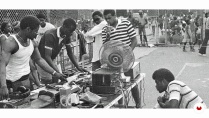
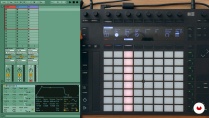
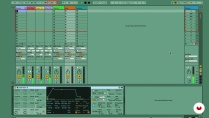
Delve into the history and evolution of lo-fi music. Charles then introduces you to Ableton Live and Ableton Push and their features. Discover easy-to-play chord shapes before experimenting with a drum rack and sequencing beats. Learn how to play and create ambient textures to add to your sound.
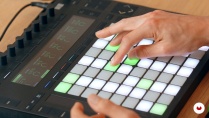
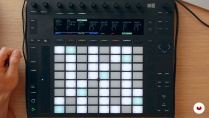
Track and record a chord progression using the major and minor chord shapes from earlier in the course. Then record a finger-drummed beat in Ableton Push and loop it alongside your chord progression. Lay down your bass before creating simple melodies with texture.
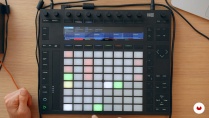
Use your composed beat and perform a live arrangement of it using Ableton Push. Begin by sequencing your beat. Then add effects to create a mood before playing and recording your beat live. To finish, Charles shows you how to upload your music to the internet and share it with the world on platforms like Spotify and Apple Music.
- 100% positive reviews (74)
- 3,024 students
- 16 lessons (2h 21m)
- 15 additional resources (4 files)
- Online and at your own pace
- Available on the app
- Audio: English
- Spanish · English · French · German · Italian · Portuguese · Polish · Dutch · Turkish · Romanian · Indonesian
- Level: Beginner
- Unlimited access forever
Recommended software & tools for this course
 Ableton Live
What is this course's project?
Produce and record a two-three minute lo-fi beat that’s ready to share online.

Projects by course students


Who is this online course for?
This course is for anyone with an interest in creating chilled, lo-fi beats or producing music using a fun, performative process.
Requirements and materials
Experience with Ableton Live and Push, music production, and music theory is needed.
You will also need a computer with Ableton Live 11 installed and an Ableton Push 2.

Reviews

JNTHN STEIN
A course by JNTHN STEIN
Charles Jacques, also known as JNTHN STEIN, is a Los Angeles-based musician from Oakland, California. Growing up, he was influenced by his artistic parents as well as the culturally diverse hip-hop scene he was surrounded by and has used music as a creative outlet since his teens.
Charles sees music as a lifestyle, not just a career, and, as a songwriter, recording artist, and producer, he’s released hundreds of songs on platforms such as Spotify, Apple Music, Soundcloud, and Bandcamp. His music has been streamed millions of times across the world and, alongside creating music of his own, Charles teaches others how to do the same.
Content
-
U1
Introduction
-
About Me
-
Influences
-
-
U2
The Ingredients
-
History of Lo-Fi Beats
-
Introducing Ableton Live and Ableton Push 2
-
Chords
-
Drums
-
Bass
-
Textures
-
-
U3
Building Your Lo-Fi Beat
-
Creating a Chord Progression
-
Building a Drum Beat
-
Laying Down a Bass Part
-
Adding Melodic Textures with Effects
-
-
U4
Arranging and Performing Your Lo-Fi Beat
-
Sequencing Your Beat
-
Performing Effects Live
-
Playing and Recording Your Beat Live
-
How and Where to Share Music
-
-
FP
Final project
-
Create Lo-Fi Beats with Ableton Live and Push
-
What to expect from a Domestika course
-
Learn at your own pace
Enjoy learning from home without a set schedule and with an easy-to-follow method. You set your own pace.
-
Learn from the best professionals
Learn valuable methods and techniques explained by top experts in the creative sector.
-
Meet expert teachers
Each expert teaches what they do best, with clear guidelines, true passion, and professional insight in every lesson.
-
Certificates
PlusIf you're a Plus member, get a custom certificate signed by your teacher for every course. Share it on your portfolio, social media, or wherever you like.
-
Get front-row seats
Videos of the highest quality, so you don't miss a single detail. With unlimited access, you can watch them as many times as you need to perfect your technique.
-
Share knowledge and ideas
Ask questions, request feedback, or offer solutions. Share your learning experience with other students in the community who are as passionate about creativity as you are.
-
Connect with a global creative community
The community is home to millions of people from around the world who are curious and passionate about exploring and expressing their creativity.
-
Watch professionally produced courses
Domestika curates its teacher roster and produces every course in-house to ensure a high-quality online learning experience.
FAQs
Yes, this course is designed for beginners and covers foundational techniques for creating lo-fi beats using Ableton Live and Push, with step-by-step guidance throughout.
You’ll need a computer with Ableton Live, an Ableton Push controller (recommended but not required), and headphones or speakers. No prior experience or additional gear is necessary.
You’ll learn how to compose, sequence, and perform lo-fi beats, create jazz-inspired chord progressions, record basslines, add texture, and use effects in Ableton Live and Push.
Yes, the course teaches live arrangement and performance techniques using Ableton Push, including finger drumming, sequencing, and real-time layering of beats.
The course guides you through making lo-fi beats in Ableton Live, covering drum sequencing, chord creation, bass recording, texture layering, and using effects like reverb and grain delay.
Yes, you’ll learn techniques for adding vinyl crackle, using sampling, and layering textures to achieve an authentic lo-fi sound.
Yes, you’ll learn how to export your tracks and share your music on digital platforms like SoundCloud, including best practices for distribution and audience engagement.
 Ableton Live
Curso ótimo. Ótima apresentação de vídeo. Ótimo professor. Ótimo conteúdo. Nota 10!
Corso molto ben realizzato, facile da seguire e stimolante!
Curso muito bem elaborado e organizado, professor extremamente didático. Ensina os conceitos teóricos de forma simples e na sequência já mostra como fazer, praticando junto, isso facilita o entendimento, excelente. Se o professor criar mais cursos como este com certeza comprarei.
Potente curso, bien organizado me gustó hasta el momento
He podido sentir la sensibilidad que tiene este profesor. Poco a poco va construyendo ideas (bajos, ritmos, efectos, etc.) que te van envolviendo con el objetivo de aumentar tu capacidad creativa. Gracias por los conocimientos adquiridos.