3D Character Design: From Drawing to Modeling
A course by Segun Samson, Visual Development Artist

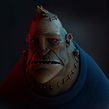

Give a new dimension to characters by creating your protagonist in Photoshop before giving it depth and volume with ZBrush and Maya

Portraying a character’s personality when rendering in 3D begins with imagination and a 2D sketch. Self-taught visual development artist Segun Samson is passionate about developing captivating characters that connect with their audiences. He has worked with numerous studios including Triggerfish Animation, Dreamcast Animation, and Sunrise Productions.
Discover how to create a unique character concept into readable 3D designs filled with appeal and personality. Build your 2D character in Photoshop, before learning how to block out, sculpt, and fully render your protagonist on ZBrush and Maya.
What will you learn in this online course?
19 lessons & 17 downloads
What's included in this course?
Meet Segun Samson and discover how he became a self-taught visual development artist specializing in character design. Learn about his art heroes and see how they’ve helped him develop his own artistic style.
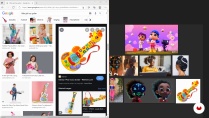
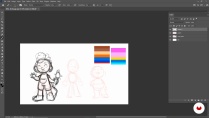
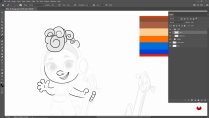
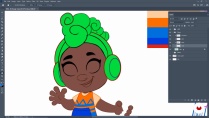
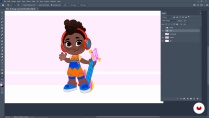
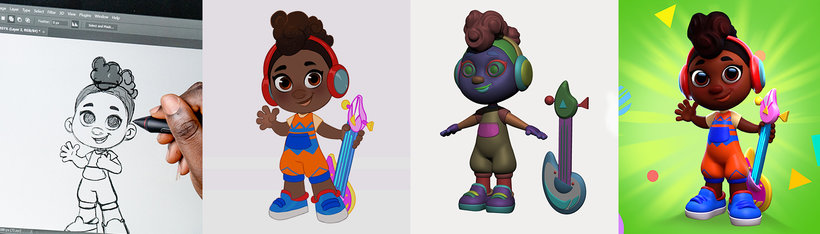
Get familiar with the software for your final project before gathering references to create a mood board. Start sketching your character in Photoshop, add color and add details with Segun’s guidance.
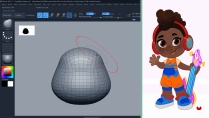
Begin sculpting your character in ZBrush, starting with your first 3D blockout. See how to refine proportions and positions and block out accessories. Segun then shows you how to add color to your character and refine its pose, before exporting your file.
Import your character in Maya and work on the shaders for each element of your character. Set up the stage for your renders with lights and learn how to use HDRIs. Finish the course by refining the presentation of your character in Photoshop and adding the final details.
- 100% positive reviews (50)
- 1,557 students
- 19 lessons (4h 38m)
- 17 additional resources (9 files)
- Online and at your own pace
- Available on the app
- Audio: English
- English · Spanish · Portuguese · German · French · Italian · Polish · Dutch · Turkish · Romanian · Indonesian
- Level: Beginner
- Unlimited access forever
Recommended software & tools for this course
 Adobe Photoshop
 Maya
Maya ZBrush
What is this course's project?
Create a 2D and 3D character for a TV series project.
Projects by course students


Who is this online course for?
For anyone interested in designing a character in 2D and in 3D.
This course is for both beginners as well as professionals in the animation and games industry.
Requirements and materials
Basic drawing knowledge and previous experience in sculpting in ZBrush or similar are helpful but not essential to take this course.
As for materials, you need a computer with Adobe Photoshop, Substance 3D Painter, ZBrush, and a graphic tablet or mouse.

Reviews

Segun Samson
A course by Segun Samson
Segun Samson has been working as a visual development artist with a focus on character design for over eight years. His love for animated movies, comics, and video games began when he was a child, and it's what motivated him to start creating his own characters and worlds as a profession. He is a self-taught artist who learned through mentorship classes and online art courses. He landed his first full-time job working as a comic artist for one of the biggest films in West Africa and hasn’t looked back since.
He has worked for companies like Triggerfish Animation, Lantern Books, Dreamcast Animation Studio, Gamsole, Genii Games, Flaunt Production (Monster High: Electrified), and Sunrise Productions (Jungle Beat: The Movie).
Content
-
U1
Introduction
-
About Me
-
Influences
-
-
U2
Creating the Character
-
Gathering Ideas and References
-
Sketching in Photoshop 1
-
Sketching in Photoshop 2
-
Adding Colour and Finalising the Character 1
-
Adding Colour and Finalising the Character 2
-
-
U3
Sculpting the Character in ZBrush
-
Blockout in ZBrush 1
-
Blockout in ZBrush 2
-
Blockout in ZBrush 3
-
Blockout in ZBrush 4
-
Detailing the Character 1
-
Detailing the Character 2
-
Texturing the Character and Refining the Pose 1
-
Texturing the Character and Refining the Pose 2
-
-
U4
Setting up the Character in Maya
-
Setting up Shaders in Maya
-
Rendering the Character in Maya 1
-
Rendering the Character in Maya 2
-
Final Presentation
-
-
FP
Final project
-
Character Design for 2D to 3D
-
What to expect from a Domestika course
-
Learn at your own pace
Enjoy learning from home without a set schedule and with an easy-to-follow method. You set your own pace.
-
Learn from the best professionals
Learn valuable methods and techniques explained by top experts in the creative sector.
-
Meet expert teachers
Each expert teaches what they do best, with clear guidelines, true passion, and professional insight in every lesson.
-
Certificates
PlusIf you're a Plus member, get a custom certificate signed by your teacher for every course. Share it on your portfolio, social media, or wherever you like.
-
Get front-row seats
Videos of the highest quality, so you don't miss a single detail. With unlimited access, you can watch them as many times as you need to perfect your technique.
-
Share knowledge and ideas
Ask questions, request feedback, or offer solutions. Share your learning experience with other students in the community who are as passionate about creativity as you are.
-
Connect with a global creative community
The community is home to millions of people from around the world who are curious and passionate about exploring and expressing their creativity.
-
Watch professionally produced courses
Domestika curates its teacher roster and produces every course in-house to ensure a high-quality online learning experience.
FAQs
This course is designed for intermediate learners with some basic experience in digital art or 3D modeling. Beginners may find it challenging without prior knowledge of Photoshop or 3D sculpting fundamentals.
You will need access to Adobe Photoshop, ZBrush, Maya, and PureRef to follow along with the course content and complete the projects.
You'll learn the complete workflow for designing characters, from 2D sketching in Photoshop to 3D sculpting in ZBrush, texturing, exporting to Maya, setting up shaders, and creating professional presentation renders.
Yes, the course guides you through gathering references, sketching original character concepts, and refining your designs before moving to 3D modeling.
The course teaches you to start with 2D sketches in Photoshop, then transfer your designs into ZBrush for sculpting, and finally export and refine the model in Maya for rendering.
Yes, the course covers both polypaint texturing in ZBrush and advanced shader setup in Maya, including using Arnold and Hypershade for realistic materials.
You'll learn to set up lighting, cameras, and render settings in Maya, then enhance your final images in Photoshop for portfolio-quality presentations.
 Adobe Photoshop
 Maya
Maya ZBrush
Great course, I learned a lot.
sin duda Exelente desde el principio
Me encanto el curso
An excellent course - great training it is
Es un curso para ir con calma, pero por todo lo demás es precioso e inspirador.