Vintage Lettering: Custom Compositions From Scratch
A course by Mark van Leeuwen, Lettering Artist and Type Designer


Learn the fundamentals of typography to create an original typeform composition by hand and bring it to life in Procreate

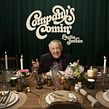
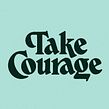
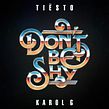
Sending a message is always better when done with style. Lettering artist and type designer Mark van Leeuwen believes that typography alone can take viewers on a visual and storytelling journey. Inspired by the typeforms of the 60s and the 70s, his work has been used by clients like Cadillac, Etsy, Apple Music, and DJ Tiësto.
In this course, Mark takes you through his creative process when designing vintage typography. Learn lettering techniques step by step and bring them to life in Procreate. Rediscover the bold and daring typeforms of the past, and make them your own by adding a modern twist.
What will you learn in this online course?
15 lessons & 11 downloads
What's included in this course?
Begin by getting to know Mark, an Italian-Dutch lettering artist, type designer, and your teacher for this course. Hear about his creative journey, which led him to a full-time freelancing career in Berlin. He shares his biggest influences and his sources of inspiration.
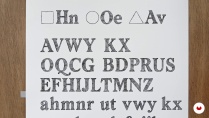
Get an overview of the materials needed, and hear Mark’s recommendations on what to use. Next, delve into the art of lettering by exploring typographic looks and styles. Deepen your understanding of typography as Mark walks you through the basics and most important design elements. Then, start sketching your first typographic compositions.
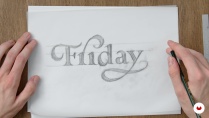
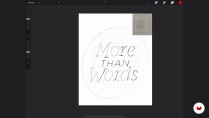
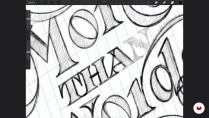
Explore typographic references and create a mood board for inspiration. Decide on the quote you want to sketch and create the initial thumbnails by hand. Then it's time to digitize your favorite sketch, and draw the lettering skeleton in Procreate. Mark then guides you through the process of giving your composition shapes, flourishes, and swirls.
Finalize your design by exploring elements like styling, contrast, and weight. Learn the stages involved in refining your composition, like checking for consistency in spacing, style, and contrast. Complete your design by retracing it and generating a clean version of the composition.
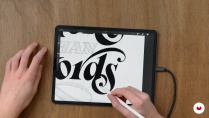
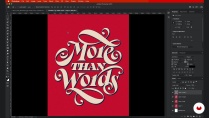
Prepare your work to be shared with the world by adding the finishing touches including effects, colors, and embellishments. Establish your vintage aesthetic by adding final texture and grain in Photoshop before formatting and exporting your piece for social media or your portfolio.
- 100% positive reviews (32)
- 1,398 students
- 15 lessons (2h 3m)
- 11 additional resources (4 files)
- Online and at your own pace
- Available on the app
- Audio: English
- English · Spanish · Portuguese · German · French · Italian · Polish · Dutch · Turkish · Romanian · Indonesian
- Level: Beginner
- Unlimited access forever
What is this course's project?
Create a vintage-style typographic composition from scratch.

Projects by course students


Who is this online course for?
This course is for anyone interested in exploring type design and lettering, from artists and designers to curious minds and creatives.
Requirements and materials
Basic knowledge of Procreate is helpful, but not essential.
To take this course, you need basic drawing tools like a pencil, paper, and a ruler. If you want to digitize your composition, you need an iPad and Apple Pencil, or similar tablet and stylus, as well as access to Procreate, or similar.

Reviews

Mark van Leeuwen
A course by Mark van Leeuwen
Mark van Leeuwen is an Italian-Dutch freelance lettering artist and type designer based in Berlin, Germany. Over the past decade, he has worked with independent clients, agencies and a number of international businesses, creating logo designs, posters, murals, books and album covers.
His client list includes Cadillac, Etsy, Apple Music, DJ Tiësto, Jägermeister, Harper Collins, Penguin Random House, and Adobe. He has been featured in numerous publications including AIGA Eye On Design, Goodtype: The Art of Lettering, Rizzoli, and Yearbook of Type. He is also the recipient of the CommArts Typography Annual Award, both in 2020 and 2022.
Content
-
U1
Introduction
-
About Me
-
Influences
-
-
U2
Lettering Basics
-
The Materials I Use
-
Introduction to Lettering
-
Typography Basics
-
Drawing Letters
-
Styling the Letters
-
-
U3
Creating a Lettering Composition
-
Gathering Inspiration
-
Sketching a Lettering Composition
-
Moving to Procreate and Drawing the Lettering Skeleton
-
-
U4
Finalizing a Lettering Composition
-
Styling, Contrast and Weight
-
Refinement
-
Finalization
-
-
U5
Finishing Touches
-
Effects
-
Adding the Final Touches and Preparing for Social Media
-
-
FP
Final project
-
Introduction to lettering
-
What to expect from a Domestika course
-
Learn at your own pace
Enjoy learning from home without a set schedule and with an easy-to-follow method. You set your own pace.
-
Learn from the best professionals
Learn valuable methods and techniques explained by top experts in the creative sector.
-
Meet expert teachers
Each expert teaches what they do best, with clear guidelines, true passion, and professional insight in every lesson.
-
Certificates
PlusIf you're a Plus member, get a custom certificate signed by your teacher for every course. Share it on your portfolio, social media, or wherever you like.
-
Get front-row seats
Videos of the highest quality, so you don't miss a single detail. With unlimited access, you can watch them as many times as you need to perfect your technique.
-
Share knowledge and ideas
Ask questions, request feedback, or offer solutions. Share your learning experience with other students in the community who are as passionate about creativity as you are.
-
Connect with a global creative community
The community is home to millions of people from around the world who are curious and passionate about exploring and expressing their creativity.
-
Watch professionally produced courses
Domestika curates its teacher roster and produces every course in-house to ensure a high-quality online learning experience.
FAQs
This course is designed for intermediate learners with some experience in hand lettering and familiarity with digital tools like Procreate. It’s ideal if you want to deepen your skills and explore advanced techniques.
You’ll need basic sketching tools like HB pencils, tracing paper, a ruler, and an iPad Pro with Procreate. Access to Photoshop is recommended for digital effects and finishing touches.
You’ll learn to create custom lettering using both traditional and digital methods, refine your compositions, add flourishes, digitize artwork, and apply effects for professional results in album covers, book covers, and more.
Yes, the course guides you through digitizing your hand-drawn lettering using Procreate and Photoshop, including refining, coloring, and adding digital effects.
Absolutely. The course teaches techniques for drawing flourishes, swashes, and embellishments to enhance your custom lettering compositions.
Yes, the course includes projects and techniques directly applicable to designing expressive lettering for album covers, book covers, and other creative projects.
A basic understanding of Procreate is recommended, as the course focuses on advanced lettering workflows and creative applications within the app.
Un excelente curso. El trabajar desde la estructura lo hace pertinente. Con buenos ejemplos va uno aprendiendo.
Overall, such an enjoyable experience. Big thanks to Mark van Leeuwen for this well-constructed course. Very interesting and informative about hand lettering. Highly recommend!
She explains the process well and there’s lots of ideas to follow from for practice.
A good and easy course for beginners.
Excelente curso para aprender técnicas e estilos diversos de letras. Eu recomendo muito para quem esta iniciando no lettering.