Visual Effects for Cinema in NukeX
A course by Victor Manuel Enriquez Diaz, Digital composer

Joined January 2016

In this course you will learn how to create scenes with visual effects in NukeX to achieve a cinematic quality.
Joined January 2016

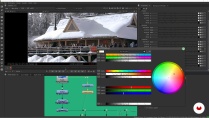
You will learn how to create a visual effects scene with cinematic quality, integrating real and digital elements in NukeX. You will start by understanding the concept of photorealism, how to analyze an image and its key elements using advanced tools. You'll discover how to work with different color spaces, particularly the ACES system, and perform chroma keying while maintaining the highest possible detail.
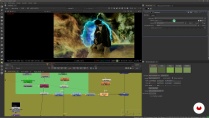
In addition, you'll dive into using NukeX’s 3D system to add depth and movement to your scenes, integrating all the elements smoothly. Finally, you will carry out a complete technical review to ensure everything is ready to render and deliver to the client. This course is led by Víctor Enriquez, a digital compositor with over 10 years of experience, who has worked on projects such as 'Ghost in the Shell' and 'His Dark Materials'.
What will you learn in this online course?
47 lessons & 24 downloads
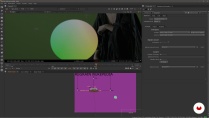

What's included in this course?
You will develop advanced skills in using NukeX to integrate digital and real elements into a cinematic scene. You’ll begin by analyzing the principles of photorealism, understanding how light, subjects, and environments interact within an image, and how color spaces affect integration. You'll master the ACES system and learn to perform chroma keying, ensuring that the finest details remain intact.
Beyond theory, you will practice digital compositing techniques using NukeX's 3D system. You will learn to add depth and movement to your scenes, integrating various elements cohesively. You will also perform a technical review to ensure your work meets professional quality standards before delivering it.
- 100% positive reviews (10)
- 836 students
- 47 lessons (11h 53m)
- 24 additional resources (7 files)
- Online and at your own pace
- Available on the app
- Audio: Spanish, English, French, Italian, Portuguese, Turkish
- Spanish · English · Portuguese · German · French · Italian · Polish · Dutch · Turkish
- Level: Intermediate
- Unlimited access forever
Recommended software & tools for this course
 DaVinci Resolve
 Nuke
NukeWhat is this course's project?
You will create a cinematic scene by integrating real and digital elements in NukeX, working with chroma keying and using the ACES system.
Who is this online course for?
This course is aimed at digital artists, animators, or 3D professionals who want to enhance their skills in visual effects integration. It's perfect for those looking to break into the film and television industry or for anyone seeking to improve the quality of their VFX projects. While advanced experience isn’t necessary, basic knowledge of digital compositing will be helpful.
Requirements and materials
You will need a computer with NukeX and DaVinci Resolve installed, a mouse, and a graphics tablet. Basic knowledge of digital compositing and familiarity with cinematic workflows are recommended. Experience with Photoshop or 3D software is suggested but not required.
Reviews

Victor Manuel Enriquez Diaz
A course by Victor Manuel Enriquez Diaz
Víctor Enriquez is a digital compositor with over 10 years of experience in VFX for film and animation. He has worked at renowned studios such as Outpost VFX and Framestore, contributing to projects like 'Ghost in the Shell', 'His Dark Materials', and 'Fantastic Beasts'. His focus has always been on the seamless integration of real and digital elements, aiming to achieve the highest standards of visual quality. He has collaborated on high-impact productions and is a leader in applying advanced VFX techniques.
Content
-
U1
Introduction
-
Presentation
-
Influences
-
-
U2
Image theory and preparation of elements
-
The project
-
Photorealism
-
Analyze image 1
-
Analyze image 2
-
Analyze image 3
-
Analyze image 4
-
Analyze image 5
-
Analyze image 6
-
Analyze image 7
-
Analyze image 8
-
Analyze image 9
-
Color spaces and ACES 1 system
-
Color spaces and ACES 2 system
-
Color spaces and ACES 3 system
-
-
U3
Chroma and matte painting
-
Chroma Drilling 1
-
Chroma Drilling 2
-
Chroma 3 Drilling
-
Chroma 4 Drilling
-
Chroma 5 Drilling
-
Chroma 6 Drilling
-
Chroma 7 Drilling
-
Create the matte painting 1
-
Create matte painting 2
-
Create matte painting 3
-
Create matte painting 4
-
Additional elements and background balance DMP 1
-
Additional elements and background balance DMP 2
-
Additional elements and background balance DMP 3
-
Additional elements and background balance DMP 4
-
3D Camera Movement 1
-
3D Camera Movement 2
-
3D Camera Movement 3
-
3D Camera Movement 4
-
3D Camera Movement 5
-
3D Camera Movement 6
-
-
U4
Integration and technical review
-
Integrate 1
-
Integrate 2
-
Integrate 3
-
Integrate 4
-
Technical review 1
-
Technical review 2
-
Final details 1
-
Final details 2
-
Final details 3
-
How to publish your work
-
-
FP
Final project
-
Invisible Effects with NukeX
-
What to expect from a Domestika course
-
Learn at your own pace
Enjoy learning from home without a set schedule and with an easy-to-follow method. You set your own pace.
-
Learn from the best professionals
Learn valuable methods and techniques explained by top experts in the creative sector.
-
Meet expert teachers
Each expert teaches what they do best, with clear guidelines, true passion, and professional insight in every lesson.
-
Certificates
PlusIf you're a Plus member, get a custom certificate signed by your teacher for every course. Share it on your portfolio, social media, or wherever you like.
-
Get front-row seats
Videos of the highest quality, so you don't miss a single detail. With unlimited access, you can watch them as many times as you need to perfect your technique.
-
Share knowledge and ideas
Ask questions, request feedback, or offer solutions. Share your learning experience with other students in the community who are as passionate about creativity as you are.
-
Connect with a global creative community
The community is home to millions of people from around the world who are curious and passionate about exploring and expressing their creativity.
-
Watch professionally produced courses
Domestika curates its teacher roster and produces every course in-house to ensure a high-quality online learning experience.
FAQs
You’ll master professional techniques like rotoscoping, digital compositing, matte painting, CG element integration, chroma keying, color correction, and special effects simulation using software such as Nuke, After Effects, DaVinci Resolve, and Photoshop.
This course is designed for intermediate learners—perfect if you already have basic editing or digital animation skills and want to dive deeper into advanced VFX and compositing techniques.
You’ll need basic digital editing knowledge, access to software like Nuke, After Effects, DaVinci Resolve, and Photoshop, plus a computer powerful enough to run these programs smoothly.
After finishing the course, you’ll be ready to work in film, TV, animation studios, advertising, motion graphics, or freelance on VFX and digital compositing projects.
The course covers rotoscoping, VFX pipelines, digital compositing, look development, CGI lighting, explosion simulations, matte painting, color correction, element integration, and image analysis.
Yes, the course includes practical exercises and professional workflows using Nuke, After Effects, DaVinci Resolve, and Photoshop for compositing and visual effects.
It’s recommended to have basic skills in some editing or digital animation software, but key workflows and tools for intermediate users are clearly explained.
 DaVinci Resolve
 Nuke
Nuke
Excelente curso de NUKE X. El contenido es claro, práctico y muy bien explicado. Aprendí técnicas que puedo aplicar en proyectos reales y mejoré mucho mi flujo de trabajo. Lo recomiendo totalmente para quienes quieran aprender composición digital de forma profesional.
Es por lejos el mejor curso de Domestika y de Nuke, siendo además como cereza del pastel, un curso en Español. Muy buen maestro!
Superó mis expectativas, aprender Nuke ha sido fundamental en mi desarrollo profesional
BUENISIMO
Gran curso, me ayudó mucho en la comprensión de los estándares de color en la industria y sus parámetros técnicos.