Mobile Video Creation for TikTok and Instagram
A course by That Icelandic Guy, Content Creator




Boost your social media strategy and grab your audience’s attention by planning, shooting, and editing creative videos using your phone

“Photos are no longer enough to grab attention on social media. I see this clearly—my clips get much more reach and visibility than static images.”
Those video clips have seen content creator Arnulfur Hakonarson, better known online as That Icelandic Guy, work with brands like Sony, Huawei, and Epidemic Sound, and grow impressive communities on TikTok and Instagram.
In this online course, he teaches you how to design, shoot, and edit vertical videos for social media, using mainly a smartphone. Learn about the importance of this type of content, as well as how to film and edit from start to finish using different software. Enhance your content with engaging vertical videos.
This is Arnulfur’s second Domestika course. In his first, Introduction to TikTok for Creatives , he shares the secrets of creating engaging content to gain followers and grow your brand.
What will you learn in this online course?
15 lessons & 20 downloads




What's included in this course?
Begin the course by getting to know Arnulfur Hakonarson. Discover the creative career that led him to a career as a content creator, along with the influences that inspire him.
Dive into the importance of video and finding your niche before starting your research and brainstorming ideas. Arnulfur then guides you through the process of planning and filming your content, and using music or trending sounds.
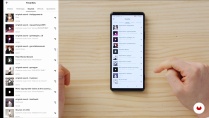
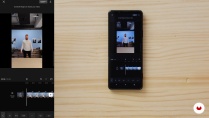
Time to edit your video. Start by learning the basics of CapCut. Then see how to add more complex features like transitions and effects. Next, look at how to create a video from start to finish within an app, along with the pros and cons of this method.
Move onto Premier Pro. Explore how to use the software to cut, edit, and trim videos before looking at vertical sequences in particular. Arnulfur then shares his advice for taking your video content to the next level.
Discover the DIY transitions that can enhance your finished project. To wrap up the course, learn how to upload your video to social media and use analytics to review your performance.
- 98% positive reviews (177)
- 21,974 students
- 15 lessons (2h 22m)
- 20 additional resources (6 files)
- Online and at your own pace
- Available on the app
- Audio: English, Spanish, French, Italian, Portuguese, Turkish
- English · Spanish · Portuguese · German · French · Italian · Polish · Dutch · Turkish · Romanian · Indonesian
- Level: Beginner
- Unlimited access forever
 Cap Cut
 Tik Tok
What is this course's project?
Create a vertical video from start to finish that’s ready to share on TikTok or Instagram.

Projects by course students


Who is this online course for?
This course is for anyone with an interest in learning to plan, shoot, and edit engaging video content for social media.
Requirements and materials
No previous experience is required.
In terms of materials, you will need a smartphone. A camera and a computer with editing software would be beneficial but is not essential.

Reviews

That Icelandic Guy
A course by That Icelandic Guy
Arnulfur Hakonarson is an Icelandic photographer, videographer, and content creator living in Stockholm. For the last few years, he has dedicated himself to building his own personal brand, That Icelandic Guy, using TikTok and other social media platforms like Instagram and YouTube to gain attention and followers.
Arnulfur is a full-time content creator who is passionate about teaching and sharing his knowledge with his followers. He has worked with a variety of brands to produce unique creative content and currently has over 600k followers on TikTok.
Content
-
U1
Introduction
-
About Me
-
Influences
-
-
U2
Creative Strategy
-
Why Is Video Content So Important?
-
The Research Process
-
Planning and Filming
-
Music and Trending Sounds
-
-
U3
Mobile Video Editing
-
CapCut: The Basics
-
How to Edit a Good Video
-
Creating and Editing Videos with Apps
-
-
U4
Adobe Premiere Pro: Creating Videos
-
The Basics
-
Editing Vertical Videos
-
Additional Tips for Better Vertical Videos
-
-
U5
Transitions and Sharing Your Work
-
Making Transitions
-
Uploading the Project
-
Reviewing the Analytics
-
-
FP
Final project
-
Mobile Video Creation for TikTok and Instagram
-
What to expect from a Domestika course
-
Learn at your own pace
Enjoy learning from home without a set schedule and with an easy-to-follow method. You set your own pace.
-
Learn from the best professionals
Learn valuable methods and techniques explained by top experts in the creative sector.
-
Meet expert teachers
Each expert teaches what they do best, with clear guidelines, true passion, and professional insight in every lesson.
-
Certificates
PlusIf you're a Plus member, get a custom certificate signed by your teacher for every course. Share it on your portfolio, social media, or wherever you like.
-
Get front-row seats
Videos of the highest quality, so you don't miss a single detail. With unlimited access, you can watch them as many times as you need to perfect your technique.
-
Share knowledge and ideas
Ask questions, request feedback, or offer solutions. Share your learning experience with other students in the community who are as passionate about creativity as you are.
-
Connect with a global creative community
The community is home to millions of people from around the world who are curious and passionate about exploring and expressing their creativity.
-
Watch professionally produced courses
Domestika curates its teacher roster and produces every course in-house to ensure a high-quality online learning experience.
FAQs
Yes, this course is designed for beginners and covers everything you need to know to start creating and editing content for Instagram, YouTube, and TikTok.
You only need a smartphone or basic camera to get started. Optional tools like a tripod, GoPro, or editing software such as CapCut or Premiere Pro can enhance your learning.
You’ll learn how to film, edit, and optimize vertical videos using mobile apps like CapCut and desktop software like Premiere Pro to maximize reach on platforms like Instagram Reels and TikTok.
Yes, the course includes tutorials for editing videos on your phone with CapCut and on your computer with Premiere Pro, so you can choose the workflow that suits you best.
You’ll learn how to use trending sounds, effective hashtags, and in-app features to boost your content’s visibility and engagement on Instagram Reels.
Yes, the course teaches you how to identify your niche, research your target audience, and use analytics to grow your social media following.
The course provides practical tips on outdoor photography, including using natural light, framing shots, and capturing landscapes and wildlife in places like Iceland.
 Cap Cut
 Tik Tok
Lo recomiendo es muy bueno para principiantes, pero la verdad me gustaría que Domestika encuentre la manera de sacar el curso numero dos de cada taller, como para que uno siga aprendiendo.
Es un excelente curso, te ofrece herramientas atractivas y accesibles para el aprendizaje, las apps que recomienda son prácticas y no requieren nada más que el celular, muy satisfecho con los resultados obtenidos con esté curso.
I found this course to be very insightful making the process of content creation seem less daunting. I would recommend.
Interesante manera de trabajo para crear videos.
Inspiring! I learn a lot.