Design Templates in After Effects
A course by Tomasz Czajka

Joined January 2020

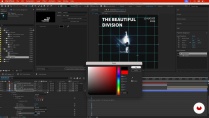
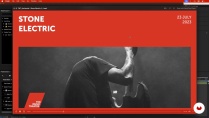
Master animated template design with this course. Learn to interpret briefs, create static designs, adapt them for multiple resolutions in After Effects.

Discover the art of creating animated templates with After Effects. Dive into the essentials of designing cohesive templates by dissecting client briefs, defining deliverables, and crafting static designs in Illustrator. Transform these designs into versatile templates with After Effects, utilizing expressions, dynamic grids, and essential properties. Learn to adapt animations for multiple resolutions, ensuring you never start from scratch again. This approach allows for seamless content swaps without compromising animation quality, providing an efficient workflow for creating professional templates.
Ideal for motion or graphic designers eager to streamline their animation processes, this course guides you through designing three customizable templates for various formats including social media, YouTube, and outdoor advertising. Prior experience with Adobe Illustrator and an intermediate understanding of Adobe After Effects will help you maximize your learning experience. Gain insights into typography and shape animation, enhancing your creative toolkit. By the end, you'll have a robust set of reusable templates and a refined workflow to apply to future projects, making your design process both efficient and innovative.
What will you learn in this online course?
18 lessons & 18 downloads
- 100% positive reviews (1)
- 71 students
- 18 lessons (2h 37m)
- 18 additional resources (2 files)
- Online and at your own pace
- Available on the app
- Audio: English, German, Spanish (Latam), French, Italian, Polish, Portuguese, Turkish
- Spanish · English · Portuguese · German · French · Italian · Polish · Dutch · Turkish · Romanian · Indonesian
- Level: Beginner
- Unlimited access forever
Recommended software & tools for this course
 Adobe After Effects
 Adobe Illustrator
What is this course's project?
Students will create a set of three customizable animated templates suitable for various digital platforms. They will learn to analyze briefs, design layouts, and animate using Adobe After Effects, ensuring templates are adaptable for multiple resolutions and contents.
Who is this online course for?
Motion and graphics designers frequently creating animations for various media will benefit from this course by learning to streamline workflows. Those with basic Adobe Illustrator and intermediate After Effects skills, especially those experienced in typography and shape animation, are ideal participants.
Requirements and materials
Basic Adobe Illustrator and intermediate After Effects skills are needed, plus experience with typography and shape animation. A curiosity to streamline animation workflows and a drive to enhance your motion design skills are also essential.
New to Adobe After Effects? In that case, we recommend taking Domestika Basics courses to learn how to use the software: Introduction to After Effects.
Reviews

Tomasz Czajka
A course by Tomasz Czajka
Tomasz Czaja is a motion designer specializing in 2D animation, with a career shaped by continuous exploration across design, illustration, and movement. His work combines a strong graphic foundation with a dynamic approach, where visual storytelling and rhythm play a key role in bringing each project to life.
Throughout his career, he has collaborated with international creative studios, contributing to projects ranging from animated pieces to more experimental visual work. In his courses, Tomasz shares his workflow and his perspective on animation as a powerful tool for communicating ideas clearly and effectively, encouraging students to experiment and develop their own visual language in motion.
Content
-
U1
Introduction
-
About Me
-
Influences
-
-
U2
Preparation for the Project
-
Basic Rules of Creating Coherent Templates
-
The Research of the Brand 1
-
The Research of the Brand 2
-
Creating Designs in Adobe Illustrator 1
-
Creating Designs in Adobe Illustrator 2
-
Overview of the Useful Expressions and Essential Properties
-
Organizing the Project Structure in After Effects
-
-
U3
Building the Animated Template
-
Importing Design Files and Preparing Assets
-
Applying Expressions to Design Elements 1
-
Applying Expressions to Design Elements 2
-
Defining Essential Properties
-
Animating the Template
-
Creating Additional Formats
-
-
U4
Finalization
-
Preparing the Set of Animations
-
Rendering the Animations
-
Additional Tips and Tricks
-
-
FP
Final project
-
Design Templates in After Effects
-
What to expect from a Domestika course
-
Learn at your own pace
Enjoy learning from home without a set schedule and with an easy-to-follow method. You set your own pace.
-
Learn from the best professionals
Learn valuable methods and techniques explained by top experts in the creative sector.
-
Meet expert teachers
Each expert teaches what they do best, with clear guidelines, true passion, and professional insight in every lesson.
-
Certificates
PlusIf you're a Plus member, get a custom certificate signed by your teacher for every course. Share it on your portfolio, social media, or wherever you like.
-
Get front-row seats
Videos of the highest quality, so you don't miss a single detail. With unlimited access, you can watch them as many times as you need to perfect your technique.
-
Share knowledge and ideas
Ask questions, request feedback, or offer solutions. Share your learning experience with other students in the community who are as passionate about creativity as you are.
-
Connect with a global creative community
The community is home to millions of people from around the world who are curious and passionate about exploring and expressing their creativity.
-
Watch professionally produced courses
Domestika curates its teacher roster and produces every course in-house to ensure a high-quality online learning experience.
FAQs
Domestika courses are online classes that allow you to learn new skills and create incredible projects. All our courses include the opportunity to share your work with other students and/or teachers, creating an active learning community. We offer different formats:
Original Courses: Complete classes that combine videos, texts, and educational materials to complete a specific project from start to finish.
Basics Courses: Specialized training where you master specific software tools step by step.
Specialization Courses: Learning paths with various expert teachers on the same topic, perfect for becoming a specialist by learning from different approaches.
Guided Courses: Practical experiences ideal for directly acquiring specific skills.
Intensive Courses (Deep Dives): New creative processes based on artificial intelligence tools in an accessible format for in-depth and dynamic understanding.
All courses are 100% online, so once they're published, courses start and finish whenever you want. You set the pace of the class. You can go back to review what interests you most and skip what you already know, ask questions, answer questions, share your projects, and more.
The courses are divided into different units. Each one includes lessons, informational text, tasks, and practice exercises to help you carry out your project step by step, with additional complementary resources and downloads. You'll also have access to an exclusive forum where you can interact with the teacher and with other students, as well as share your work and your course project, creating a community around the course.
You can redeem the course you received by accessing the redeeming page and entering your gift code.
 Adobe After Effects
 Adobe Illustrator
un curso bastante interesante, superó mis expectativas!!! recomendado ampliamente.