Creative Photography: Defining Concept and Color
A course by Diane Villadsen, Photographer

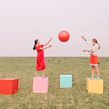
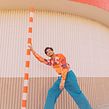
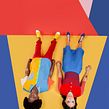

Plan, shoot, and edit a series of portraits by exploring everything that goes into a photoshoot, from wardrobe and set design, to editing in Lightroom and Photoshop


Behind every great photograph is a photographer who visualized an original concept and established a striking color palette. Photographer Diane Villadsen’s goal when in action is to take something ordinary and make it extraordinary through creative photography. She’s collaborated with renowned clients such as Allbirds, Oppo, Native, and Mailchimp.
In this online course, learn about the seamless ways of creating captivating images through composition, color, and props. Diane Villadsen guides you through every element in her process to craft a series of eye-catching images.
What will you learn in this online course?
19 lessons & 35 downloads

What's included in this course?
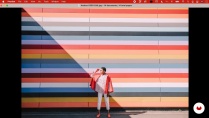
Diane Villadsen talks you through the influences that have inspired her work, from fellow photographers to colorful architecture.
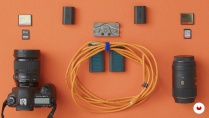
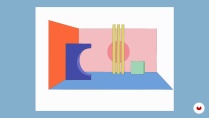
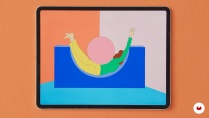
Explore references for inspiration and create a moodboard. Choose a setting for your images and design a set before deciding a color palette and sketching out a shotlist. Source materials for DIY props and identify the equipment you’ll need to bring your shoot to life.
Choose a model and select a wardrobe that fits your color palette. See how to make your props with simple materials like paper or foam board, or find everyday objects that can add visual interest.
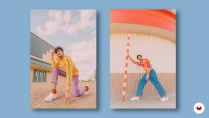
With all pre-production elements in place, it’s time to shoot. Learn how to balance the scene with colorblocking and spacing as you find the best angles in your set. Take test shots to identify your preferred lighting style and begin directing the model. Incorporate props and play with surreal themes to elevate your portraits from ordinary to conceptual.
Choose your favorite images from the shoot and edit them in Lightroom and Photoshop. Diane shows you editing basics such as white balance, HSL sliders, and heal brush, and a few more advanced techniques such as changing the color of an object.
- 93% positive reviews (15)
- 461 students
- 19 lessons (3h 29m)
- 35 additional resources (15 files)
- Online and at your own pace
- Available on the app
- Audio: English
- English · Spanish · Portuguese · German · French · Italian · Polish · Dutch · Turkish · Romanian · Indonesian
- Level: Beginner
- Unlimited access forever
What is this course's project?
Shoot and edit a series of photographs using creative photography techniques.

Who is this online course for?
Anyone who wants to learn about color, creative concepts, and photography fundamentals.
Requirements and materials
Basic knowledge of manual camera settings and photo editing is recommended. You need a camera, and access to image editing software like Lightroom and Photoshop.

Reviews

Diane Villadsen
A course by Diane Villadsen
Diana Villadsen is a professional photographer based in San Francisco. Her interest in photography dates back to her childhood, when she took her first photo in high school in 2011. The strong response and feedback from her friends, family, and teacher encouraged her to pursue photography as a career. As she grew up in Silicon Valley, she had the pressure of choosing a professional career like technology or medicine. However, she went with her passion and chose creativity. So, she studied linguistics in college and gained her photography expertise through hands-on experimentation.
In 2013, she started posting her work on Instagram, which got a great response. Eventually, she started her career as a photographer, creating portraits and shooting lookbooks for fashion brands. She has since collaborated with well-known clients like Oppo, Native, Zappos, Albirds, and MailChimp.
Content
-
U1
Introduction
-
About Me
-
Influences
-
-
U2
Defining the Image
-
Course Materials
-
Establishing the Creative Direction
-
Designing a Set
-
Creating a Palette
-
Sketching the Desired Shot and Drafting a Shot List
-
Finalizing the Model, Wardrobe, and Props
-
-
U3
Capturing the Images
-
Getting Ready
-
The Photoshoot: The First Photo
-
The Photoshoot: The Second Photo 1
-
The Photoshoot: The Second Photo 2
-
The Photoshoot: The Third Photo
-
-
U4
Editing the Images
-
Editing Workflow
-
The First Photo
-
The Second Photo
-
The Third Photo
-
-
U5
Beyond the Photographs
-
Continuing to Flex Your Creative Muscles
-
Selling Your Work
-
-
FP
Final project
-
Creative Photography: Defining Concept and Color
-
What to expect from a Domestika course
-
Learn at your own pace
Enjoy learning from home without a set schedule and with an easy-to-follow method. You set your own pace.
-
Learn from the best professionals
Learn valuable methods and techniques explained by top experts in the creative sector.
-
Meet expert teachers
Each expert teaches what they do best, with clear guidelines, true passion, and professional insight in every lesson.
-
Certificates
PlusIf you're a Plus member, get a custom certificate signed by your teacher for every course. Share it on your portfolio, social media, or wherever you like.
-
Get front-row seats
Videos of the highest quality, so you don't miss a single detail. With unlimited access, you can watch them as many times as you need to perfect your technique.
-
Share knowledge and ideas
Ask questions, request feedback, or offer solutions. Share your learning experience with other students in the community who are as passionate about creativity as you are.
-
Connect with a global creative community
The community is home to millions of people from around the world who are curious and passionate about exploring and expressing their creativity.
-
Watch professionally produced courses
Domestika curates its teacher roster and produces every course in-house to ensure a high-quality online learning experience.
FAQs
Yes, this course is designed for intermediate photographers who want to deepen their creative portrait skills, develop unique styles, and learn advanced set, color, and editing techniques.
You’ll need an entry-level DSLR or mirrorless camera, tripod, basic lighting gear, and a computer with Lightroom and Photoshop. An iPad with Procreate is helpful for sketching, but not required.
You'll learn how to plan, style, and execute creative portrait shoots, develop signature color palettes, build sets and mood boards, direct models, and edit images for a cohesive portfolio.
Basic familiarity with Lightroom and Photoshop is recommended, as the course covers editing workflows and advanced compositing techniques.
The course guides you through creating and using mood boards in Google Slides to organize visual inspiration, color palettes, and shot ideas for effective shoot planning.
Yes, the course covers editorial-style shoot techniques, including wardrobe planning, set design, and model direction for fashion lookbook projects.
This course is best for those with basic photography knowledge ready to advance their creative and conceptual skills. Beginners may find some topics challenging.

One of best course here! Diane is amazing!
Diane me ha inspirado mucho en este curso. Sus lecciones son muy completas y muy intuitivas. La originalidad de la fotógrafa y su estilo hacen mucho más interesante el tema. Sin duda llevaré a cabo sus lecciones con una gran motivación.
me gusta! aun no lo he terminado pero para tener ideas y crear algo diferente esta bueno!
This course didn’t meet my expectations. While it covers the basics well, it lacks the advanced insights or practical advice I was hoping for. If you're already familiar with photography, you may find the material too simplistic. Overall, it’s an okay introduction but doesn’t go beyond the surface.
Uno de los mejores cursos! Te muestra el proceso del principio a fin. Bien explicado, muy claro.