UI design for beginners with Figma
A course by Daniele Buffa, Visual and product designer


Discover the basic principles of UI design and use them with Figma to develop attractive visual elements that attract potential customers.

“I love to bring my projects to life through interaction and motion but, no matter what tools and techniques I choose, the user always comes first.”
User interface design puts customers at the forefront of the creative process. Daniele Buffa is an award-winning designer who specializes in creating meaningful UI visuals that elevate products and experiences. He has worked with brands like Headspace and Insider, and been recognized at The Cannes Lion and D&AD Pencil awards.
In this online course, he teaches you how to use Figma to enhance your creativity and develop your UI design skills. Discover the fundamental principles of user interface design, from composition to visual hierarchy, and see how to incorporate them into your own work. Design striking interfaces with users in mind!
What will you learn in this online course?
25 lessons & 20 downloads
What's included in this course?
Begin the course by getting to know Daniele Buffa. Hear about the creative journey that led him to become a designer, along with the influences that inspire him.
Dive into the fundamentals of UI design and the resources available. Daniele then takes you through the software needed for the course before teaching you how to interpret a brief.
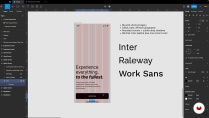
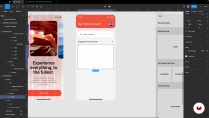
Carry out research for your project and create mood boards for inspiration. Then use them to do a series of visual explorations. Choose your favorite, develop your design, and scale it on multiple screens.
Develop a UI library for your final visuals before creating an animation and a prototype. To wrap up the course, Daniele shares his tips for showcasing and presenting your work.
- 89% positive reviews (28)
- 1,625 students
- 25 lessons (5h 38m)
- 20 additional resources (4 files)
- Online and at your own pace
- Available on the app
- Audio: English, Spanish, French, Indonesian, Italian, Portuguese, Romanian, Turkish
- English · Spanish · Portuguese · German · French · Italian · Polish · Dutch · Turkish · Romanian · Indonesian
- Level: Beginner
- Unlimited access forever
Recommended software & tools for this course
 Figma
FigmaWhat is this course's project?
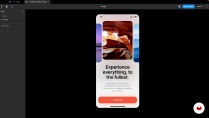
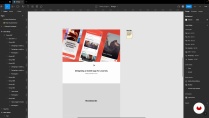
Create a series of interfaces in Figma, including a desktop and mobile view.
Projects by course students


Who is this online course for?
his course is for anyone with an interest in improving their UI design skills.
Requirements and materials
No previous experience is required.
In terms of materials, you will need access to a device with Figma installed.
Reviews

Daniele Buffa
A course by Daniele Buffa
Daniele Buffa is an Italian visual and product designer based in London. He grew up in a family of creatives with an interest in art and design, and began experimenting with tools like Photoshop as a young teenager. He later went on to study design and art direction in Rome before discovering a passion for digital and motion. After another three years of studying, Daniele worked in a small digital agency and later moved to London to work for the Google Creative Lab.
He currently works as a principal designer at the Canadian design firm Metalab with clients like Headspace, Insider, and more. Daniele has also won awards at The Cannes Lion Awards and D&AD Pencil.
Content
-
U1
Introduction
-
About Me
-
Influences
-
-
U2
UI Fundamentals, Figma Basics, and Design Process
-
UI Fundamentals
-
Design Resources
-
Figma and FigJam Basics 1
-
Figma and FigJam Basics 2
-
Figma interface Change UPDATE 2025
-
The Brief and the Design Process
-
-
U3
Let's Design!
-
Research and Mood Board Creation
-
Initial Visual Explorations 1
-
Initial Visual Explorations 2
-
Initial Visual Explorations 3
-
Visual Explorations: The Second Mood Board 1
-
Visual Explorations: The Second Mood Board 2
-
Selecting the Final Visual Design 1
-
Selecting the Final Visual Design 2
-
Scaling the Design on Multiple Screens 1
-
Scaling the Design on Multiple Screens 2
-
Scaling the Design on Multiple Screens 3
-
Scaling the Design on Multiple Screens 4
-
-
U4
The Final Steps: The UI Library, the Interactive Prototype, and Professional Advice
-
Organizing the Design Into a Library 1
-
Organizing the Design Into a Library 2
-
Creating an Animation and Prototype 1
-
Creating an Animation and Prototype 2
-
Showcasing Your Work
-
-
FP
Final project
-
UI Design for Beginners with Figma
-
What to expect from a Domestika course
-
Learn at your own pace
Enjoy learning from home without a set schedule and with an easy-to-follow method. You set your own pace.
-
Learn from the best professionals
Learn valuable methods and techniques explained by top experts in the creative sector.
-
Meet expert teachers
Each expert teaches what they do best, with clear guidelines, true passion, and professional insight in every lesson.
-
Certificates
PlusIf you're a Plus member, get a custom certificate signed by your teacher for every course. Share it on your portfolio, social media, or wherever you like.
-
Get front-row seats
Videos of the highest quality, so you don't miss a single detail. With unlimited access, you can watch them as many times as you need to perfect your technique.
-
Share knowledge and ideas
Ask questions, request feedback, or offer solutions. Share your learning experience with other students in the community who are as passionate about creativity as you are.
-
Connect with a global creative community
The community is home to millions of people from around the world who are curious and passionate about exploring and expressing their creativity.
-
Watch professionally produced courses
Domestika curates its teacher roster and produces every course in-house to ensure a high-quality online learning experience.
FAQs
Yes, this course is tailored for intermediate designers looking to deepen their skills in UI design, Figma, and creative workflows. It covers both foundational and advanced topics to help you grow as a designer.
You’ll need access to Figma (free or paid), FigJam, and Photoshop (CS2 or newer recommended). No special hardware is required beyond a computer with internet access.
You’ll learn how to source inspiration, build mood boards, collaborate in Figma, apply design principles, create reusable UI components, and build interactive prototypes, plus strategies for sharing and presenting your work.
Basic familiarity with design tools like Figma or Photoshop is helpful but not strictly required. The course offers step-by-step guidance for key techniques.
You’ll discover methods for collecting inspiration, building mood boards, and using platforms like Unsplash and Chroma, plus strategies for sourcing references from art, film, and online communities.
Yes, the course covers collaboration in Figma and FigJam, sharing digital art in online forums, and building connections in the design community for feedback and growth.
Absolutely. You’ll learn to build wireframes, UI libraries, interactive prototypes, and use Figma’s prototype mode for navigation, transitions, and animations.
 Figma
Figma
El curso es bueno pero la traducción al español es horrible: algunas cosas no se entienden y el audio de la traduccion esta fuera de línea, los videos se acaban antes de que la traducción termine de explicar.
detailed and easy to implement
Excelente curso, me encantó
Muito bom.
Buen curso para poder iniciar en el mundo del UI. Es sencillo y fácil de entender en realidad. Las palabras del profesor son fáciles de comprender sobre los temas que habla.