Create realistic scenes with artificial intelligence for VFX using Runway
A course by Diego Velasquez
, Director, MAKACO Animation and VFX Studio





Learn to create realistic scenes with artificial intelligence using Runway and tools such as Gen-4, Aleph and Act-Two

Discover how to transform your creativity with artificial intelligence for VFX using Runway and its advanced tools. Learn to create realistic scenes with Gen 4, Act-Two, and Aleph. Immerse yourself in the world of AI and explore how to easily generate stunning images and videos. Runway offers an intuitive platform that makes it easy to experiment with different styles and techniques without the technical hassle. From video creation to image modification, everything is at your fingertips.
Take advantage of Runway's ability to transform your ideas into unique visual projects. With tools like the video generator and reference system, you can bring complex scenes with stunning detail to life. The credit system allows you to explore features without breaking the bank. Experiment with different prompts and see how the AI adapts to your creative needs. By the end of the course, you'll have the knowledge you need to create innovative and engaging visual projects.
What will you learn in this online course?
5 lessons & 1 download
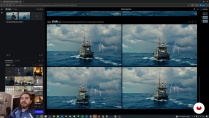
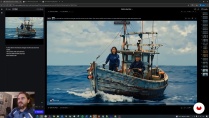
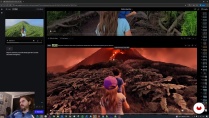
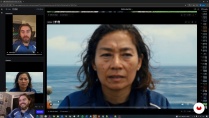
What's included in this course?
You'll learn how to create realistic visual scenes using artificial intelligence and Runway's advanced tools. You'll discover how to navigate the interface, leverage opening credits, and choose the plan that best suits your creative needs. You'll learn about the Gen 4, which allow you to generate consistent images and videos from detailed descriptions and the combination of pre-existing visual elements. You'll become familiar with Runway's ability to integrate images from diverse sources, giving you unparalleled control over the look and consistency of your projects.
You'll also explore how to bring your creations to life by animating still images and experimenting with camera movements. You'll learn how to use Aleph to transform videos, maintaining characters while changing environments, and how to use Act-Two to add movement and expression to your digital characters. Upon completion, you'll be equipped with the skills necessary to create stunning visual content, combining creativity and technological innovation, ready to apply to personal or professional projects.
- 100% positive reviews (13)
- 893 students
- 5 lessons (1h 5m)
- 1 download
- Online and at your own pace
- Available on the app
- Audio: Spanish, German, English, French, Indonesian, Italian, Dutch, Polish, Portuguese, Romanian, Turkish
- Spanish · Portuguese · French · Italian · English · Turkish · Dutch · Polish · German · Indonesian · Romanian
- Level: Beginner
- Unlimited access forever
Recommended software & tools for this course
 Runaway
What is this course's project?
You'll learn to create realistic scenes with artificial intelligence using Runway. You'll master tools like Gen-4, Act-Two, and Aleph to generate videos and images with motion and visual effects, creating unique and consistent visual projects.
Who is this online course for?
This course is designed for creatives interested in exploring artificial intelligence applied to video and image design. Ideal for filmmakers, designers, and visual artists who want to innovate their projects using tools like Runway, Gen 4, and Aleph.
Requirements and materials
This course doesn't require extensive prior knowledge; all you need is a computer with an internet connection and access to Runway. Basic knowledge of video and image editing, as well as an interest in artificial intelligence for creating visual projects, is ideal.

Reviews

Diego Velasquez
A course by Diego Velasquez
Passionate about art and science, Diego Velásquez of Peru discovered 3D animation to be the perfect combination of mathematics, drawing, and storytelling, establishing a professional career focused on the cinema and advertising industries.
In 2011, he founded MAKACO, a studio dedicated to the post-production of 3D animation and special effects. He has won several international awards, including gold for Best Foreign Language Commercial and bronze for Branded Entertainment of the Year at the Shots Awards.
Content
-
Create realistic scenes with artificial intelligence for VFX using Runway
-
Runway Interface
-
Creating a session and using references
-
Generating movement in images
-
Modifying videos with Aleph
-
Act-two and final examples
-
Final project
-
What to expect from a Domestika course
-
Learn at your own pace
Enjoy learning from home without a set schedule and with an easy-to-follow method. You set your own pace.
-
Learn from the best professionals
Learn valuable methods and techniques explained by top experts in the creative sector.
-
Meet expert teachers
Each expert teaches what they do best, with clear guidelines, true passion, and professional insight in every lesson.
-
Certificates
PlusIf you're a Plus member, get a custom certificate signed by your teacher for every course. Share it on your portfolio, social media, or wherever you like.
-
Get front-row seats
Videos of the highest quality, so you don't miss a single detail. With unlimited access, you can watch them as many times as you need to perfect your technique.
-
Share knowledge and ideas
Ask questions, request feedback, or offer solutions. Share your learning experience with other students in the community who are as passionate about creativity as you are.
-
Connect with a global creative community
The community is home to millions of people from around the world who are curious and passionate about exploring and expressing their creativity.
-
Watch professionally produced courses
Domestika curates its teacher roster and produces every course in-house to ensure a high-quality online learning experience.
FAQs
Runway is an online platform that uses artificial intelligence to easily and professionally create, edit, and animate images and videos. It's perfect for creatives looking to speed up their audiovisual production with AI.
This course is aimed at users with intermediate audiovisual creation skills, though all features are explained from the ground up. Basic familiarity with image or video editing is recommended.
All you need is a computer with internet access and a free Runway account. No extra software installation is required since everything runs in your browser.
You'll learn how to generate images and videos with AI, organize sessions and assets, use visual references, apply prompting techniques, animate elements, edit videos, and create advanced cinematic effects.
Runway offers free credits that let you generate images and videos. When they run out, you can choose a paid plan or stick to tasks that don't use credits, like organizing assets.
In Runway, a session organizes all your resources, generated images, and videos, acting like a project where your creative work is managed in an orderly way.
Yes, Runway lets you create shared folders in the assets section, making it easy for multiple users to collaborate, organize, and edit audiovisual resources together.
 Runaway
Un poco corto para mi gusto, pero explica de forma correcta las bases para la utilización de IA; recomendado como un curso introductorio.
el curso es corto pero explica muy bien el funcionamiento del programa
Claro y útil. Detalle la ventana de él explicando muchas veces tapa la zona de la interfaz que está precisamente hablando.
Cortito pero útil para empezar a usar Runway
En sí, la exposición es clara, la descripción de la herramienta bastante completa y la plática amena. UN detalle que enriquece es la comparación con otros apps ia generadoras de imagen. Para iniciados, es un muy buen acercamiento. La única critica es la pantalla del "profe" localizada en la parte inferior derecha que tapa el menú de herramientas cuando las está usando.