Advanced artificial intelligence techniques for architectural visualizations
A course by Phrame
, Architects and 3D Graphic Designers Specialized in Architecture
Teacher
Plus
Architects and 3D Graphic Designers Specialized in Architecture.
Barcelona, Spain.
Joined September 2016
-

-

-

Joined September 2016

Conceptual visual design with artificial intelligence using Krea and improves your postproduction and graphic design skills

Discover how to enhance your visual design skills through artificial intelligence with the Krea AI tool. Immerse yourself in the world of digital post-production and take advantage of the many options this platform offers. From creating images from prompts to generating conceptual visuals, Krea AI lets you experiment with different styles and finishes. Learn how to use advanced tools like Image to Image and Motion Transfer to transform your ideas into striking sketches. Plus, explore image editing and enhancement features for professional results.
Take advantage of Krea AI's constant updates and active community to keep your projects cutting-edge. Familiarize yourself with the ability to train AI to your personal style, optimizing the creation of images that reflect your unique vision. Experiment with 3D object generation and discover new creative possibilities. This course offers you the opportunity to explore and develop your own working methods, boosting your creativity and efficiency in design projects.
What will you learn in this online course?
3 lessons & 1 download
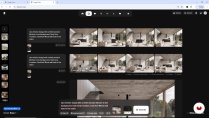
What's included in this course?
Explore the fascinating world of artificial intelligence applied to visual creation with Krea AI. Discover how this revolutionary model can transform your graphic and architectural design projects from post-production onwards. Learn how to generate stunning images from existing images using the Image to Image tool, and bring your ideas to life with techniques that combine creativity and advanced technology. Familiarize yourself with the Krea AI interface and its multiple features, which will allow you to experiment with styles, effects, and edits in an intuitive and dynamic environment.
Delve deeper into customizing visual styles through AI model training and discover how to optimize your projects with tools like Enaser. Develop skills to improve the quality of your images by adjusting details and enhancing textures. As you progress, gain the ability to integrate different methods and models to achieve unique results. Expand your creative perspective by exploring innovative editing techniques, which will allow you to take your skills to the next level. Become an expert in using artificial intelligence in visual projects, opening new doors to innovation and artistic expression.
- 100% positive reviews (5)
- 530 students
- 3 lessons (58m)
- 1 download
- Online and at your own pace
- Available on the app
- Audio: Spanish, German, English, French, Italian, Dutch, Polish, Portuguese, Turkish
- Spanish · English · Portuguese · French · Italian · German · Polish · Dutch · Turkish · Romanian · Indonesian
- Level: Beginner
- Unlimited access forever
Recommended software & tools for this course
 Krea
KreaWhat is this course's project?
Explore the creation of conceptual visuals with Krea, an AI tool. Learn to generate innovative visuals from prompts and images, experiment with styles, and edit the results to create stunning sketches for architectural design projects.
Who is this online course for?
This course is ideal for creatives and graphic designers who want to explore the potential of artificial intelligence in visual development. It's also perfect for those interested in post-production and generating innovative images with advanced tools like Krea AI.
Requirements and materials
No extensive prior knowledge is required, just basic computer skills and internet access. A computer with an updated web browser is required to explore Krea's tools, as well as a willingness to experiment and learn about AI-generated graphics.

Reviews

Phrame
A course by Phrame
Phrame is a 3D visualization company that offers photorealistic images to architecture offices, interior design studios, and product designers. They have worked for big-name clients such as Acciona, Catalonian architect Ricardo Bofill, and Copcisa.
Their work always has a dreamlike character, a concrete narrative, and an advanced 3D programming technique. Their aim is to create images that are aesthetically beautiful, tell a story, and convey a desire to be in a given space that doesn't exist yet.
Content
-
Advanced artificial intelligence techniques for architectural visualizations
-
Introduction to Krea
-
From 3D Rendering to Sketching with Krea
-
Final touch-up
-
Final project
-
What to expect from a Domestika course
-
Learn at your own pace
Enjoy learning from home without a set schedule and with an easy-to-follow method. You set your own pace.
-
Learn from the best professionals
Learn valuable methods and techniques explained by top experts in the creative sector.
-
Meet expert teachers
Each expert teaches what they do best, with clear guidelines, true passion, and professional insight in every lesson.
-
Certificates
PlusIf you're a Plus member, get a custom certificate signed by your teacher for every course. Share it on your portfolio, social media, or wherever you like.
-
Get front-row seats
Videos of the highest quality, so you don't miss a single detail. With unlimited access, you can watch them as many times as you need to perfect your technique.
-
Share knowledge and ideas
Ask questions, request feedback, or offer solutions. Share your learning experience with other students in the community who are as passionate about creativity as you are.
-
Connect with a global creative community
The community is home to millions of people from around the world who are curious and passionate about exploring and expressing their creativity.
-
Watch professionally produced courses
Domestika curates its teacher roster and produces every course in-house to ensure a high-quality online learning experience.
FAQs
Krea is an AI platform that lets you create, edit, and enhance architectural images, sketches, and renders using advanced tools like image-to-image, prompts, and custom style training.
This is an intermediate-level course, perfect for those with basic knowledge in design, architecture, or digital tech who want to deepen their understanding of AI applications in architectural visualization.
Basic digital design and image handling skills are recommended. Programming knowledge isn’t required, but having access to Krea and image editing software like Photoshop or similar tools is helpful.
You’ll learn how to generate architectural images and renders, edit sketches, train custom AI models, use effective prompts, and streamline your digital workflow with Krea’s tools.
With Krea’s Enhancer feature, you can boost the resolution and sharpen details of architectural renders, producing high-quality images ready for professional presentations.
Yes, the course teaches how to turn basic renders into professional visualizations by applying style changes, improving textures, and optimizing materials with AI.
Krea’s image-to-image feature lets you take a render or sketch as a starting point and transform it by applying new styles, materials, or architectural details using AI.
 Krea
Krea

Yes!
La explicación fue comprensiva y muy bien guiada, de forma calmada, lo que me permitió ir probando cada herramienta mientras el profesor explicaba. Para ser mi primer curso, me gusto mucho la experiencia.
El curso está muy bien para empezar a trabajar con IA.
Excelente
excelenete curso