Creating Digital Brushes with AI for Procreate
A course by Jaime Sanjuan Ocabo
, Digital Painter and Illustrator
Digital Painter and Illustrator.
Zaragoza, Spain.
Joined December 2013
-
-

-

Joined December 2013

Create digital brushes for Procreate using artificial intelligence, learn advanced techniques, and enhance your creative illustrations.
Joined December 2013

Discover how artificial intelligence can transform your creative process by designing unique digital brushes for Procreate. You’ll learn to use advanced tools to generate realistic and versatile textures that will elevate your illustrations to a new level. With a step-by-step approach, each lesson will guide you through creating brush packs — from intricate hair details to leaves and floral patterns — all with a professional finish.
This intensive course teaches you to customize and fine-tune each brush according to your specific needs, allowing your creativity to flow freely. With innovative techniques, explore how to integrate these brushes into your projects and achieve stunning results in no time. As you progress, you’ll gain skills that not only improve your illustrations but also give you a deeper understanding of the possibilities of digital art.
What will you learn in this online course?
8 lessons & 1 download
What's included in this course?
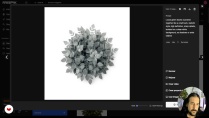
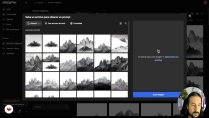
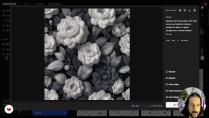
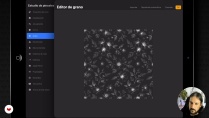
You’ll learn to create unique digital brushes for Procreate using artificial intelligence. Discover how to generate base images that will serve as templates for your brushes, allowing you to design everything from dynamic hair strands to repeatable floral patterns with a 3D effect. Throughout the course, you’ll become familiar with tools like FreePic and learn how to optimize your designs for the best results, adjusting proportions and settings to achieve a professional and versatile finish.
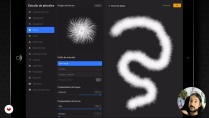
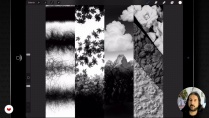
In addition, you’ll explore various techniques for creating nature brushes — such as leaves and trees — that bring realism to your illustrations. Learn to adjust parameters in Procreate to personalize each brush and adapt it to your specific needs, increasing efficiency in your workflow. By the end, you’ll have a library of custom-made brushes to use in your creative projects, enhancing your artistic skills and expanding your digital design potential.
- 100% positive reviews (1)
- 457 students
- 8 lessons (2h 25m)
- 1 download
- Online and at your own pace
- Available on the app
- Audio: Spanish, German, English, French, Italian, Dutch, Polish, Portuguese, Turkish
- Spanish · French · English · Polish · Italian · Dutch · Portuguese · Turkish · German
- Level: Beginner
- Unlimited access forever
Recommended software & tools for this course
 Procreate
What is this course's project?
You’ll learn to create unique digital brushes for Procreate using artificial intelligence, designing everything from realistic hair to repeatable floral patterns. Develop complete brush sets to customize your illustrations with natural textures and stunning details.
Who is this online course for?
This intensive course is designed for digital illustrators, artists, and design enthusiasts who want to expand their creativity by creating unique digital brushes for Procreate using artificial intelligence. Perfect for those who wish to enrich their portfolio with personalized tools and improve their artistic skills.
Requirements and materials
No extensive prior knowledge is required, but it is recommended to have access to a computer with Procreate installed and an Internet connection. Basic familiarity with digital design and illustration tools is suggested to follow the lessons.
Reviews

Jaime Sanjuan Ocabo
A course by Jaime Sanjuan Ocabo
Jaime Sanjuán is a digital designer, illustrator, and painter. He studied fine art at the University of Castilla-La Mancha, Spain, where he learned traditional artistic techniques such as oil painting, pastels, clay modeling, etc. However, he decided to swap his brushes and studio for an iPad and the Procreate app, which give him the possibility to explore countless techniques without needing much space and using only his fingers.
Jaime has always been fascinated by realist and hyperrealist painting. It's this aesthetic that he always seeks in his paintings and illustrations, which are full of double meanings and impossible realities. This very particular vision and a highly refined technique have earned him international recognition such as the Communication Arts Award, the American Illustration Award, and the Latin American Illustration Award, enabling him to see his work exhibited in galleries and museums around the world.
Content
-
Creating Digital Brushes with AI for Procreate
-
Introduction to AI-generated brushes in Procreate
-
Creating Realistic Hair Brush Bases with AI
-
Creating Dynamic Leaf Brushes for Procreate
-
Creating a Nature Brush Set
-
Repeatable floral patterns with 3D effect
-
Creating and Configuring Brushes in Procreate
-
Complete configuration of custom brush sets
-
Closing of the course and creative recapitulation
-
Final project
-
What to expect from a Domestika course
-
Learn at your own pace
Enjoy learning from home without a set schedule and with an easy-to-follow method. You set your own pace.
-
Learn from the best professionals
Learn valuable methods and techniques explained by top experts in the creative sector.
-
Meet expert teachers
Each expert teaches what they do best, with clear guidelines, true passion, and professional insight in every lesson.
-
Certificates
PlusIf you're a Plus member, get a custom certificate signed by your teacher for every course. Share it on your portfolio, social media, or wherever you like.
-
Get front-row seats
Videos of the highest quality, so you don't miss a single detail. With unlimited access, you can watch them as many times as you need to perfect your technique.
-
Share knowledge and ideas
Ask questions, request feedback, or offer solutions. Share your learning experience with other students in the community who are as passionate about creativity as you are.
-
Connect with a global creative community
The community is home to millions of people from around the world who are curious and passionate about exploring and expressing their creativity.
-
Watch professionally produced courses
Domestika curates its teacher roster and produces every course in-house to ensure a high-quality online learning experience.
FAQs
You can create custom brushes in Procreate by using AI to generate base images and shapes, then importing and fine-tuning them in the app by adjusting settings like dynamics, spacing, and texture.
You'll need an iPad with Procreate installed, access to an AI tool like Freepik to generate images, and internet connection to download or create visual bases.
This is an intermediate-level course; it's recommended to have basic Procreate skills and some experience handling image files to get the most out of it.
Yes, the course teaches you how to create dynamic hair brushes and leaf brushes using AI, tailored for natural illustrations and digital landscapes.
You'll learn how to make seamless, repeatable patterns with 3D effects by importing AI-generated images into Procreate and setting up repetition and volume parameters.
AI makes it easier to generate original visual assets, speeds up your creative process, offers more variety and quality in brushes and patterns, and allows for advanced customization.
You should generate or download images from Freepik, making sure they have a white background and black elements, then import them into Procreate to create and tweak your brush.
 Procreate
El curso esta genial, el profesor explica muy bien y las lecciones se entienden perfectamente. Si quieres crear tus propios pinceles este es tu curso.