Digital Lettering for Beginners
A course by Sindy Ethel, Designer specialized in lettering




Learn how to draw stylish letters by using Photoshop and Illustrator

If you want to learn how to make lettering digital but you don't know where to start, Sindy Ethel is the ideal professional to guide your first steps. For her, drawing has always been her main form of communication and as a designer, her typographic work and lettering have led her to collaborate with brands such as Coca-Cola, Google, Adobe, Baileys, Volkswagen or Pepsi.
In this course you will learn to draw various styles of letters with Adobe Photoshop and Illustrator, from sketch to final art.
What will you learn in this online course?
24 lessons & 33 downloads
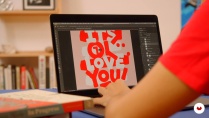
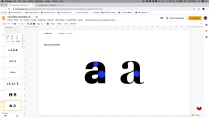
What's included in this course?
First you will meet Sindy Ethel, who will tell you about his beginnings in lettering and his professional career in print and digital media, always keeping his personal projects as the ideal space for experimentation. In addition, he will share the work of different typography studios, friends, teachers and people who have inspired him.
You will know the difference between calligraphy, typography and lettering , areas that are interrelated and historically, one leads to the other. You will learn the basics of typography, the parts of a letter, typographical variables, types of contrasts, color, spacing and kerning .
Sindy will give you a brief introduction to Adobe Illustrator and Photoshop and will give you some tips to configure your graphics tablet.
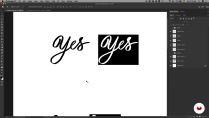
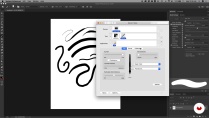
You will see in depth the digital techniques for drawing letters but first you will know the brushes panel ( brushes ) of Adobe Photoshop, how to create and customize them.
As part of your initiation, you will learn to create letters in different styles. First, from an existing typographic model, you will draw letters with serifs before moving on to the script . You will continue with something more complex that is to draw words observing the relationship between space, volume and style. The last step will be to illustrate simple elements about the letters you have drawn.
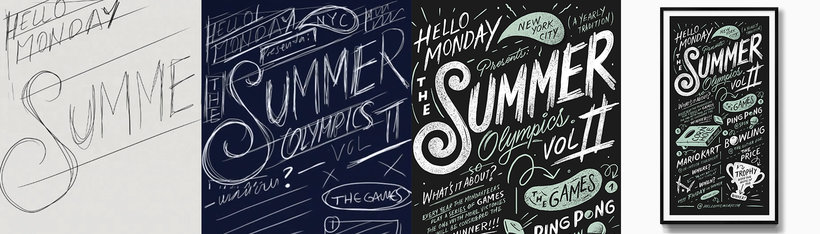
Then, with the help of Sindy, you will start your digital lettering . You will do a brief investigation, a mood board and define a color palette. Based on some composition tips, you will create the sketch of your project and also how to make variants to create the thumbnails .
You will discover how you must correctly vectorize the letters in Adobe Illustrator and also apply effects and textures on them. Finally, you will learn some ways to show the world your work in a professional manner and recommendations on what are the ideal platforms to do so.
- 97% positive reviews (175)
- 3,603 students
- 24 lessons (3h 42m)
- 33 additional resources (16 files)
- Online and at your own pace
- Available on the app
- Audio: Spanish
- Spanish · English · Portuguese · German · Italian · French · Polish · Dutch · Turkish · Romanian · Indonesian
- Level: Beginner
- Unlimited access forever
Recommended software & tools for this course
 Adobe Illustrator
 Adobe Photoshop
What is this course's project?
You will make a poster with a unique lettering , applying all the knowledge learned during the course.
Projects by course students


Who is this online course for?
To any enthusiast of letters who wants to learn how to make digital letters for their design, branding or personal projects.
Requirements and materials
The course is designed to start making digital lettering from scratch, so you won't need prior knowledge, although it would do you good to have an Adobe Photoshop and Illustrator base.
On the materials, it is necessary to have a computer with Adobe Photoshop and Illustrator installed and a graphics tablet.

Reviews

Sindy Ethel
A course by Sindy Ethel
Native designer from Monterrey (Mexico) specialized in lettering and illustration. Her passion for drawing led her to study Graphic Design at the Faculty of Visual Arts of the Autonomous University of Nuevo León (Mexico).
He currently works for Hello Monday in New York (USA), has worked for brands such as Adobe, Google, Coca Cola, Pepsi or Volkswagen among others, and for agencies such as Grupo W and Vault49 in NY.
Content
-
U1
Introduction
-
Presentation
-
Influences
-
What will we do in the course?
-
-
U2
Basic principles
-
What is calligraphy, typography and lettering
-
Basic Typography Concepts
-
Color, spacing and kerning
-
Introduction to Adobe Photoshop and Illustrator
-
Setting up the tablet
-
-
U3
Techniques for drawing letters digitally
-
Brushes for digital lettering
-
Drawing from a typographic model
-
Drawing script letters
-
Drawing words
-
Illustration about letters
-
-
U4
Creating a digital lettering project
-
Research and mood board
-
Color palette
-
Composition Tips
-
Sketching and creation of thumbnails P1
-
Sketching and creation of thumbnails P2
-
Refining the sketch
-
-
U5
Finishing your project
-
Vectorization tips
-
Effects on letters
-
Final adjustments and self-criticism
-
-
U6
Publish your project
-
Project Presentation
-
Tips to share your project in portfolio
-
-
FP
Final project
-
Digital Lettering for Beginners
-
What to expect from a Domestika course
-
Learn at your own pace
Enjoy learning from home without a set schedule and with an easy-to-follow method. You set your own pace.
-
Learn from the best professionals
Learn valuable methods and techniques explained by top experts in the creative sector.
-
Meet expert teachers
Each expert teaches what they do best, with clear guidelines, true passion, and professional insight in every lesson.
-
Certificates
PlusIf you're a Plus member, get a custom certificate signed by your teacher for every course. Share it on your portfolio, social media, or wherever you like.
-
Get front-row seats
Videos of the highest quality, so you don't miss a single detail. With unlimited access, you can watch them as many times as you need to perfect your technique.
-
Share knowledge and ideas
Ask questions, request feedback, or offer solutions. Share your learning experience with other students in the community who are as passionate about creativity as you are.
-
Connect with a global creative community
The community is home to millions of people from around the world who are curious and passionate about exploring and expressing their creativity.
-
Watch professionally produced courses
Domestika curates its teacher roster and produces every course in-house to ensure a high-quality online learning experience.
FAQs
Digital lettering is the art of drawing letters by hand using digital tools, unlike calligraphy (handwriting) and typography (font design). It lets you create unique letters and styles that don’t exist in standard fonts.
Yes, the course is designed for people with basic design or illustration knowledge who want to deepen their skills in digital techniques, composition, and custom letter creation.
You’ll need Adobe Photoshop and Illustrator, a graphic tablet (like a Wacom), access to Creative Cloud, and basic familiarity with these programs.
You’ll learn how to create digital letters from sketches to finished pieces, vectorize in Illustrator, apply effects and textures, combine illustration with typography, and professionally showcase your work in portfolios and mockups.
It’s not required, but having basic drawing or pencil sketching skills will help you get more out of the sketching and composition techniques taught.
Import your sketch, use the pen or pencil tool to trace outlines, adjust nodes and curves to refine shapes, then add color or effects based on your design.
Yes, the course covers techniques to create and customize digital brushes, mimicking traditional tools and tailoring brushes to your style.
 Adobe Illustrator
 Adobe Photoshop
Me gustó mucho el curso.
Me esta gustando mucho
Excelente curso ! 😊
Excelente profesional
Ottimo corso