Create Moodboards with Artificial Intelligence for Clients
A course by David Garrido
, Lead Artist, Consultant and Trainer in Artificial Intelligence
Teacher
Plus
Lead Artist, Consultant and Trainer in Artificial Intelligence.
Madrid, Spain.
Joined July 2011

Joined July 2011

Create inspiring mood boards using AI tools like ChatGPT, Midjourney, design workflows and professional presentation
Joined July 2011

Discover how to design visually compelling and consistent moodboards by integrating AI tools like ChatGPT, Midjourney, Freepik, and Canva into your creative workflow. This course teaches effective strategies for organizing concepts, selecting color palettes, and combining visual references and textures with AI-generated images, ensuring your projects meet professional standards. Learn step-by-step methods to generate, refine, and present moodboards tailored to diverse client briefs. Optimize your creative process, maintain aesthetic coherence, and elevate the visual impact of your proposals, making your communication more effective and your projects more valuable.
What will you learn in this online course?
7 lessons & 2 downloads
What's included in this course?
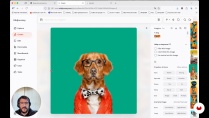
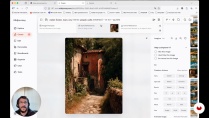
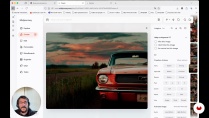
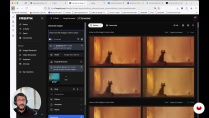
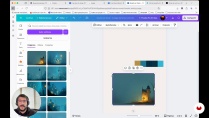
You will learn to organize ideas, colors, and visual references efficiently, applying artificial intelligence tools to develop mood boards with strong visual consistency. Step-by-step examples will help you generate assets and explore different creative styles, making your process both innovative and professional. Practical exercises reveal how to combine prompts, images, and references, as well as how to present your final mood board attractively for clients or teams. Techniques for extracting color palettes, refining styles, and even animating images add new dimensions to your creative projects.
- 306 students
- 7 lessons (1h 17m)
- 2 additional resources (1 files)
- Online and at your own pace
- Available on the app
- Audio: Spanish, German, English, French, Indonesian, Italian, Dutch, Polish, Portuguese, Romanian, Turkish
- Spanish · English · Portuguese · Dutch · French · Italian · Polish · German · Indonesian · Romanian · Turkish
- Level: Beginner
- Unlimited access forever
Recommended software & tools for this course
 Canva
Canva ChatGPT
 Freepik
 Midjourney
What is this course's project?
You'll learn to create visual mood boards using artificial intelligence, starting with ideas generated with ChatGPT, and developing images that are consistent in style and color with MidJourney. You'll finish with animated mood boards that convey the essence of creative projects.
Who is this online course for?
Graphic designers, visual creatives, marketing professionals, students, and freelancers wanting to streamline creative workflows using AI tools or present visually coherent projects more efficiently.
Requirements and materials
Basic computer skills required plus a general sense of visual composition. No extensive prior experience in AI or specific tools needed, as explanations are provided during the course materials and lessons.

David Garrido
A course by David Garrido
David Garrido Martínez is a Lead Artist, Consultant, and Trainer in Artificial Intelligence, currently based in Madrid. Trained at ThePowerMBA, he combines his creative and technical experience to lead AI projects and offer applied training to design a...
Content
-
Create Moodboards with Artificial Intelligence for Clients
-
Course Introduction
-
Project ideation and conceptual definition
-
Creating consistent visual styles in MidJourney
-
Assisted generation of key elements for the mood board
-
Creating and using custom mood boards in MidJourney
-
Chromatic variations within the same visual style
-
Professional presentation of the mood board
-
Final project
-
What to expect from a Domestika course
-
Learn at your own pace
Enjoy learning from home without a set schedule and with an easy-to-follow method. You set your own pace.
-
Learn from the best professionals
Learn valuable methods and techniques explained by top experts in the creative sector.
-
Meet expert teachers
Each expert teaches what they do best, with clear guidelines, true passion, and professional insight in every lesson.
-
Certificates
PlusIf you're a Plus member, get a custom certificate signed by your teacher for every course. Share it on your portfolio, social media, or wherever you like.
-
Get front-row seats
Videos of the highest quality, so you don't miss a single detail. With unlimited access, you can watch them as many times as you need to perfect your technique.
-
Share knowledge and ideas
Ask questions, request feedback, or offer solutions. Share your learning experience with other students in the community who are as passionate about creativity as you are.
-
Connect with a global creative community
The community is home to millions of people from around the world who are curious and passionate about exploring and expressing their creativity.
-
Watch professionally produced courses
Domestika curates its teacher roster and produces every course in-house to ensure a high-quality online learning experience.
FAQs
You’ll learn how to craft visually cohesive moodboards using AI tools like MidJourney and ChatGPT, adapt styles and color palettes, and create striking visual presentations for creative projects and clients.
The course is designed for those with intermediate design or creative skills, but you don’t need to be an AI expert or familiar with platforms like MidJourney to get started.
You’ll need a computer with internet access and accounts on platforms like MidJourney, ChatGPT, and Canva. Basic digital design knowledge is recommended.
AI automates image creation, color palette generation, and creative prompts, letting you produce visually consistent and original moodboards faster and with a wider range of ideas.
You’ll mainly work with MidJourney for image generation, ChatGPT for ideas and creative prompts, plus complementary tools like Canva and Freepik for editing and presentation.
You’ll learn how to identify and extract dominant tones from an image using digital tools, ensuring color harmony and visual consistency in your moodboard.
Yes, the course teaches you how to control parameters like aspect ratio and style reference weight, and how to use reference images to customize and keep your creations stylistically consistent.
 Canva
Canva ChatGPT
 Freepik
 Midjourney