Parallax Animation with AI and After Effects
A course by Darwin Pacheco
, Designer and Animator




Create 2.5D parallax animation using AI image generation, Photoshop layer masking, After Effects camera and depth

Learn to create immersive 2.5D parallax animation from a single still image, combining AI image generation with professional post‑production in Photoshop and After Effects. Throughout the course, you develop a complete motion sequence, designing depth, camera movements, and cinematic lighting to transform flat artwork into a dynamic, multi‑layer scene.
You start by generating concept art with AI using Freepik, refining prompts to control subject, environment, lighting, and style for animation‑ready compositions. You then upscale images for higher resolution and prepare them in Photoshop, where you sharpen details, separate elements into layers, and use Firefly generative fill and advanced selection tools to cleanly rebuild backgrounds. Next, you move to After Effects to import layered PSD files, convert them to 3D layers, position each plane in Z‑space, and set up cameras, depth of field, lights, and keyframes to produce a smooth parallax animation. Finally, you add color correction, grain, and rendering settings to finish a polished motion design piece ideal for reels, title sequences, and visual storytelling.
This course is designed for illustrators, motion designers, animators, graphic designers, content creators, and anyone interested in digital art, visual effects, or AI‑assisted creative workflows who wants to integrate parallax, compositing, and cinematic camera work into their projects.
What will you learn in this online course?
7 lessons & 2 downloads
What's included in this course?
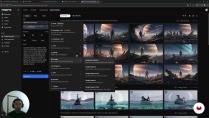
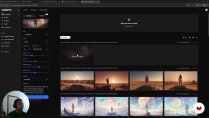
Learn how to generate powerful visual concepts with AI, design detailed prompts, manage variations, organize assets and upscale images for high‑resolution results. Explore lighting, composition, style choices and resolution criteria to obtain clean, readable scenes ready for animation.
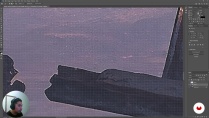
Then discover how to decompose an image in Photoshop, create precise cutouts with classic and AI‑assisted tools, rebuild missing areas through generative fill and prepare a layered PSD. Move into After Effects, set up projects, work with 2D and 2.5D layers, cameras, lights, depth of field, keyframes, wiggle expressions, color correction and grain. Finish with a complete parallax animation suitable for professional projects.
- 100% positive reviews (1)
- 160 students
- 7 lessons (1h 6m)
- 2 additional resources (1 files)
- Online and at your own pace
- Available on the app
- Audio: Spanish, German, English, French, Indonesian, Italian, Dutch, Polish, Portuguese, Romanian, Turkish
- Spanish · English · Indonesian · Romanian · Italian · German · Dutch · Polish · French · Portuguese · Turkish
- Level: Beginner
- Unlimited access forever
Recommended software & tools for this course
 Adobe After Effects
 Adobe Photoshop
 Freepik
 Magnific
 Nano Banana
Who is this online course for?
People curious about parallax animation using AI images, Photoshop and After Effects, such as illustrators, motion designers, content creators, students or hobbyists seeking cinematic depth for social media pieces, reels, music videos, client work or personal projects
Requirements and materials
You only need basic computer skills, a computer capable of running Photoshop, After Effects and an internet browser, plus a stable internet connection and access to Freepik and Adobe tools, no extensive prior knowledge required
New to Adobe After Effects? In that case, we recommend taking Domestika Basics courses to learn how to use the software: Introduction to After Effects.
Reviews

Darwin Pacheco
A course by Darwin Pacheco
Darwin is a Peruvian designer and animator with experience in working with the most salient studios, production studios, and agencies in Peru. This has led him to participate in projects with clients like Uber, Abaco, TVPerú, Canal J, among others.
One of Darwin’s great passions is creating a visual language through design and animation. He hasn’t stopped investigating the subject since he discovered it. Since making the shift to freelance, he dedicates most of his time exploring the realm of visual communication possibilities with this creative discipline.
Content
-
Parallax Animation with AI and After Effects
-
Welcome and Course Overview
-
What Is the Parallax Effect?
-
Generating Prompts in Freepik
-
Upscaling Images with Magnific
-
Photoshop Cutouts and Generative Fill
-
Animating in After Effects: Basics
-
Animating Parallax and Rendering in After Effects
-
Final project
-
What to expect from a Domestika course
-
Learn at your own pace
Enjoy learning from home without a set schedule and with an easy-to-follow method. You set your own pace.
-
Learn from the best professionals
Learn valuable methods and techniques explained by top experts in the creative sector.
-
Meet expert teachers
Each expert teaches what they do best, with clear guidelines, true passion, and professional insight in every lesson.
-
Certificates
PlusIf you're a Plus member, get a custom certificate signed by your teacher for every course. Share it on your portfolio, social media, or wherever you like.
-
Get front-row seats
Videos of the highest quality, so you don't miss a single detail. With unlimited access, you can watch them as many times as you need to perfect your technique.
-
Share knowledge and ideas
Ask questions, request feedback, or offer solutions. Share your learning experience with other students in the community who are as passionate about creativity as you are.
-
Connect with a global creative community
The community is home to millions of people from around the world who are curious and passionate about exploring and expressing their creativity.
-
Watch professionally produced courses
Domestika curates its teacher roster and produces every course in-house to ensure a high-quality online learning experience.
FAQs
Parallax animation is a technique that creates a sense of depth by moving layers at different speeds. In After Effects, this is done by separating elements into layers and animating a virtual camera to produce a 3D effect within 2D scenes.
This course is designed for people with intermediate skills in design and image editing, especially in Photoshop and After Effects, but you don’t need to be an expert to get started.
You’ll learn how to generate images with artificial intelligence, separate them into layers in Photoshop, and animate them in After Effects using camera movement, depth of field, and parallax effects to create striking scenes.
You’ll need access to Photoshop, After Effects, and an AI image generation platform like Freepik or Magnific to fully benefit from all the course modules.
The course teaches you how to use AI tools like Freepik to create custom images, optimizing detailed prompts to get results suited for animation and parallax scene composition.
You’ll learn how to cut out and separate elements from an image using advanced tools and generative fill in Photoshop, preparing each piece on layers ready for animation in After Effects.
Yes, the course covers how to scale up and enhance image quality using tools like Magnific and resolution enhancement features in Freepik and Photoshop.
 Adobe After Effects
 Adobe Photoshop
 Freepik
 Magnific
 Nano Banana
Interesantisimo y muy facil de seguir, explicaciones claras.