Create Guitar Accompaniments with Artificial Intelligence
A course by Adrián Suchowolski
, Composer, Music Producer





Learn AI guitar arranging, fingerstyle accompaniment, songwriting harmony, Co-Producer, Suno Studio, Guitar2Tabs, Logic Pro workflows

Discover how to design hybrid guitar arrangements that combine expressive playing with cutting edge AI tools for composition, arrangement and production. In this Deep Dive you will work with fingerstyle patterns, chord inversions, drone notes and countermelodies while exploring how AI can suggest riffs, accompaniments and textures for you adapt to your own style.
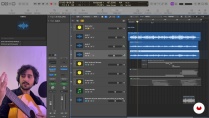
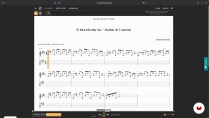
Guided by musician and producer Adrián Suchowolski, you will break down the guitar arrangement, voice leading and harmonic choices of a real song in E major. You will then learn to use Logic Pro, Oolimo and Guitar2Tabs to understand voicings, visualize fingerings and speed up transcription into tabs, MIDI and sheet music.
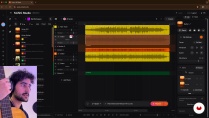
Next you will integrate AI tools such as Co-Producer and Suno Studio into your workflow to generate guitar samples, pedal steel style lines, folk and indie textures, and even 80s funk grooves. You test, edit and re arrange these ideas with audio editing, reverb design and basic mixing so they fit your singer songwriter or folk influenced tracks.
By the end of the course you will have created a complete hybrid guitar piece, partly AI generated and partly performed, and export a finished arrangement ready for further mixing or release. This Deep Dive is ideal for guitarists, songwriters and producers who want to explore the full potential of guitar arrangements, whether they are human, AI assisted or hybrid without losing a personal, human sound.
What will you learn in this online course?
5 lessons & 2 downloads
What's included in this course?
Learn to craft expressive guitar accompaniments that support your songs through chord shapes, inversions, bass movement and drone notes. Explore how to treat chords as melodic lines, build countermelodies around your voice and adapt arrangements to your vocal range and style. Gain confidence arranging with just a few notes while keeping progressions fresh, clear and harmonically coherent.
Discover practical workflows with AI tools such as Co-Producer, Guitar2Tabs and Suno Studio. Use them to transcribe your playing into TABs, generate and reshape guitar samples, prompt new riffs, textures and melodies, then edit them so they truly match your taste. Finish by mixing and exporting a personal hybrid piece that combines your own guitar with AI‑assisted ideas.
- 176 students
- 5 lessons (1h 19m)
- 2 additional resources (1 files)
- Online and at your own pace
- Available on the app
- Audio: English
- English · French · Italian · Portuguese · Polish · German · Dutch · Indonesian · Romanian · Turkish
- Level: Beginner
- Unlimited access forever
Recommended software & tools for this course
 Logic Pro X
 Suno
SunoWhat is this course's project?
Create a unique art project by mastering techniques in digital illustration. Explore tools, develop your style, and produce a polished piece that showcases your creativity. Gain confidence in digital artistry while crafting a portfolio-ready masterpiece.
Who is this online course for?
Guitarists exploring fresh arranging ideas, producers expanding AI-driven workflows, musicians blending technology with live playing, creatives experimenting with hybrid sound design, curious learners seeking practical ways to co-create guitar parts with modern AI tools
Requirements and materials
No extensive experience required, only basic guitar skills or simple DAW use, curiosity for AI tools, a computer with internet access, headphones, and any six‑string guitar, plus willingness to experiment and follow the step‑by‑step demos

Adrián Suchowolski
A course by Adrián Suchowolski
Under the nickname Suko Pyramid, Adrián Suchowolski has been sharing his music online since he was barely ten years old. He is a prolific composer, singer-songwriter, and producer. And if that weren’t enough, he also illustrates, directs, and animates cover art and music videos for himself and others.
Although Adrián was born in Madrid, his influences are wide-ranging, from Brian Wilson and Paul McCartney to Ryuichi Sakamoto, Schubert, and Mahler. Everything he enjoys listening to finds its way into his creative process.
Suko has performed extensively in Madrid’s indie rock scene, appearing at venues such as Sala Villanos, Sala Clamores, Moby Dick, and Sala Moe. His music, however, has taken him far beyond his hometown. He occasionally collaborates with artists in Los Angeles and Minneapolis and has toured the United States alongside his friend, the acclaimed saxophonist Nelson Devereaux.
Content
-
Create Guitar Accompaniments with Artificial Intelligence
-
Introduction to AI Guitar
-
Guitar Accompaniments
-
AI Transcriptions with Guitar2tabs
-
AI Generated Guitar Samples
-
AI Guitar Arrangements, Mixing and Export
-
Final project
-
What to expect from a Domestika course
-
Learn at your own pace
Enjoy learning from home without a set schedule and with an easy-to-follow method. You set your own pace.
-
Learn from the best professionals
Learn valuable methods and techniques explained by top experts in the creative sector.
-
Meet expert teachers
Each expert teaches what they do best, with clear guidelines, true passion, and professional insight in every lesson.
-
Certificates
PlusIf you're a Plus member, get a custom certificate signed by your teacher for every course. Share it on your portfolio, social media, or wherever you like.
-
Get front-row seats
Videos of the highest quality, so you don't miss a single detail. With unlimited access, you can watch them as many times as you need to perfect your technique.
-
Share knowledge and ideas
Ask questions, request feedback, or offer solutions. Share your learning experience with other students in the community who are as passionate about creativity as you are.
-
Connect with a global creative community
The community is home to millions of people from around the world who are curious and passionate about exploring and expressing their creativity.
-
Watch professionally produced courses
Domestika curates its teacher roster and produces every course in-house to ensure a high-quality online learning experience.
FAQs
AI tools such as Coproduce and Suno AI help you quickly generate guitar tracks, accompaniments, and samples by inputting prompts or uploading vocals. These tools streamline arrangement and inspire new ideas for guitar-based music.
This course is designed for intermediate musicians who already have a basic understanding of guitar and music production, focusing on applying AI tools to enhance and create guitar arrangements.
You'll need a computer, internet access, and digital audio workstation software such as Logic Pro. Familiarity with AI music tools like Coproduce, Suno AI, and Guitar2Tabs is recommended but not required.
You’ll learn how to generate, edit, and arrange guitar tracks using AI, transcribe guitar recordings into tablature, create accompaniments, and mix AI-generated samples for professional-sounding music.
Yes, the course covers using AI transcription tools like Guitar2Tabs to convert guitar audio or YouTube links into editable tablature and digital notation formats.
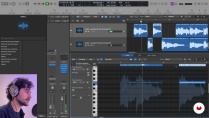
The course guides you through exporting guitar stems from AI tools, importing them into Logic Pro, and using features like Flex Pitch, EQ, and effects for further editing and mixing.
Yes, you’ll explore techniques for creating guitar accompaniments tailored to vocals, including layering, counter-melodies, diatonic chords, and genre-specific rhythms.
 Logic Pro X
 Suno
Suno