Fast Branding Workshop: Create a Complete Visual Identity in Hours
A course by Mars Kerr
, Graphic Designer
Teacher
Plus
Graphic Designer.
Kawartha Lakes, Canada.
Joined November 2025

Joined November 2025

Fast branding workshop to design a full visual identity using moodboards, color palettes, typography, logos, AI tools

Design a complete visual identity in just a few hours with a practical fast branding workflow. In this course, you will learn how to translate a branding brief into a cohesive mini brand identity using design tools, AI assistants, and efficient decision making.
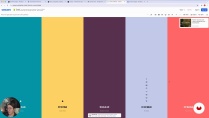
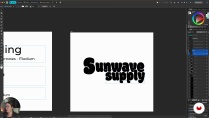
You will start by building a strategic mood board in Kittl and defining the creative direction for a fictional brand, Sunwave Supply. Then you will create a minimal color palette with Coolors, develop a clear typographic system using Fontjoy and Google Fonts, and design a simple, versatile logo in Affinity. Along the way, you will use ChatGPT to refine brand statements, generate concept ideas, and support your creative process.
By the end, you will assemble everything into a compact, presentation-ready brand kit that includes logo, color palette, typography, visual references, and a brand statement. This fast branding methodology is ideal for graphic design, logo design, brand strategy, personal branding, client proposals, and practice projects, and it can be adapted to Illustrator, Photoshop, Figma, or other design software.
What will you learn in this online course?
6 lessons & 5 downloads
What's included in this course?
Learn a complete, repeatable workflow for building a mini visual identity from a real brief, moving from moodboard and creative direction to a polished brand kit. Discover how to capture a clear visual personality, choose cohesive references, define style guidelines, and keep every decision aligned with strategy rather than guesswork.
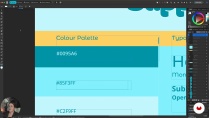
Practice building minimal color palettes with Coolors, creating flexible typographic systems with Fontjoy and Google Fonts, and designing a simple but distinctive logo in Affinity. Explore practical uses of Kittl for inspiration boards and ChatGPT for taglines, concepts, and prompts. Finish with a concise, presentation-ready brand kit that includes logo, palette, type styles, brand statement, and example layouts you can adapt for future projects.
- 100% positive reviews (3)
- 344 students
- 6 lessons (55m)
- 5 additional resources (4 files)
- Online and at your own pace
- Available on the app
- Audio: English, German, Spanish (Latam), French, Indonesian, Italian, Dutch, Polish, Portuguese, Romanian, Turkish
- English · Portuguese · French · Italian · German · Polish · Dutch · Turkish · Romanian · Indonesian
- Level: Beginner
- Unlimited access forever
Recommended software & tools for this course
 Affinity Designer
 Affinity Photo
 ChatGPT
Who is this online course for?
Graphic or brand designers seeking a faster identity workflow, freelancers with tight client deadlines, design students practicing full branding projects, creators or entrepreneurs shaping their own visual identity using practical methods plus modern tools including AI.
Requirements and materials
No extensive experience required only basic design awareness, a computer with internet access, comfort using any layout software similar to Affinity, plus access to Kittl, Coolors, Fontjoy, Google Fonts, ChatGPT or equivalent tools.
Reviews

Mars Kerr
A course by Mars Kerr
Mars Kerr is a multidisciplinary creative entrepreneur specializing in digital content creation, online education, and scalable creative businesses. With a strong background in personal branding and audience-driven growth, Mars helps creators transform their skills into sustainable digital products and services.
Through a practical, systems-focused approach, Mars teaches how to structure offers, communicate value clearly, and build efficient creative workflows that support long-term growth. Their work combines strategy, creativity, and execution, empowering creatives to turn ideas into viable, well-positioned online projects.
Content
-
Fast Branding Workshop: Create a Complete Visual Identity in Hours
-
Introduction and What Fast Branding Really Means
-
Build Moodboard and Define Creative Direction
-
Building a Minimal, Effective Colour Palette
-
Building a Typographic System
-
Quick Logo Creation
-
Exporting and Expanding Your Mini Brand Kit
-
Final project
-
What to expect from a Domestika course
-
Learn at your own pace
Enjoy learning from home without a set schedule and with an easy-to-follow method. You set your own pace.
-
Learn from the best professionals
Learn valuable methods and techniques explained by top experts in the creative sector.
-
Meet expert teachers
Each expert teaches what they do best, with clear guidelines, true passion, and professional insight in every lesson.
-
Certificates
PlusIf you're a Plus member, get a custom certificate signed by your teacher for every course. Share it on your portfolio, social media, or wherever you like.
-
Get front-row seats
Videos of the highest quality, so you don't miss a single detail. With unlimited access, you can watch them as many times as you need to perfect your technique.
-
Share knowledge and ideas
Ask questions, request feedback, or offer solutions. Share your learning experience with other students in the community who are as passionate about creativity as you are.
-
Connect with a global creative community
The community is home to millions of people from around the world who are curious and passionate about exploring and expressing their creativity.
-
Watch professionally produced courses
Domestika curates its teacher roster and produces every course in-house to ensure a high-quality online learning experience.
FAQs
Yes, this course is designed for beginners and walks you through each step of creating a mini brand identity using accessible tools and clear workflows.
You’ll need access to Kittle, Affinity Designer, ChatGPT, Coolors, FontJoy, and Google Fonts. A computer with internet access and basic design software installation capabilities is also required.
You’ll learn how to build mood boards, generate color palettes, choose and pair fonts, design logos, and assemble a cohesive mini brand kit using modern digital and AI-powered tools.
Kittle lets you gather, organize, and export inspiration images to build a visual mood board that sets the style direction for your brand identity.
You can extract colors from your mood board, use color pickers and generators, lock colors, and organize palettes in Affinity. Export your palette using hex codes for consistent application.
ChatGPT can quickly summarize design briefs, generate creative directions, and suggest mood board search terms to speed up the brand creation process.
Yes, the course covers designing simple, versatile badge logos and retro-style logos optimized for social media and other digital platforms.
 Affinity Designer
 Affinity Photo
 ChatGPT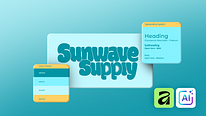
curso para aprender rapido
Curso rápido pero descubrí algunas herramientas muy interesantes
Excelent course for beginners, with up to date apps for graphic design. Very easy to follow with great results!