




Master ComfyUI for generative AI image workflows, node-based design, LoRA models, automation, cloud and local setups

Discover how to use ComfyUI, the most powerful node-based interface for generative AI, to design visual workflows with full creative control. This course guides you step by step through installation and configuration, both with the portable version on Windows and in the cloud using Comfy Cloud.
You will learn how to navigate the interface, connect nodes, manage templates and organize complex workflows for image generation. We will explore stable diffusion models, open source models and partner APIs such as Google NanoBanana or ChatGPT, understanding their requirements, costs and use cases.
You will also study the theory behind image AI, including latent space, checkpoints, CLIP, VAE, samplers, seeds and CFG, so you can adapt any workflow to new models. Then you will integrate LoRA models to customize styles, products, characters and concepts with high precision.
By the end, you will be able to combine text, image and video generators inside ComfyUI, automating advanced pipelines for design, illustration, product visualization and creative experimentation, whether on your local machine or in the cloud.
What will you learn in this online course?
10 lessons & 5 downloads


What's included in this course?
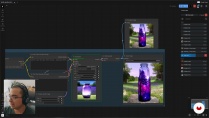
Learn to set up ComfyUI both locally and in the cloud, configure the portable version, install the Manager, add custom nodes and keep your system updated. Explore the interface in depth, move confidently across the canvas, group and clone nodes, use subgraphs, templates, partner nodes, workflows and keyboard shortcuts for a smoother and more visual creative process.
Understand how image-generation models work, from checkpoints, CLIP and VAE to samplers, seeds and CFG values, so you can read any workflow and adapt it. Work with open source models and third‑party APIs such as NanoBanana or GPT Image, integrate LoRA to refine styles, characters or products, and combine text, image and video generators into powerful automated workflows with precise creative control.
- 100% positive reviews (6)
- 727 students
- 10 lessons (1h 20m)
- 5 additional resources (3 files)
- Online and at your own pace
- Available on the app
- Audio: Spanish, German, English, French, Indonesian, Italian, Dutch, Polish, Romanian, Turkish
- Spanish · English · Portuguese · Italian · French · German · Polish · Dutch · Romanian · Indonesian · Turkish
- Level: Beginner
- Unlimited access forever
Recommended software & tools for this course
 ComfyUI
Who is this online course for?
Visual creators, designers, digital artists exploring generative AI, users of image generators needing deeper control through nodes, anyone curious about open source or cloud models seeking structured, customizable workflows for images, videos, or mixed media projects
Requirements and materials
No extensive experience required. Basic computer skills file management software installation. Interest in generative AI image creation. For local use, a modern computer dedicated GPU recommended sufficient disk space optional internet access for Comfy Cloud.
Reviews

Carlos Dordelly
A course by Carlos Dordelly
Carlos Dordelly is passionate about the good execution of visual concepts in the disciplines of graphic design, art direction and motion graphics . He studied at the Design Institute of Caracas and in 2015 he decided to move to Santiago de Chile. In Chile, he founded his own studio together with the Venezuelan Roberto González, called Dyne.
Content
-
Introduction to ComfyUI
-
Introduction to ComfyUI
-
What Is ComfyUI
-
Getting to Know ComfyUI (Portable)
-
Getting to Know ComfyUI in the Cloud (ComfyCloud)
-
General Use of ComfyUI
-
Talking About AI Models
-
Image Generators AI
-
Loras
-
The Power of ComfyUI
-
Course Closing
-
Final project
-
What to expect from a Domestika course
-
Learn at your own pace
Enjoy learning from home without a set schedule and with an easy-to-follow method. You set your own pace.
-
Learn from the best professionals
Learn valuable methods and techniques explained by top experts in the creative sector.
-
Meet expert teachers
Each expert teaches what they do best, with clear guidelines, true passion, and professional insight in every lesson.
-
Certificates
PlusIf you're a Plus member, get a custom certificate signed by your teacher for every course. Share it on your portfolio, social media, or wherever you like.
-
Get front-row seats
Videos of the highest quality, so you don't miss a single detail. With unlimited access, you can watch them as many times as you need to perfect your technique.
-
Share knowledge and ideas
Ask questions, request feedback, or offer solutions. Share your learning experience with other students in the community who are as passionate about creativity as you are.
-
Connect with a global creative community
The community is home to millions of people from around the world who are curious and passionate about exploring and expressing their creativity.
-
Watch professionally produced courses
Domestika curates its teacher roster and produces every course in-house to ensure a high-quality online learning experience.
FAQs
ComfyUI is an open-source graphical interface that makes it easy to use, customize, and manage generative AI models for creating images, videos, or text. It enables visual workflows and advanced control without needing to code.
You don’t need advanced skills, but basic computer experience is recommended. This course is designed for intermediate users interested in generative AI and visual workflows.
A Nvidia graphics card with at least 8 GB of VRAM, 16 GB of RAM, and a modern processor are recommended. These specs help run generative AI models efficiently in ComfyUI.
To install ComfyUI on your computer, you’ll need to download the software, install Git, check your hardware meets the requirements, and follow the local or portable setup steps outlined in the course.
Yes, you can use ComfyUI in the cloud through platforms like ComfyCloud. This lets you tap into powerful resources without relying on your own hardware and makes managing credits and subscriptions easy based on your usage.
Local use depends on your hardware and offers more customization, while the cloud provides access to advanced resources via subscription or credits—ideal for demanding tasks or occasional use.
You’ll learn how to install, configure, and customize ComfyUI, manage models and nodes, build visual workflows, automate processes, use LORAS, compare versions, and optimize resources both locally and in the cloud.
 ComfyUI
Este fue prácticamente mi primer contacto con ComfyUI, y definitivamente quedé muy agradecido con lo que se impartió, las bases siempre son y serán lo mas importante.
Bastante claro y bien explicado, facil de seguir los pasos y empezar a trabajar, gracias!
Buen curso para iniciar. claro y útil.
Solid beginner intro! clear, quick, and easy to follow. It’s a great surface-level overview of the ComfyUI interface and how everything connects. Feels a bit incomplete as a full learning path, so if you’re looking for more in-depth or advanced techniques, you’ll likely need to check out the instructor’s other courses or learn elsewhere. Good starting point.
Realmente muy útil para iniciarte en ComfyUI y saber por dónde empezar, configuración y uso. Me ha dado una visión clara de la herramienta.