Generate PBR Materials with ComfyUI
A course by Carlos Dordelly
, Graphic designer





Create AI-powered PBR materials in ComfyUI, designing seamless textures, height maps, roughness, normals for 3D rendering

This course walks you through building clean, usable PBR materials in ComfyUI with help from a few AI models. The focus is practical: a workflow you can repeat, tweak, and rely on when you need procedural textures or synthetic assets for 3D work, games, or design projects.
You’ll set up ComfyUI from scratch, add custom nodes, and plug in models like Stable Diffusion, Z Image, Depth Anything, Hyper 3D and even Nano Banana. Along the way, you’ll create the full set of PBR maps—basecolor, roughness, normal, height, displacement, ambient occlusion and curvature—without having to guess your way through it.
You’ll also learn how to fix seams so your textures tile properly, turn everyday photos into workable materials, pull out detail maps with Texture Alchemy and Leputem tools, and export clean 16‑bit PNGs for production. To wrap it up, you’ll preview everything in Blender, Houdini or whichever 3D app you prefer, just to make sure the lighting behaves the way it should.
By the end, you’ll have a solid, AI‑assisted pipeline in ComfyUI and a growing library of materials you actually understand and can keep building on.
What will you learn in this online course?
9 lessons & 7 downloads
What's included in this course?
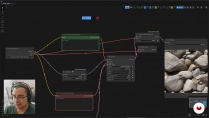
You’ll learn how to build synthetic textures that behave like full PBR materials, without the usual guesswork. We look at what each map actually does — height, roughness, normal, ambient occlusion and basecolor — and how they fit together in a real‑world rendering setup. You’ll set up ComfyUI from scratch, add the nodes and models you need, then put together modular graphs that mix open‑source tools with external services to generate and clean up every texture channel.
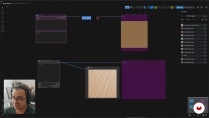
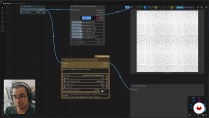
You’ll practice fixing seams so your materials tile cleanly. You’ll pull accurate height maps with Depth Anything V2 and grab extra passes through libraries like Texture Alchemy and Leputem. We go through several ways to get a usable, clean basecolor, whether you rely on open models or paid providers. Once the textures are ready, you’ll organize output nodes to batch‑export 8‑bit and 16‑bit files with sensible names and folders. In the end, you’ll load everything into your 3D software of choice, check how the material reacts to light, and settle into a workflow you can reuse for future projects.
- 100% positive reviews (1)
- 91 students
- 9 lessons (1h 5m)
- 7 additional resources (5 files)
- Online and at your own pace
- Available on the app
- Audio: Spanish, German, English, French, Indonesian, Italian, Dutch, Polish, Portuguese, Romanian, Turkish
- Spanish · English · Italian · French · Portuguese · Dutch · German · Polish · Romanian · Turkish · Indonesian
- Level: Beginner
- Unlimited access forever
Recommended software & tools for this course
 ComfyUI
Who is this online course for?
Anyone who builds 3D materials and wants a clearer, more dependable way to make PBR textures. That includes 3D artists, shading TDs, material designers, game or VFX creators, and ComfyUI users who want repeatable, node‑based workflows that slot easily into modern render engines.
Requirements and materials
You don’t need deep technical knowledge. A basic idea of PBR maps and a bit of experience with any 3D or texturing tool is enough. Just make sure your computer can run ComfyUI and the models — a GPU with around 8 GB of VRAM and an SSD with some free space makes things smoother.
Reviews

Carlos Dordelly
A course by Carlos Dordelly
Carlos Dordelly is passionate about the good execution of visual concepts in the disciplines of graphic design, art direction and motion graphics . He studied at the Design Institute of Caracas and in 2015 he decided to move to Santiago de Chile. In Chile, he founded his own studio together with the Venezuelan Roberto González, called Dyne.
Content
-
Generate PBR Materials with ComfyUI
-
Introduction
-
AI for Generating Synthetic Assets
-
Preparing ComfyUI
-
First Steps in ComfyUI
-
Working With Seams and Generating the Height
-
Generating Other Information Passes
-
Generating the Basecolor and Saving the Textures
-
Visualizing PBR Materials
-
Closing: Final Review of the Workflow
-
Final project
-
What to expect from a Domestika course
-
Learn at your own pace
Enjoy learning from home without a set schedule and with an easy-to-follow method. You set your own pace.
-
Learn from the best professionals
Learn valuable methods and techniques explained by top experts in the creative sector.
-
Meet expert teachers
Each expert teaches what they do best, with clear guidelines, true passion, and professional insight in every lesson.
-
Certificates
PlusIf you're a Plus member, get a custom certificate signed by your teacher for every course. Share it on your portfolio, social media, or wherever you like.
-
Get front-row seats
Videos of the highest quality, so you don't miss a single detail. With unlimited access, you can watch them as many times as you need to perfect your technique.
-
Share knowledge and ideas
Ask questions, request feedback, or offer solutions. Share your learning experience with other students in the community who are as passionate about creativity as you are.
-
Connect with a global creative community
The community is home to millions of people from around the world who are curious and passionate about exploring and expressing their creativity.
-
Watch professionally produced courses
Domestika curates its teacher roster and produces every course in-house to ensure a high-quality online learning experience.
FAQs
AI-powered PBR texturing involves creating realistic textures for 3D materials using intelligent algorithms. This allows for accurate and fast simulation of physical surfaces, perfect for professional rendering in games, animation, and architectural visualization.
The course is intermediate level, recommended for those with basic knowledge of 3D or digital material creation, though prior AI experience is not required.
A computer with an NVIDIA GPU, at least 8 GB of RAM, and Windows or Linux OS is recommended. You’ll need to install ComfyUI, Blender or other compatible 3D software, and have enough space to download AI models.
You’ll learn how to generate realistic PBR textures, install and configure ComfyUI, work with open source and third-party models, create maps like normal and roughness, and preview materials in 3D software.
The course covers how to download, install, and update ComfyUI, as well as manage custom models and nodes to optimize AI-driven PBR material creation.
Yes, the course includes creating and exporting PBR materials that can be viewed and used in Blender, Houdini, and other compatible 3D software.
PBR materials (Physically Based Rendering) simulate how light interacts with real surfaces, enabling realistic results in games, animation, and digital design.
 ComfyUI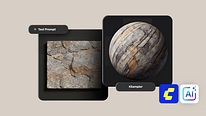
Conocía herramientas para la generación de materiales, pero con este curso la creación de materiales PBR sube el nivel de creación y creatividad gracias a la IA y ComfyUI.