Training LoRAs for a Unique Visual Aesthetic
A course by Ramón Iborra
, Generative Artificial Intelligence Consultant and Educator
Teacher
Plus
Generative Artificial Intelligence Consultant and Educator.
Madrid, Spain.
Joined January 2026

Joined January 2026

Train LoRA models with Flux, SDXL, Z-Image for consistent AI image style, character, product visualization
Joined January 2026

Learn to train your own LoRA models and use generative AI as a reliable visual design tool for real projects.
In this course, AI consultant Ramón Iborra walks you through building custom LoRA (Low Rank Adaptation) models that hold a specific look and let you reuse it across images, characters, products, and styles. You’ll work with open models like Flux, SDXL, and Z‑Image, and run your training in the cloud through Fal.ai, so you don’t need coding skills or a powerful machine.
You’ll get a clear picture of how diffusion models interpret information, how LoRA compares to checkpoints and embeddings, and why your dataset quality matters so much. Step by step, you’ll put together your dataset: picking images, cleaning them, and organizing subject, style, and object groups.
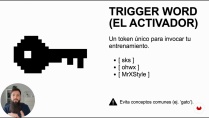
You’ll also practice writing solid captions, defining trigger words, adjusting learning rate and training steps, downloading safetensor files, and tuning LoRA weight so your model works smoothly with your prompts. The course is aimed at designers, art directors, illustrators, photographers, and content creators who want dependable AI image generation for branding, editorial work, and digital content.
What will you learn in this online course?
7 lessons & 8 downloads
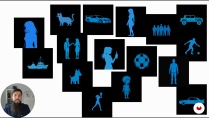
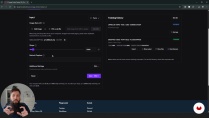
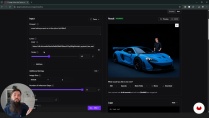
What's included in this course?
You’ll get a clear look at how LoRA actually works inside modern diffusion models and how to use it to keep a visual style steady from one image to the next. We’ll sort out the practical differences between checkpoints, embeddings and LoRA, how the model thinks in terms of ideas instead of raw pixels, and why the dataset you feed it matters so much.
You’ll build your own datasets for subjects, styles and objects, clean up your images, and keep everything organized in a way that makes training easier. You’ll get comfortable with captioning and trigger words, run a full LoRA training session on Fal.ai using models like Flux, SDXL or Z‑Image, tweak weights and scale, test your results and make adjustments. By the end, you’ll have your own safetensors LoRA ready to download or use in the cloud as your personal style engine.
- 96 students
- 7 lessons (1h 6m)
- 8 additional resources (4 files)
- Online and at your own pace
- Available on the app
- Audio: Spanish, German, English, French, Indonesian, Italian, Dutch, Polish, Portuguese, Romanian, Turkish
- Spanish · English · Portuguese · French · Italian · German · Dutch · Polish · Romanian · Indonesian · Turkish
- Level: Beginner
- Unlimited access forever
Recommended software & tools for this course
 fal.ai
Who is this online course for?
For designers, art directors, illustrators, photographers, and anyone working with visuals who wants real control over AI‑generated images. It’s for people who need a steady look for a brand or project and want a simple way to build and reuse their own styles.
Requirements and materials
You don’t need a big technical background. Knowing your way around AI image tools helps, but it’s not required. Have a computer with internet access, pick 15–30 clear images that match the look you’re aiming for, and keep a small amount of credit handy on Fal.ai or another cloud service.

Ramón Iborra
A course by Ramón Iborra
Ramón Iborra is a consultant and educator specialized in Generative Artificial Intelligence. He supports professionals and creatives in integrating AI tools and systems into their workflows, helping them optimize processes, boost productivity, and unlock new opportunities for innovation.
His approach combines strategy, practical application, and a critical perspective on technology, aiming to make AI a true ally in professional development. In his courses, he shares clear methodologies and real case studies to implement solutions efficiently and adapt them to each creative context.
Content
-
Training LoRAs for a Unique Visual Aesthetic
-
Introduction: The LoRA Universe
-
Foundations: How the Machine Thinks
-
Building the Dataset: Subject, Style, Object
-
Tagging and Captioning: The Inverse Logic
-
Cloud Training with Fal.ai
-
Testing, Weights, and Refinement
-
Closing: Professional Integration and Wrap‑Up
-
Final project
-
What to expect from a Domestika course
-
Learn at your own pace
Enjoy learning from home without a set schedule and with an easy-to-follow method. You set your own pace.
-
Learn from the best professionals
Learn valuable methods and techniques explained by top experts in the creative sector.
-
Meet expert teachers
Each expert teaches what they do best, with clear guidelines, true passion, and professional insight in every lesson.
-
Certificates
PlusIf you're a Plus member, get a custom certificate signed by your teacher for every course. Share it on your portfolio, social media, or wherever you like.
-
Get front-row seats
Videos of the highest quality, so you don't miss a single detail. With unlimited access, you can watch them as many times as you need to perfect your technique.
-
Share knowledge and ideas
Ask questions, request feedback, or offer solutions. Share your learning experience with other students in the community who are as passionate about creativity as you are.
-
Connect with a global creative community
The community is home to millions of people from around the world who are curious and passionate about exploring and expressing their creativity.
-
Watch professionally produced courses
Domestika curates its teacher roster and produces every course in-house to ensure a high-quality online learning experience.
FAQs
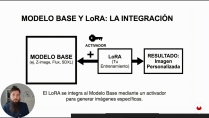
LoRa (Low Rank Adaptation) is a technique that lets you customize AI models by adding specific learnings for styles, subjects, or products without retraining the entire model, improving consistency and visual coherence in generated images.
This course is designed for people with intermediate knowledge of generative AI and diffusion models. It’s not for complete beginners but doesn’t require advanced programming skills.
You’ll learn how to train LoRa models to customize styles, subjects, and products, create and clean datasets, set training parameters, and activate LoRa in AI image generation models.
You need basic knowledge of generative AI, access to a computer with internet, and familiarity with platforms like Stable Diffusion or Fal.ai. No specialized hardware is required.
You gather representative images of the desired style, subject, or object, carefully clean and label them, and prepare descriptive .txt files to optimize LoRa model training.
LoRa allows you to efficiently add specific information, using fewer resources and less time than training a full model, and offers more customization than embeddings.
You upload the LoRa file (usually in SafeTensor format) to your compatible generation platform and use trigger words or specific prompts to activate the trained style, subject, or product.
 fal.ai