Vectorial Animation Frame by Frame Style with After Effects
A course by Pablo Cuello, Graphic designer and Animator





Create animations with a personality and a handcrafted style without using plugins

Did you ever think it possible to get amazing results by animating without plugins? Pablo Cuello is a graphic designer specialized in character animation and After Effects is his go-to tool for creating animations with tons of personality. He was part of the Dutch production company MediaMonks, working on projects for brands such as Google, Amazon, and Red Bull when he discovered and perfected a technique to create animations in a handcrafted style without plugins.
In this course, Pablo teaches you to animate using vector layers in After Effects, with a process similar to that of frame-by-frame animation. Learn the notions of timing as well as how to animate a character expressively without software limitations.
What will you learn in this online course?
41 lessons & 20 downloads

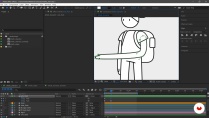
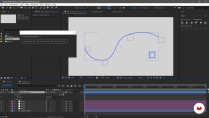
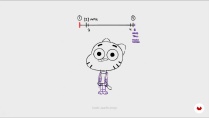
What's included in this course?
Start by getting to know Pablo Cuello and more about his professional background, from how he got into animation to where he currently works and the kinds of jobs he does. Then, take a look at some of his main influences including various animations, anime series, artists, and movies.
Discover what's involved in using After Effects to animate in a frame-by-frame style. Review the After Effects interface, looking at keyframes and different FPS, then explore the basic principles of animation: timing and spacing.
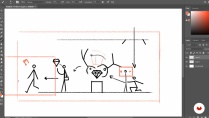
Now get moving on your animation project! Look for a simple yet challenging idea and transform it into a storyboard, defining the characteristics of your scenes and shots. Design an original character, create a sketch, define the style, and work with the shots in Adobe Photoshop to develop a range of poses.
Once you have everything set, arrange all the layouts you made in the After Effects timeline to create an animatic and get an initial idea of how long the animation is going to be.
Carve out the visual style of your project, including line, color, background, and shadows, then begin to develop the styleframes of the story's key scenes and prepare the designs for animation.
With Pablo's expert guidance, configure the After Effects project and begin to set the scene with your character and a background and add the first keyframes.
Animate the sequence of your character in action. Discover how to add motion and achieve perfect transitions between poses. Focus on facial details and see the huge range of different expressions you can create.
Learn about smear frames and how you can apply this technique to get a seamless animation that has lots of flexibility.
Lastly, make some final tweaks to shadows and texture to take away the vectorial look, then Pablo wraps up with some tips on exporting your animation for social media.
- 99% positive reviews (913)
- 33,524 students
- 41 lessons (7h 27m)
- 20 additional resources (8 files)
- Online and at your own pace
- Available on the app
- Audio: Spanish, English, French, Italian, Portuguese, Turkish
- Spanish · English · Portuguese · German · Italian · French · Polish · Dutch · Turkish
- Level: Beginner
- Unlimited access forever
Recommended software & tools for this course
 Adobe After Effects
What is this course's project?
Make a frame-by-frame style vectorial animation with a character in After Effects.

Projects by course students


Who is this online course for?
Animators, designers, illustrators, and anyone who wants to create character animations in After Effects and take them to the next level.
Requirements and materials
You need basic knowledge of Adobe After Effects to take this course; experience in drawing is also recommended, but not essential.
As for the materials, you need a computer with After Effects installed, an application that allows you to draw such as Adobe Photoshop or Illustrator, and a graphics tablet.

New to Adobe After Effects? In that case, we recommend taking Domestika Basics courses to learn how to use the software: Introduction to After Effects.
Reviews

Pablo Cuello
A course by Pablo Cuello
A native of Mendoza, Argentina, Pablo Cuello is a graphic designer who graduated from the National University of Cuyo (Argentina). Since he was a child he always liked to draw and, after several years of working as a designer, he started to get into the world of animation with Adobe After Effects.
The quality of his work led him to work for the production company MediaMonks, where he developed projects for major brands such as Google, Red Bull, or Amazon. He explores traditional animation to add a more personalized touch to his work.
Content
-
U1
Introduction
-
Hello!
-
Influences
-
What will we do in the course?
-
-
U2
Animating (almost) frame by frame in After Effects
-
About this method
-
Moving vectors in After Effects
-
Animation Principles
-
Timing
-
-
U3
Starting the project
-
Idea
-
Storyboard
-
Character Design I
-
Character Design II
-
Layouts I
-
Layouts II
-
Animatic
-
Visual development I
-
Visual development II
-
Visual development III
-
Styleframes I
-
Styleframes II
-
Styleframes III
-
Prepare designs for animation I
-
Prepare designs for animation II
-
-
U4
Animating
-
Arming the scene I
-
Arming the scene II
-
First steps I
-
First steps II
-
First steps III
-
Making faces I
-
Making faces II
-
Making faces III
-
Action I
-
Action II
-
Action III
-
IV action
-
Walking I
-
Walking II
-
Ready!
-
-
U5
Additional features
-
Tip Mix
-
To publish on networks! I
-
To publish on networks! II
-
Closing
-
-
FP
Final project
-
Vector animation frame by frame with After Effects
-
What to expect from a Domestika course
-
Learn at your own pace
Enjoy learning from home without a set schedule and with an easy-to-follow method. You set your own pace.
-
Learn from the best professionals
Learn valuable methods and techniques explained by top experts in the creative sector.
-
Meet expert teachers
Each expert teaches what they do best, with clear guidelines, true passion, and professional insight in every lesson.
-
Certificates
PlusIf you're a Plus member, get a custom certificate signed by your teacher for every course. Share it on your portfolio, social media, or wherever you like.
-
Get front-row seats
Videos of the highest quality, so you don't miss a single detail. With unlimited access, you can watch them as many times as you need to perfect your technique.
-
Share knowledge and ideas
Ask questions, request feedback, or offer solutions. Share your learning experience with other students in the community who are as passionate about creativity as you are.
-
Connect with a global creative community
The community is home to millions of people from around the world who are curious and passionate about exploring and expressing their creativity.
-
Watch professionally produced courses
Domestika curates its teacher roster and produces every course in-house to ensure a high-quality online learning experience.
FAQs
This course is designed for people with basic to intermediate knowledge of digital animation. Prior experience with tools like Photoshop and Illustrator, as well as basic After Effects skills, is recommended.
You’ll need Adobe After Effects, Photoshop, and Illustrator installed on your computer, plus access to plugins like Duik and Joystick and Sliders. A computer with good graphics processing power is recommended.
You’ll learn how to design characters, create storyboards and backgrounds, animate using After Effects, apply classic principles like squash and stretch, and master advanced techniques like rigging, cut-out animation, and keyframe management.
The course covers everything from conceptualizing and sketching characters to advanced digital animation in After Effects. It includes background design, visual storytelling, rigging, hand-animation techniques, and advanced keyframe control.
The course teaches you how to break down complex figures into geometric shapes, use visual references, and apply stylization and simplification methods that make animation easier and keep visual consistency.
Resources like exaggeration in jumps and expressions, anticipation, and absurd movements inspired by anime are analyzed to improve expressiveness and narrative clarity in animation.
Yes, the course includes hands-on modules on rigging with Duik and advanced animation techniques using Joystick and Sliders, covering everything from installation to linking paths and null objects.
 Adobe After Effects
One of the best, if not the best, courses on 2D animation on Domestika. I personally don't use After Effects, but chose to buy the course anyway. I was hoping to find some transferable knowledge to my own workflow and software of choice. I was really impressed by the instructor's approach to 2D animation, manipulating vector artwork through different character poses to bring the animation to life. Definitely something for me to take home there. Bravo!
Everything was just as I expected
❤️
The "Vectorial Animation Frame by Frame Style with After Effects" course is one of the best courses for me and hopefully for others also. It was an amazing course. I like it very much. I learn many things from the course. I love My Teacher Pablo Cuello, because I learned a lot of experience and important and extra knowledge, which makes me more satisfied.
I always Recommend the Course.
Thanks & Regards,
ALOK SARKAR.
Exelente bien explicado y con muy buenos recursos adicionales, recomendable al 100%
Ein schöner Kurs. Leicht zugänglicher Animationsstil und sehr gut erklärt.