Introduction to Hard Surface Modeling
A course by Victoria Passariello Fontiveros, Digital Artist

Joined April 2019
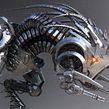

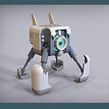

Learn the techniques and tools to make robots using polygonal-design programs like Maya and 3ds Max
Joined April 2019

Creating robots and sci-fi characters with stories that go beyond the present is what Victoria Passariello, a 3D video-game and visual-effects artist, is passionate about. Specializing in hard-surface modeling, a method with which she works on rigid surfaces, achieving smoothness, details, and textures in the material, she has created characters and models with a mechanical appearance for games such as BattleTech and The Mandate, trailers such as Outriders and Destiny Warmind, and Netflix shows.
In this introductory course to hard-surface modeling, learn the necessary techniques and tools that Victoria uses to model a simple robot with Autodesk 3ds Max—the software that the teacher uses—or any other polygonal-design program of your choice, render different images with KeyShot, and carry out effective post-production in Adobe Photoshop.
What will you learn in this online course?
36 lessons & 12 downloads

What's included in this course?
The first thing you do is meet Victoria, who tells you about her career, her studies in industrial design, and how she ended up teaching herself 3D modeling and focusing on it professionally in the video-game industry.
Learn about her main influences, such as science-fiction movies like Terminator, Star Wars, Alien, District 9, and Ex Machina, and many others that fuel her passion for robots and artificial intelligence.
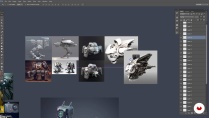
To create your robot or science-fiction character, first think about its story, and, based on that, look for references to put together a collage to visualize it during the evolution of your creation.
Learn about the programs that Victoria uses to create realistic scenes through 3D models—Autodesk 3ds Max, KeyShot, and Adobe Photoshop—and other alternative programs with which you can make your robot, such as Autodesk Maya. Afterwards, see all the tools that Victoria usually uses use when creating a model through examples and shortcuts.
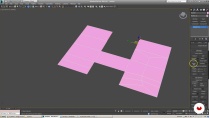
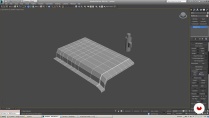
Get to work and begin to build the base mesh of the robot, following the proportions of the concept and using the basic tools previously explained.
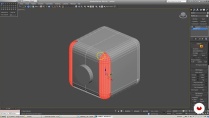
Once the base mesh is finished, develop each of the pieces as part of the final design, adding final details—such as lines and screws, among others—and the support edges to your design. Next, learn how to assemble a simple scene (lighting, HDRI, and materials) in KeyShot and finish your robot by carrying out post-production in Adobe Photoshop.
- 92% positive reviews (142)
- 3,307 students
- 36 lessons (7h 12m)
- 12 additional resources (6 files)
- Online and at your own pace
- Available on the app
- Audio: Spanish
- Spanish · English · Portuguese · German · Italian · French · Polish · Dutch · Turkish · Romanian · Indonesian
- Level: Beginner
- Unlimited access forever
Recommended software & tools for this course
 3ds Max
 Adobe Photoshop
 KeyShot
 Maya
MayaWhat is this course's project?
Model a robot or science-fiction character with the hard-surface modeling technique.

Projects by course students


Who is this online course for?
This course is for designers, amateur digital artists, architects, and anyone who wants to expand their knowledge of hard-surface modeling.
Requirements and materials
You need basic knowledge of polygon modeling, lighting, and rendering. Having notions of the post-production of images is also useful, although it is not essential.
As for the materials, you need a computer with a polygonal-modeling program—either Autodesk 3ds Max or Maya, or any other program (Victoria teaches you her technique with 3ds Max, but you can work with any program you want). You should also have KeyShot or any other rendering software you already know how to use, and Adobe Photoshop.

Reviews

Victoria Passariello Fontiveros
A course by Victoria Passariello Fontiveros
After graduating in industrial design in 2008, she decided to focus on the creation of 3D models for video games. She taught herself by delving into all the stages of creating a model via DVDs, books, and tutorials from different artists in the field, managing to create a professional-level portfolio after a lot of hard work, which opened the doors to her first jobs in the video-game sector.
Since 2015, she has been working as a freelancer on various video-game projects (BattleTech and The Mandate), visual effects, trailers (Outriders, Destiny Warmind), television series (Star Trek), and augmented reality (Many Worlds).
Content
-
U1
Introduction
-
Presentation
-
Influences
-
What will we do in the course
-
-
U2
Search for references and software
-
Reference Search
-
Software to use
-
Basic tools that I use in Max and Shortcuts
-
Basic tools that I use in Max and Shortcuts II
-
-
U3
Modeling - Creation of the base mesh
-
Creation of the base mesh I
-
Creation of the base mesh II
-
Creation of the base mesh III
-
Creation of the base mesh IV
-
Creation of the base mesh V
-
Creation of the base mesh VI
-
-
U4
Modeling - Form Development
-
Development of forms I
-
Development of forms II
-
Development of forms III
-
Development of forms IV
-
Development of the V forms
-
Development of forms VI
-
Development of forms VII
-
Development of forms VIII
-
-
U5
Modeling - Adding details
-
Adding details I
-
Adding details II
-
Adding details III
-
Adding details IV
-
Adding details V
-
Adding VI details
-
-
U6
Modeling - Support edges for subdivision
-
Support edges for subdivision I
-
Support edges for subdivision II
-
Support edges for subdivision III
-
Support edges for subdivision IV
-
Support edges for subdivision V
-
-
U7
Robot Rendering
-
Clay Render in Keyshot I
-
Clay Render in Keyshot II
-
-
U8
Postproduction of the final render in Photoshop
-
Postproduction of the final render in Photoshop
-
Support images
-
-
FP
Final project
-
Introduction to robot modeling
-
What to expect from a Domestika course
-
Learn at your own pace
Enjoy learning from home without a set schedule and with an easy-to-follow method. You set your own pace.
-
Learn from the best professionals
Learn valuable methods and techniques explained by top experts in the creative sector.
-
Meet expert teachers
Each expert teaches what they do best, with clear guidelines, true passion, and professional insight in every lesson.
-
Certificates
PlusIf you're a Plus member, get a custom certificate signed by your teacher for every course. Share it on your portfolio, social media, or wherever you like.
-
Get front-row seats
Videos of the highest quality, so you don't miss a single detail. With unlimited access, you can watch them as many times as you need to perfect your technique.
-
Share knowledge and ideas
Ask questions, request feedback, or offer solutions. Share your learning experience with other students in the community who are as passionate about creativity as you are.
-
Connect with a global creative community
The community is home to millions of people from around the world who are curious and passionate about exploring and expressing their creativity.
-
Watch professionally produced courses
Domestika curates its teacher roster and produces every course in-house to ensure a high-quality online learning experience.
FAQs
Hard surface modeling in 3ds Max involves creating 3D models of rigid surfaces like robots, spaceships, and mechanical objects—perfect for video games, animation, and sci-fi visual effects.
This course is aimed at people with basic 3D modeling knowledge, ideal for intermediate learners wanting to refine hard surface techniques and workflows for games and portfolios.
To get the most out of the course, you’ll need access to 3ds Max, KeyShot for rendering, and Photoshop for post-processing renders. A computer meeting basic 3D modeling specs is recommended.
You’ll learn how to create robots and mechanical objects in 3ds Max, use visual references, develop advanced details, render in KeyShot, enhance images in Photoshop, and build a professional digital portfolio.
KeyShot is used to import models from 3ds Max, apply materials, set up basic lighting, and produce realistic or clay renders of robots and vehicles—ready for portfolios or post-production.
Yes, the course includes specific techniques for modeling and presenting 3D models suitable for video games, visual effects, and augmented reality applications.
The course teaches how to find, filter, and assemble visual references in Photoshop, organizing them by parts and details to guide the coherent design and modeling of futuristic robots and spaceships.
 3ds Max
 Adobe Photoshop
 KeyShot
 Maya
Maya


Buenísimo, me ayudó tanto en comprender el software como las bases del hard surface, lo recomiendo sin duda 👍
An Amazing course, thank you so much for your efforts!
Hacía mucho que quería hacer este tuto. Las explicaciones de la profe son excelentes para el modelado poligonal. Son las bases para una geometría limpia y prolija. Me encantó.
Un curso muy completo y guiado paso a paso, lo recomiendo mucho para iniciar en modelado poligonal
Muchas gracias
es un curso muy completo me encanto.