Create a promotional video using Artificial Intelligence, Veo3, and After Effects
A course by Camilo TorresPost-Producer and Motion Artist
A course by Camilo Torres, Post-Producer and Motion Artist

Create dynamic audiovisual projects with artificial intelligence tools and editing programs like Premiere and After Effects
Discover how to create an efficient and dynamic workflow using artificial intelligence tools. Leverage the power of the Veo 3.1 model to generate the necessary assets for your multimedia projects. Navigate platforms like Zuno and Freepik with ease, integrating programs like Premiere and After Effects for editing and organizing your compositions. Mocha will be your ally in the tracking process, allowing you to maintain cohesion and fluidity at every stage of your production.
Explore new forms of co-creation by experimenting with tools like Google Gemini and Whisk, which offer innovative ways to create content. Learn to generate scripts and characters with ChatGPT, establishing a solid foundation for your projects. Flexibility is key, so we recommend trying different applications and methods for working with artificial intelligence. This approach will allow you to bring your ideas to life quickly and effectively, always maintaining the desired quality and pace in your creations.
What will you learn in this online course?
6 lessons & 2 downloads
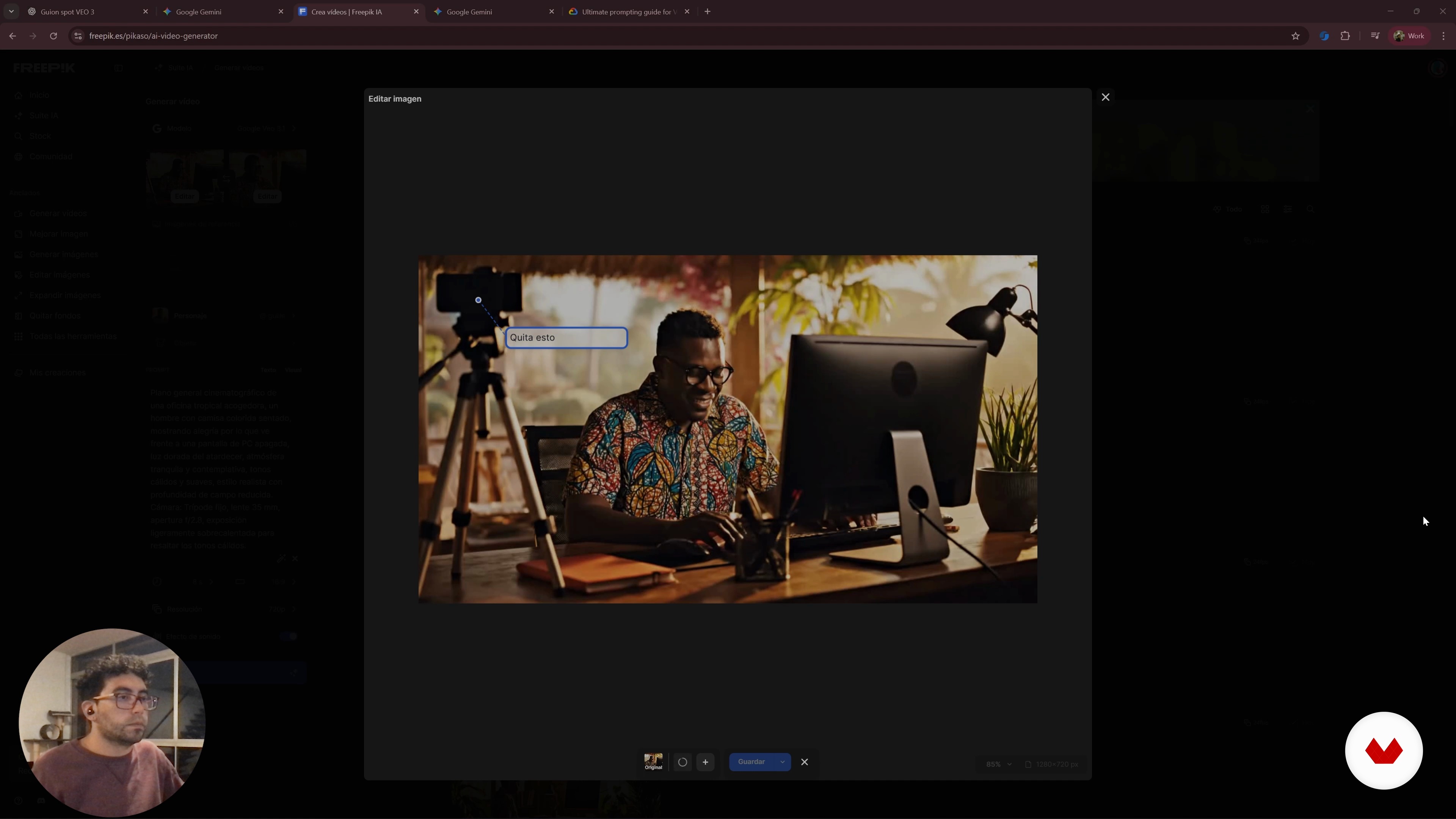
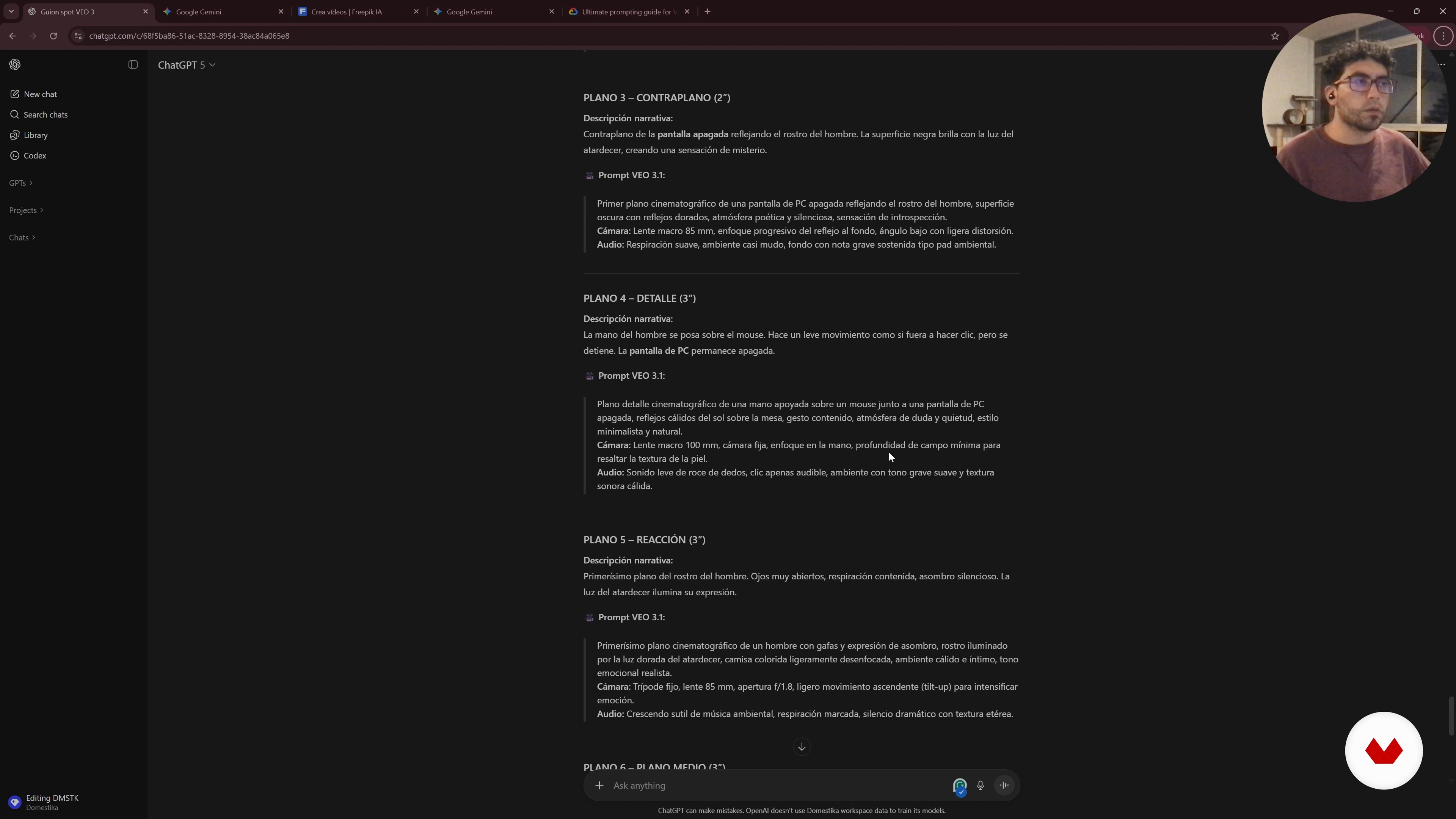
Video generation with Freepik and ChatGPT prompts
11 minutes, 19 seconds
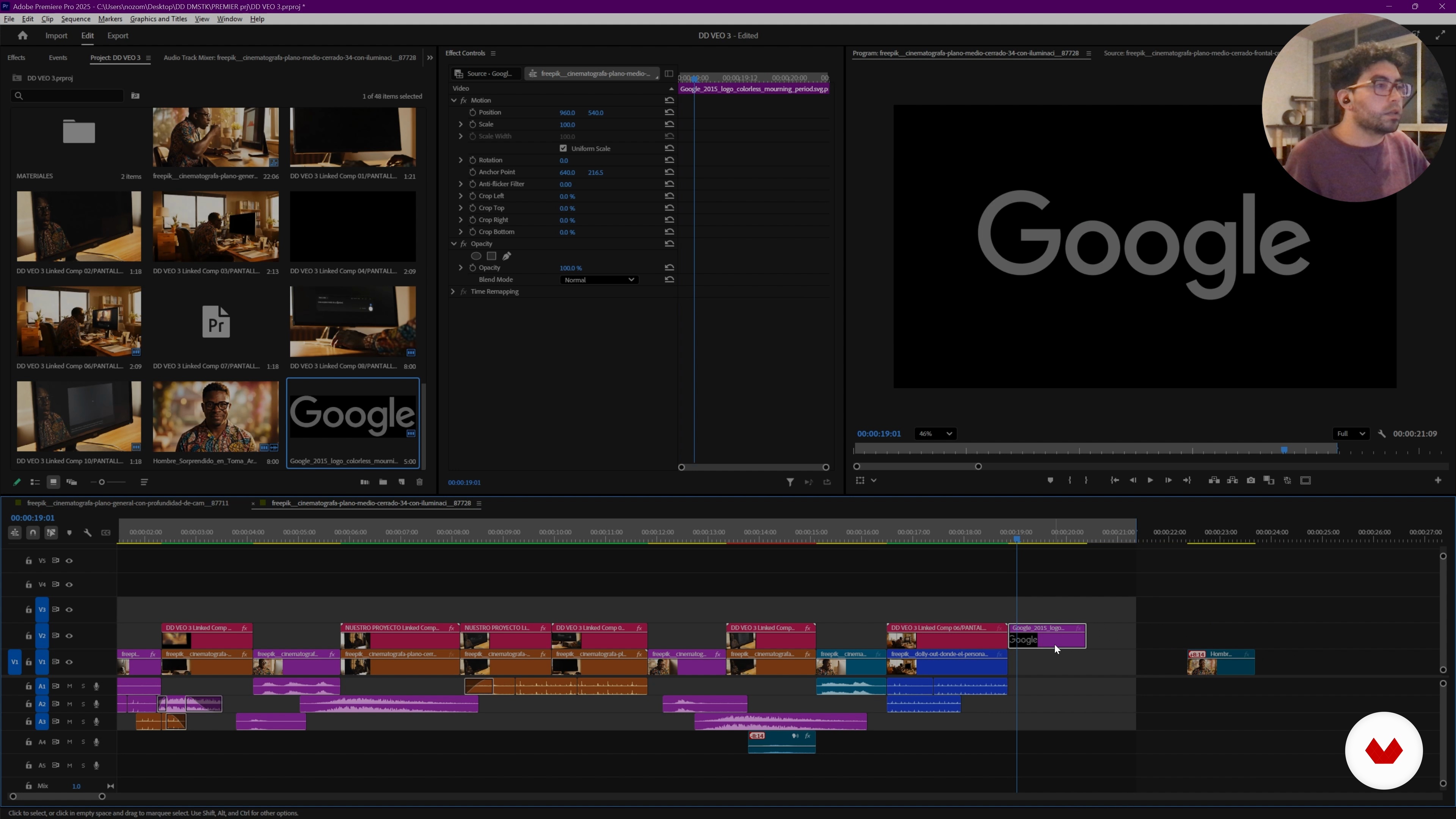
Initial editing of the spot with generated material
42 minutes, 47 seconds

Screen integration in After Effects with Mocha
32 minutes, 33 seconds
Final details, music, and project export
34 minutes, 41 seconds
What's included in this course?
You'll learn to integrate artificial intelligence tools into your creative workflow, boosting the generation of assets for audiovisual projects. You'll explore platforms like Zuno, Freepik, Gemini, and Whisk, discovering how they facilitate content creation and experimentation. You'll delve into scriptwriting and character development, leveraging advanced models like Veo 3.1 to effectively bring your ideas to life. Furthermore, you'll learn strategies for maintaining cohesion between the generated images and the final edit.
You'll delve into the use of programs like Premiere, After Effects, and Mocha for editing and post-production, optimizing each process. You'll learn to perform precise tracking and composition adjustments that enrich the visual narrative. As you work, you'll gain confidence in implementing these technologies, allowing you to approach projects with a fresh and collaborative perspective. This experience will empower you to use multiple AI tools, adapting them to your needs and style, achieving agile and creative results.
Recommended software & tools for this course
What is this course's project?
You'll learn to create an agile workflow using artificial intelligence tools. You'll develop a script with ChatGPT, generate images and videos in Freepeek and Gemini, and finalize the editing with Premiere and After Effects, achieving a complete audiovisual production.
Who is this online course for?
Ideal for creatives and design professionals interested in integrating artificial intelligence tools into their projects. This course offers a practical approach for those looking to optimize workflows and experiment with new technological trends in the audiovisual field.
Requirements and materials
To participate, basic knowledge of video editing and experience using programs like Premiere or After Effects is recommended. A computer with internet access, editing software installed, and a willingness to explore artificial intelligence tools are required.
Reviews
- 5 months ago
Muy bien curso muy explícito y dinámico
- gemaborralloPLUS7 months ago
Perfecto
- 8 months ago
El curso es muy bueno por el contenido y la explicación y manejo del expositor
- 9 months ago
Excelente

Since 2011, Camilo has worked as a Post-Producer at McCann, managing projects from concept to final delivery, collaborating closely with local and international brands and creative teams. His experience has allowed him to optimize workflows and transform creative ideas into effective communication pieces.
Passionate about visual storytelling, Camilo specializes in finding the best ways to “tell stories to the world,” combining creativity, imagination, and cutting-edge digital tools to bring projects that existed only in ideas to life.
Content
Create a promotional video using Artificial Intelligence, Veo3, and After Effects
- Welcome and workflow for AI creation
- Visual script design and images with Gemini and ChatGPT
- Video generation with Freepik and ChatGPT prompts
- Initial editing of the spot with generated material
- Screen integration in After Effects with Mocha
- Final details, music, and project export
- Final project
What to expect from a Domestika course
Learn at your own pace
Enjoy learning from home without a set schedule and with an easy-to-follow method. You set your own pace.
Learn from the best professionals
Learn valuable methods and techniques explained by top experts in the creative sector.
Meet expert teachers
Each expert teaches what they do best, with clear guidelines, true passion, and professional insight in every lesson.
Certificates
PLUSIf you're a Plus member, get a custom certificate signed by your teacher for every course. Share it on your portfolio, social media, or wherever you like.
Get front-row seats
Videos of the highest quality, so you don't miss a single detail. With unlimited access, you can watch them as many times as you need to perfect your technique.
Share knowledge and ideas
Ask questions, request feedback, or offer solutions. Share your learning experience with other students in the community who are as passionate about creativity as you are.
Connect with a global creative community
The community is home to millions of people from around the world who are curious and passionate about exploring and expressing their creativity.
Watch professionally produced courses
Domestika curates its teacher roster and produces every course in-house to ensure a high-quality online learning experience.
FAQs
You’ll learn how to replace and integrate screens in videos using After Effects and Mocha, create and edit visual assets with AI, and optimize professional workflows to produce realistic videos with coherent storytelling.
Yes, this course is designed for people with intermediate video editing and compositing skills, especially those who have used After Effects or similar tools before.
Basic experience with After Effects and general video editing knowledge is recommended to fully benefit from the course content and practical exercises.
You’ll need After Effects, the Mocha plugin, Premiere, access to Freepik, ChatGPT, Gemini, and Veo3, plus a computer capable of running video editing software.
Mocha lets you track screen movements in video, making it easy to integrate new content using techniques like Corner Pin and exporting tracking data directly into After Effects.
Yes, you’ll learn how to create characters and videos using AI tools like Freepik, Gemini, and Veo3, along with prompting techniques and custom asset generation.
The course teaches how to structure visual scripts, break down scenes, and apply storytelling techniques to build engaging and coherent audiovisual narratives.