AI for Architectural and Interior Visualization with ComfyUI
A course by Mohamed AbdellatifArchitect, Urban Designer and Writer
A course by Mohamed Abdellatif, Architect, Urban Designer and Writer

Design controlled AI workflows for architecture and interior visualization using ComfyUI, FLUX models, cloud templates, reusable pipelines
Design more than images and take control of your AI workflows for architecture and interior design visualization. In this course, you will learn how to use ComfyUI and FLUX as professional, open-source tools to move beyond random AI renders and build intentional pipelines for interior and architectural concepts.
You will start by understanding the logic behind diffusion models, nodes, workflows, and checkpoints, using ComfyUI’s visual, Grasshopper-like interface. Step by step, you will learn how text prompts, CLIP encoders, VAE decoders, sampling steps, seeds, and latent images interact to transform prompts into architectural and interior visualizations.
Working in the cloud with Runninghub, you will run ComfyUI without complex installation, using prebuilt templates and ready-made workflows for text-to-image, image-to-image, outpainting, ControlNet, and upscaling. You will see how to use different AI models such as FLUX and Stable Diffusion, test various architecture-focused checkpoints, and evaluate which model works best for each interior or exterior use case.
Through practical exercises, you will apply AI to real design tasks: generating interior design concepts, exploring facade variations, converting sketches and line art to renders, extending scenes with outpainting, and migrating styles between reference images. You will learn to adjust resolution, aspect ratio, batch size, and denoising steps to obtain coherent compositions suited to museums, residential spaces, cultural centers, and public interiors.
Beyond prompt writing, the course focuses on structured design workflows. You will build reusable ComfyUI graphs that connect models, prompts, ControlNet, and image-processing nodes into clear, repeatable pipelines. These workflows allow you to iterate quickly, keep stylistic consistency across projects, and maintain control over spatial logic, materials, light, and atmosphere.
By the end of the course, you will understand how open-source AI, ComfyUI, and FLUX can become part of a professional architecture or interior design practice. You will be able to combine concept thinking, mood boards, and technical parameters to create client-ready visualizations with consistent style, higher resolution, and a clear, editable workflow you can refine and expand over time.
What will you learn in this online course?
4 lessons & 2 downloads
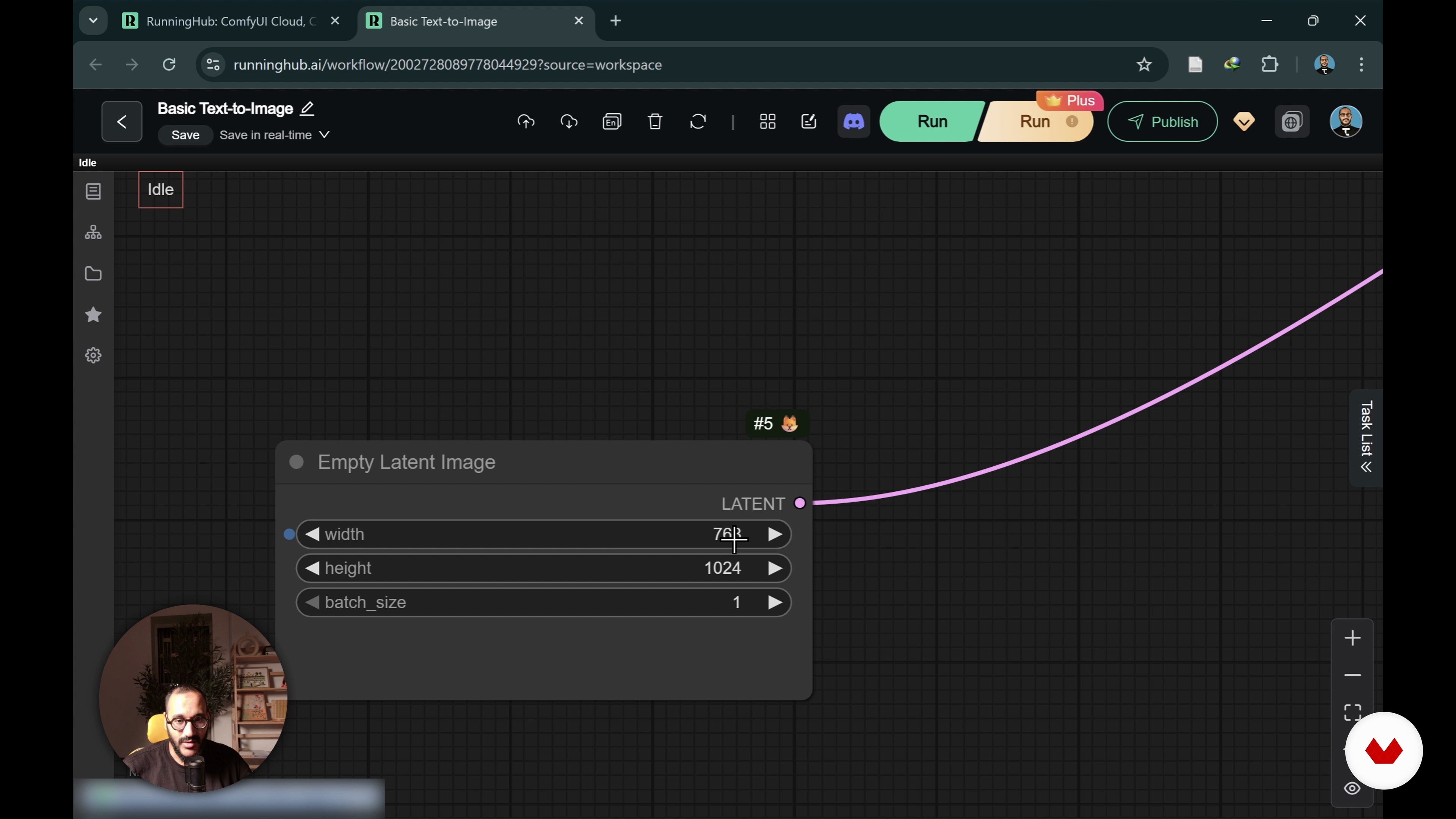
Understanding Basic Nodes and Workflows
9 minutes, 9 seconds
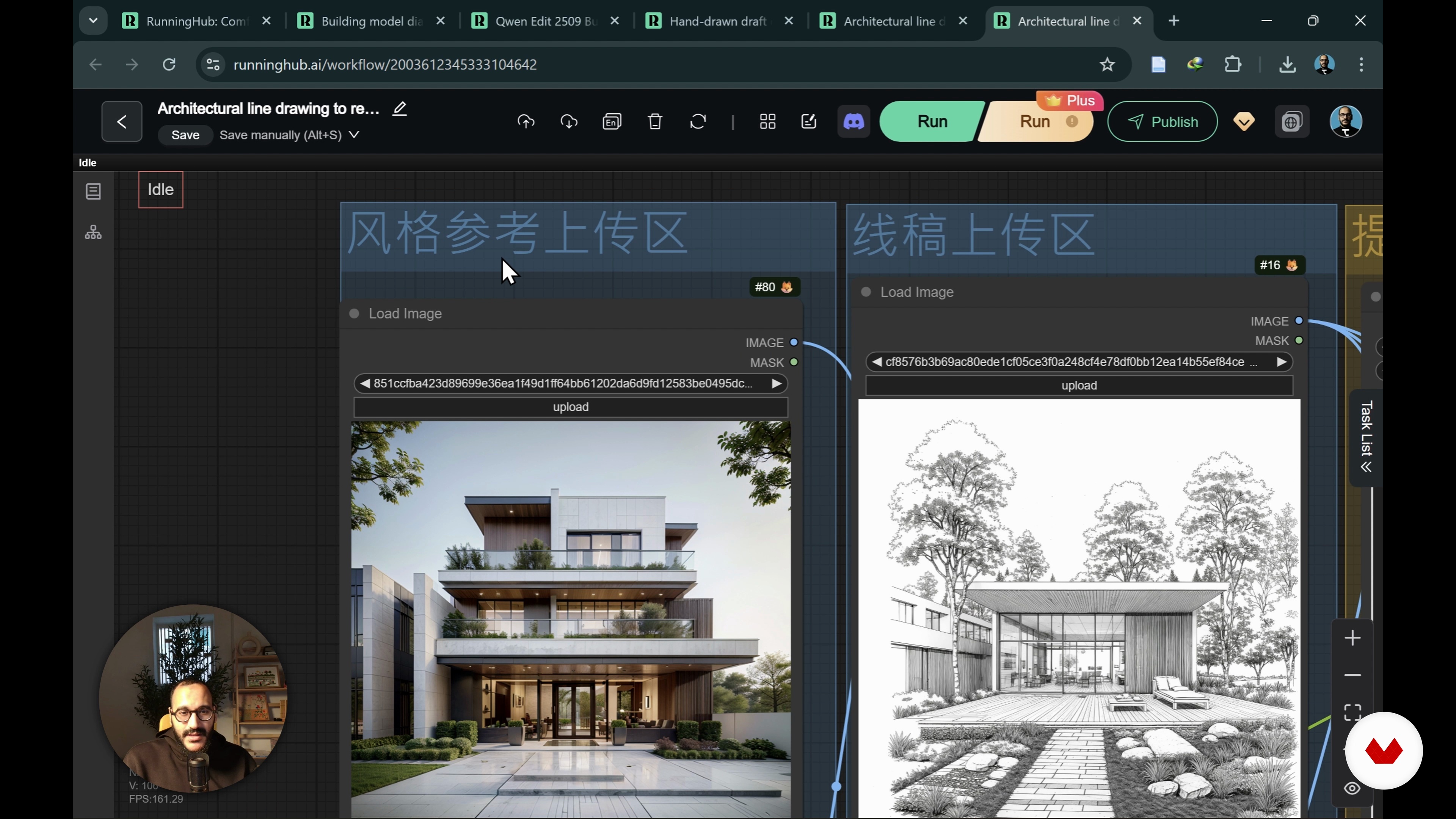
Experiencing Ready Workflows
18 minutes, 39 seconds
What's included in this course?
You will learn how open‑source AI workflows function, from core concepts like models, nodes, and checkpoints to the overall logic of image diffusion. Step by step, you will understand ComfyUI as a visual system, read its graphs with confidence, and navigate Runninghub to run complex workflows in the cloud using trial credits without dealing with local installation.
You will also learn to adapt and build workflows tailored to architecture and interior design needs. You will control prompts, references, spatial logic, materials, lighting, and style instead of relying on random generations. Through ready-made examples and practice files, you will design reusable pipelines that keep a consistent visual language across projects, generate refined concept iterations, and integrate AI visualization into a professional design process.
Recommended software & tools for this course
Who is this online course for?
Architects, interior designers, students, and visualization artists seeking structured AI workflows for consistent, client-ready architecture and interior images using ComfyUI and FLUX beyond trial-and-error prompt tools.
Requirements and materials
No extensive prior knowledge required, only basic understanding of architecture or interior design concepts, general computer skills, stable internet connection, web browser, free Runninghub account, optional sketch or reference images for experiments.
Reviews
- 20 days ago
El curso explica de forma clara y visual la lógica de ComfyUI, los nodos y los puntos de control, incluso para quienes no venimos de la programación. Me ha ayudado a entender cómo se construyen estos flujos y me deja con ganas de seguir profundizando. Curso Muy recomendable
- 21 days ago
I am an interior designer and totally beginner in the aspect of AI. I really enjoyed this course. Hoes work and professionalism are top!
- 5 months ago
“I need a more advanced course.”

He holds two master’s degrees in Architecture and Urban Design from Istanbul Technical University and is currently pursuing his PhD at PolyU in Hong Kong. Dedicated to knowledge-sharing, Tifa creates content, workshops, and courses that support architecture students and professionals worldwide. His work particularly focuses on architectural representation and the conceptual phase of the design process, encouraging creativity, critical thinking, and innovative approaches to contemporary practice.
Content
AI for Architectural and Interior Visualization with ComfyUI
- Important Introduction to ComfyUI and Open-Source AI
- Exploring Runninghub for ComfyUI Workflows
- Understanding Basic Nodes and Workflows
- Experiencing Ready Workflows
- Final project
What to expect from a Domestika course
Learn at your own pace
Enjoy learning from home without a set schedule and with an easy-to-follow method. You set your own pace.
Learn from the best professionals
Learn valuable methods and techniques explained by top experts in the creative sector.
Meet expert teachers
Each expert teaches what they do best, with clear guidelines, true passion, and professional insight in every lesson.
Certificates
PLUSIf you're a Plus member, get a custom certificate signed by your teacher for every course. Share it on your portfolio, social media, or wherever you like.
Get front-row seats
Videos of the highest quality, so you don't miss a single detail. With unlimited access, you can watch them as many times as you need to perfect your technique.
Share knowledge and ideas
Ask questions, request feedback, or offer solutions. Share your learning experience with other students in the community who are as passionate about creativity as you are.
Connect with a global creative community
The community is home to millions of people from around the world who are curious and passionate about exploring and expressing their creativity.
Watch professionally produced courses
Domestika curates its teacher roster and produces every course in-house to ensure a high-quality online learning experience.
FAQs
ComfyUI is an open-source tool for AI-driven image generation, offering full control over the architectural visualization workflow through node-based customization. It allows architects and designers to create detailed renders by connecting workflow nodes for models, prompts, and output parameters.
This course is designed for users with an intermediate understanding of architectural visualization or AI tools. Some familiarity with AI image generation concepts and design workflows is recommended for the best learning experience.
You’ll need a computer capable of running ComfyUI locally or access to a cloud-based solution like RunningHub. Basic hardware requirements include a modern GPU, sufficient RAM, and storage. No special equipment is required for cloud-based workflows.
You’ll learn to build and customize AI-driven workflows for architectural and interior design rendering, master node-based controls, deploy pre-built and custom workflows, and optimize visualization outcomes using ComfyUI, Flux, and RunningHub.
To install ComfyUI locally, you download the open-source software from its official repository, follow the setup instructions for your operating system, and ensure your computer meets the hardware requirements for AI image generation tasks.
Yes, ComfyUI can be used in the cloud via platforms like RunningHub, which offers scalable resources and easy access to models and workflows. RunningHub helps streamline your architectural visualization process without needing local hardware.
Node-based workflows in ComfyUI let you visually connect operations like model loading, prompt encoding, and image editing. This modular approach gives you granular control over each step, improving process flexibility and output quality.